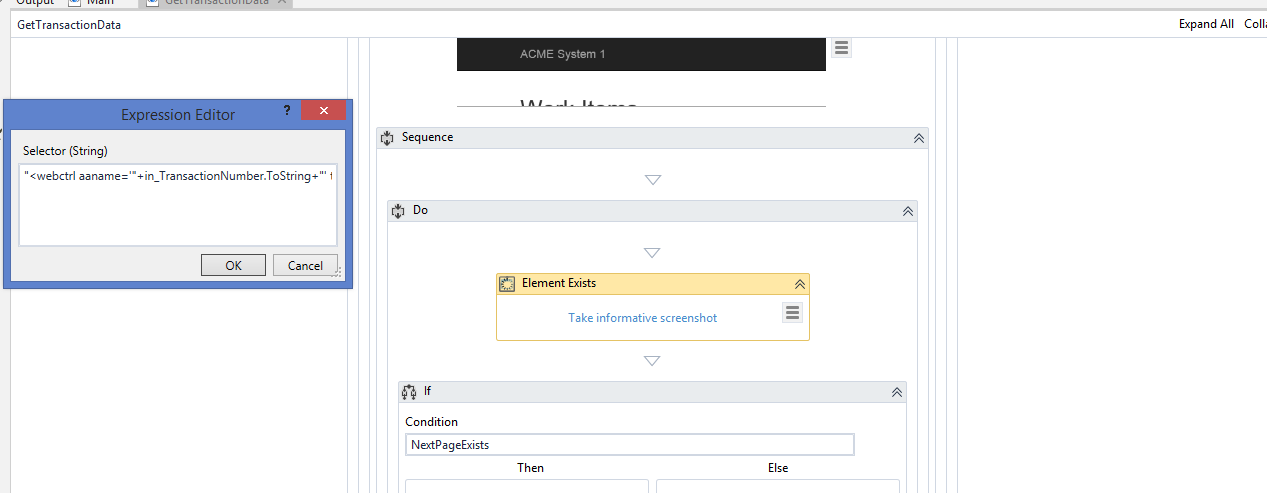
Hello. I’ve performed the dispatcher guide and now on the way to test it.
I placed everything as it was mentioned in the walkthrough guide but when I run it simply logs out the website.
This is logically true because the Attach Browser where you check the existence of the page number buttons is situated in an ‘If’ activity where the condition is that
out_TransactionItem isNot Nothing
How do I get the transaction data seriously? It scrapes the table only on the next stage, ‘Process’.
I’ve even placed the attach browser and if NextPageExists before “If a new Item is fetched Grab it’s significant data for logging”. The result remains the same.
Hey @MGMKLML I am also facing same issue even after I adjust the selector… How did you fixed this issue? Will you please share selector or screen print?
Hey @MGMKLML, I am not getting any error message but when I ran Main.xaml it is not processing to next page and System1 site is simply logout so don’t know where is the issue. Please help me to resolve this issue.
@NavneetPanpaliya I don’t have a good idea at this moment. Could you share your project here? I could try to take a look at it myself and see what could possibly go wrong
While running the Dispatcher workflow, “Element Exists” in “Get Transaction Data” returns a “False” value instead of “True” . Could anyone please let me know on why it is returning a value “False” ?
use it like this, just add element exists activity and go to edit selector paste the selector.the element exists should be inside the attach browser window
I am done with Dispatcher workflow but program is not moving to new page and did not fetched any data. Even its not giving any error message so don’t know where I made a mistake. Please help me to correct it. Here are the attached workflows for your reference.