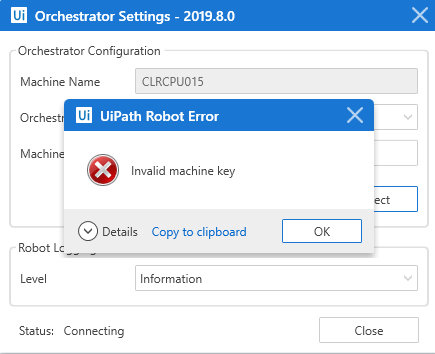
Vuong_Bui
September 24, 2019, 7:14am
1
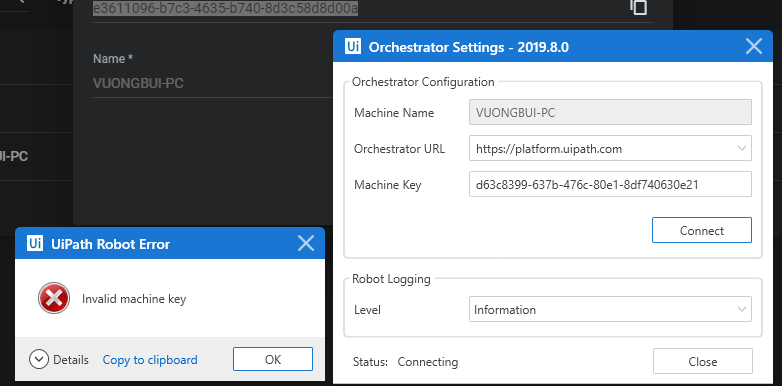
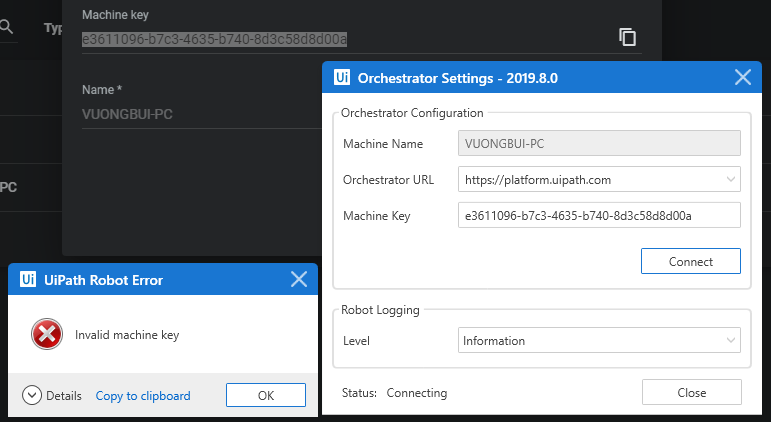
Hi, i learning the RPA Orchestrator turorials and when i connect robot and orchestrator that issue happen:
i was sure i was did everthing sam the tutorials video. i was successfull in my fisrt time, but when i remove old server and create new server it not work.
Here are my pictures for issue, please help me:
.
sandeep13
September 24, 2019, 7:19am
4
@Vuong_Bui
Vuong_Bui
September 24, 2019, 7:22am
5
I was sure i was copy machine key from machine in orchestrator then past to field Machine Key in Orchestrator settings.
Domain\Username = Computer name \ Username bạn ạ. Nên thực tế domain = machine (chắc là VUONGBUI-PC). Bạn kiểm tra lại nhé, có thể lấy thông tin trong System information
Vuong_Bui
September 24, 2019, 7:27am
7
huhuhug
September 24, 2019, 7:40am
8
Đây là lỗi machine key. K phải lỗi do user name.
huhuhug
September 24, 2019, 7:42am
9
Giải pháp 1. Bạn xóa machine đó đi tạo lại → Sẽ có machine key mới.
Vuong_Bui
September 24, 2019, 7:44am
10
em nghĩ là phương án 2, chứ sáng giờ em tạo chục cái machine mới rồi
MvOijen
September 24, 2019, 1:05pm
11
I have the same error on multiple machines…
Uninstall UiPath Community → Install Community
Remove Machine and Robot from Orchestrator
Remove files in %Appdata% and %ProgramData%
All without success
screis
September 24, 2019, 1:36pm
12
I’m also having this issue.
I am having the issue too. Is the machine name case-sensitive? I have “myPC” in the Orchestrator and “MYPC” in the Robot.
The problem is, I am not able to change the machine name to “MYPC” in the Orchestrator as when I type “MYPC”, it automatically suggests “myPC”.
lakshman
September 25, 2019, 5:30am
15
@davzu_fractal
Welcome to the uipath community.
Which machine key are you using here ?
Go to Machines page in Orchestrator and create the machine you want to connect to Orchestrator and then go to properties of that created machine. You will find machine key of that copy it and paste it in Orchestrator settings in Robot system tray.
loginerror
September 25, 2019, 8:48am
16
Hi everyone, see here for the solution:
Have maybe created robot in Orchestrator already and connected it to machine?
Please also try to write full address including you account name and service name like:
https://platform.uipath.com/<account name>/<service name>
You can see this in address bar when you are in orchestrator tenant page
Ebtesam
September 25, 2019, 10:57am
17
Thank you … Now it’s WORK
Toha
October 9, 2019, 2:26pm
18
Suggested solution worked, thanks!
jahanzeb7
October 15, 2019, 2:44pm
19
what will be service name ?
loginerror
October 15, 2019, 7:23pm
20
It is basically the url when you open your Orchestrator in the browser. The service name will be at the end of the url.


 .
.