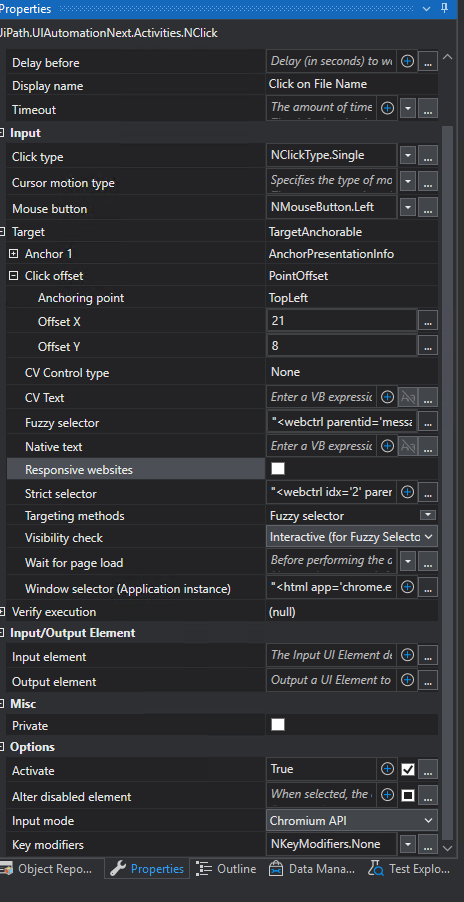
UiPath version : 2023.4.3 ( UI automation v23.10.13 )
I am trying to click on textbox (could not spy it) with respect to the label, offset is not working. I tried with all the input types, has anyone faced the similar issue? any solution?
Hi,
Where are you indicating by FileName_Element variable and where do you want to click? Can you elaborate it using image in the first post?
Regards,
Hello, Thank you for replying
This is image- bot is clicking in the middle of the element, not on the link.
That is why I am trying to use offset to make it click on the link

Having the same issue. The offset just does not seem to work with the modern activities. I’ve switched to classic for this click when I need it.
Hello Yoichi,
Thank you for your continued support, using Highlight Elements I found that it clicks on center of the element.
I tired the App\Web recorder, and change the click coordinates as shown in sample screenshot, as I noticed it was using Chromium API as Input Mode and Top left offset (x, y). Now it is working!
Hello Francois,
Can you try with input mode: Chromium API or use Web Recorder and change the coordinates (dragging the small cursor) as below.
Note: It appears when select option “Edit Target” of click activity’s option menu. Let me know if it works.