Hi all,
I’m learning about the PDF automation.
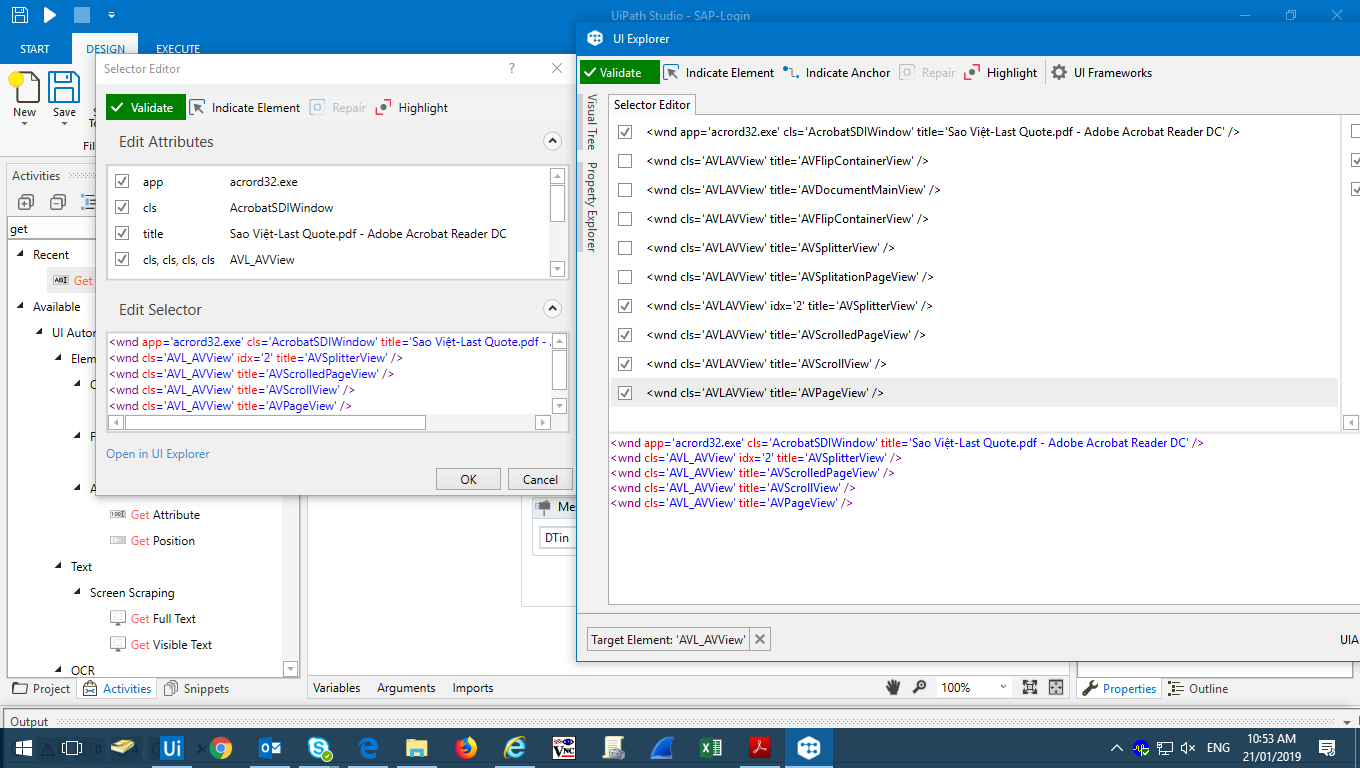
But I have problem with my case. I want to GetText from pdf file as attach but could not be selector exactly and seem error .
Could you tell me why ? and how to do that ?Sample PDF.pdf (339.6 KB)
Thanks you!
pathrudu
January 21, 2019, 4:44am
2
Hi I’m not getting your question. Can you please explain me in detail what you have done till now? It will help to understand better
Hi Pathrudu.
Sorry if my question not clearly to you.
I want to scrap the price on the pdf file as my previous post. But seem it has problem so I could not scrapped.
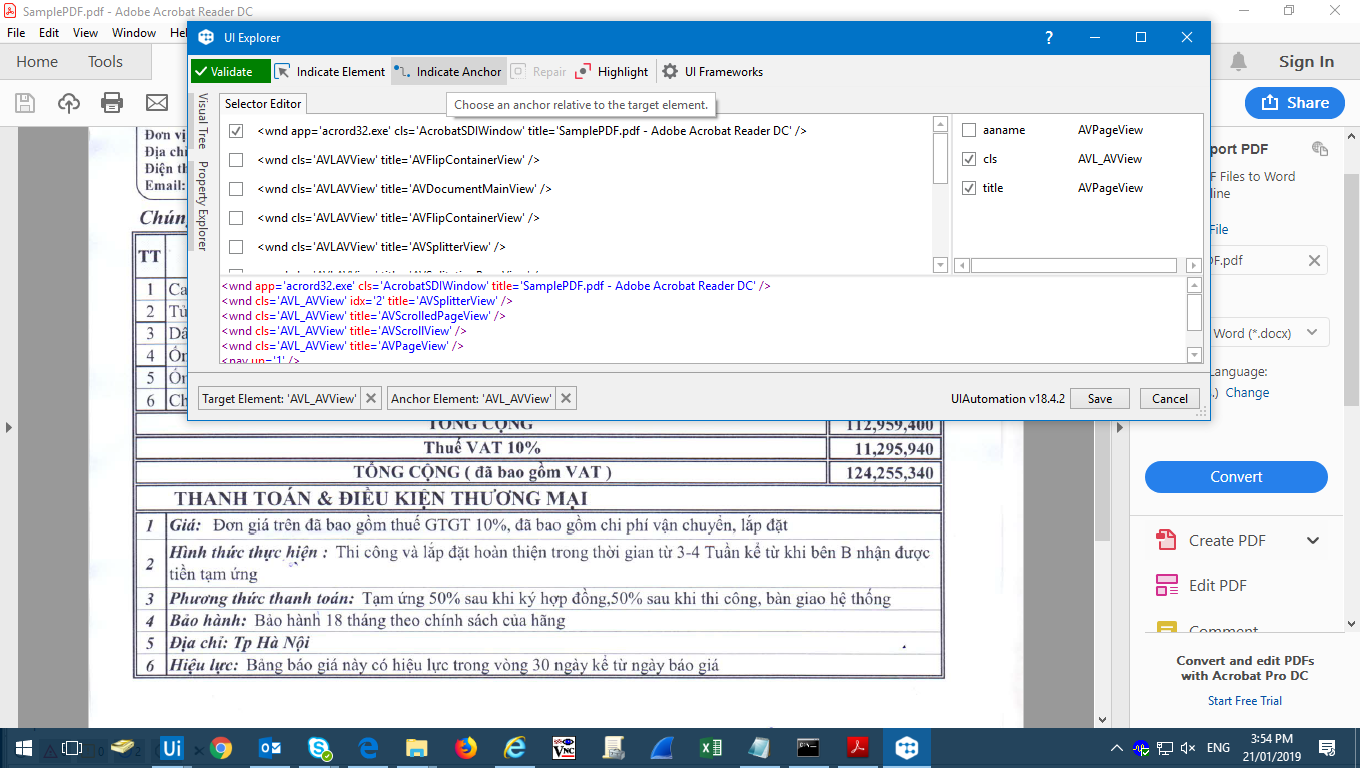
I could not used Selector to chose what I want to scrap on the pdf file… I have press F3 key and chose region but still not had exactly result.
thanks you!
pathrudu
January 21, 2019, 5:10am
4
Check your adobe settings. There will be a setting to ActivateReadOutLoud, please find the attached image for your ref.
Hope this will help you.
Regards,
Jumbo
January 21, 2019, 5:43am
5
might be this post work for you.
Hello,
I am new to UiPath and have been watching all the tutorial and playing around. I have the latest community version 2016.2.6274
I am having issues trying to select elements in PDF documents. These documents are native and do not need OCR. I can read the full document text, but I cannot use the screen scrapping method to select individual elements (it only select the full document). I have a feeling it may be something to do with the accessibility settings in adobe reader DC, I have tried…
rgds,
Hi Jumbo.
Thanks you so much.
I have read this thread. I have tested with two PDF file, one fine is okay but one file still can not ( selector still chose full screen )
Do you know why ?
Hi pathrudu.
Thanks you so much. I have fixed about 50% with thread Selecting PDF Elements - #45 by crobinson
pathrudu
January 21, 2019, 7:42am
8
Is the second one native pdf or OCR?
@pathrudu Second file is saved from excel file.
With OCR file… how to do ?
pathrudu
January 21, 2019, 8:20am
10
I just gone through the pdf file you attached it’s scanned PDF.pdf.xaml (39.8 KB)
Hope this may give better understanding.
Regards,
@pathrudu
but how to scrap individual from scanned PDF file ? We always must collect data from scanned PDF file
pathrudu
January 21, 2019, 8:39am
12
You can use relative scrapping by identifying anchor element for each field, in other way you can use red pdf with OCR and do the string manipulation to get required data.
Jumbo
January 21, 2019, 8:48am
13
or sometime open pdf with Word might be helpful to convert pdf table to excel table.
Rds,
@pathrudu
Could you pls guide step by step for this ?
Thanks you!
@pathrudu
Thanks you!GetText from PDF.xaml (16.7 KB)Sample PDF.pdf (339.6 KB)
pathrudu
January 21, 2019, 9:27am
16
Don’t Use selectors. in simpler way i can say open citrix recorder and choose scrap relative. once go through relative scrapping topics.
The UiPath Documentation Portal - the home of all our valuable information. Find here everything you need to guide you in your automation journey in the UiPath ecosystem, from complex installation guides to quick tutorials, to practical business...
so you may get some idea.
I’ll edit your code in some time.
regards,
@pathrudu
Thanks you so much. I have used Get OCR Text activity and successfully ^^
@pathrudu
I have used Find Element activity, but it has problem and how to re-correct.
Thanks you!GetText from PDF.xaml (19.3 KB)
pathrudu
January 22, 2019, 11:38am
19
use find image instead of find element. there won’t be any elements in scanned PDF.
@pathrudu 1.pdf (24.2 KB)