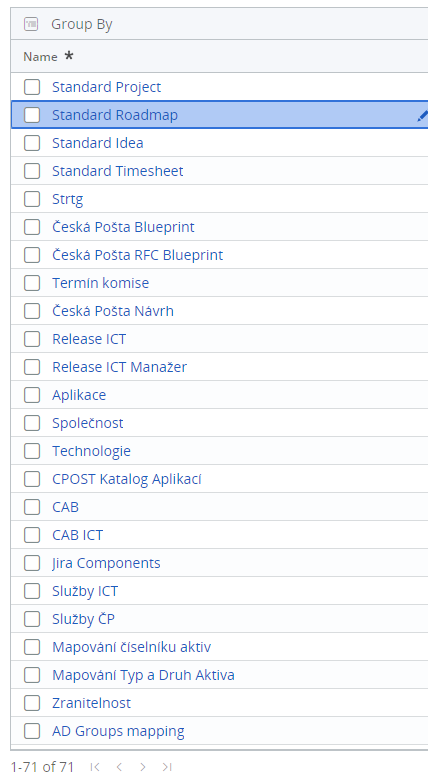
Hi! I am working on the automation of customization of templates, just a make only one copy of the original one.
I used an activity For each EI Element, in the Table Extraction Preview I can see all desired rows (71) that I want to change. After that, I specified clicking activity. But now a problem is that the process is still looping on the first item on the list. Below you can see a list.
Here you can also see my process workflow:
jack.chan
October 6, 2022, 8:54am
3
@onevsimal click activity , selector is BLANK and element = CurrentElement
1 Like
HI @onevsimal
You need to use the Dynamic selectors in the in the click activity
Can you try with classic design instead of modern
Follow the steps in this thread and recreate it based on your flow
@gilang_ramadhan123
So first i have changed the modern design experiance to classic design
[image]
Then i have done Data Scrapping and that you aware of i think
Then Lookup Datatable to find the index(Number of the row)
[How to Lookup Data Table in UiPath - Full tutorial]
If condition to check if the datatble has the row available in the Datatable
Assign RowIndex+1 because normaly lookupdatatble will leave the headers while it giving you the index so if we use without increm…
Regards
onevsimal
December 15, 2022, 12:38pm
5
This case in no more relevant, its ok to close it.
postwick
December 15, 2022, 1:16pm
6
No, you don’t use dynamic selectors when using For Each Ui Element. You use the CurrentElement object to tell it what to click, as Jack explained.
postwick
December 15, 2022, 1:17pm
7
You should mark the appropriate comment as the solution. That closes it.
1 Like
Aww , My bad @postwick , i didn’t see the for each ui element
@onevsimal You can follow as @jack.chan
Regards
system
December 18, 2022, 1:25pm
9
This topic was automatically closed 3 days after the last reply. New replies are no longer allowed.