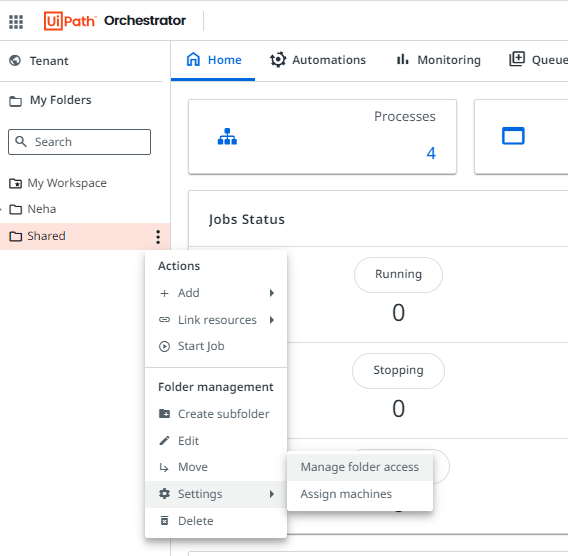
Hello. I am new to UiPath so bear with me if things are obvious to you!
I am at the lesson where we learn about Orchestrator and I am following along with the video to create an unattended robot.
In one of the last steps (running a job), I need to choose the connected hostname, but I cannot find it, but it shows as connected.
Here is the data you should know:
1- Machine shows as connected (note that I am working on the same computer)
Ensure that you have the necessary permissions in Orchestrator to view and manage machines. You may need to have the appropriate roles or permissions granted to access and manage machines.
Verify that the machine key on the robot matches the machine key in Orchestrator. A mismatch can lead to connectivity issues.
Make sure that the machine name in Orchestrator matches the machine name where the robot is installed.
In UiPath Robot settings, ensure that the Orchestrator URL and machine key are correctly configured.
Confirm that the machine is assigned to the correct machine template in Orchestrator.
If you are using the Modern Folders feature in Orchestrator, make sure the machine is provisioned to the correct folder where you are trying to assign it.
As per your screenshot machine is already selected…just satrt the job it should start with a host …you should not get any issue…the hostname or the computer/vm that is connected will be displayed in running job automatically
Hope thid helps
That is used when using vm with cal licnese or multiple logind that are available