When I run in debug mode my dispatcher before the end, he stopped with message “Add queue item Faulted” in the output window. And then rerun again and again. I don’t know what is the problem: orchestrator, data scraping…
Here you are my dispatcher: Dispatcher.zip (106.6 KB)
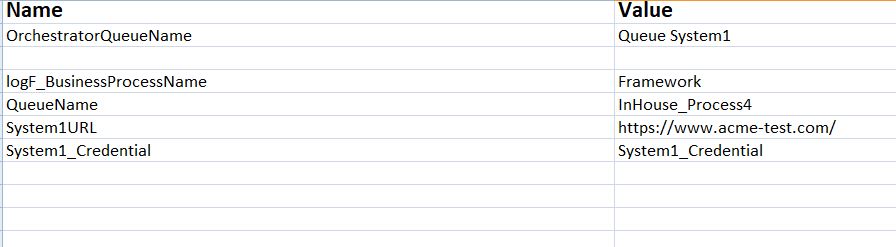
Can you cross-verify whether the name of the queue created in orchestrator and the one you mentioned in the config file are same.
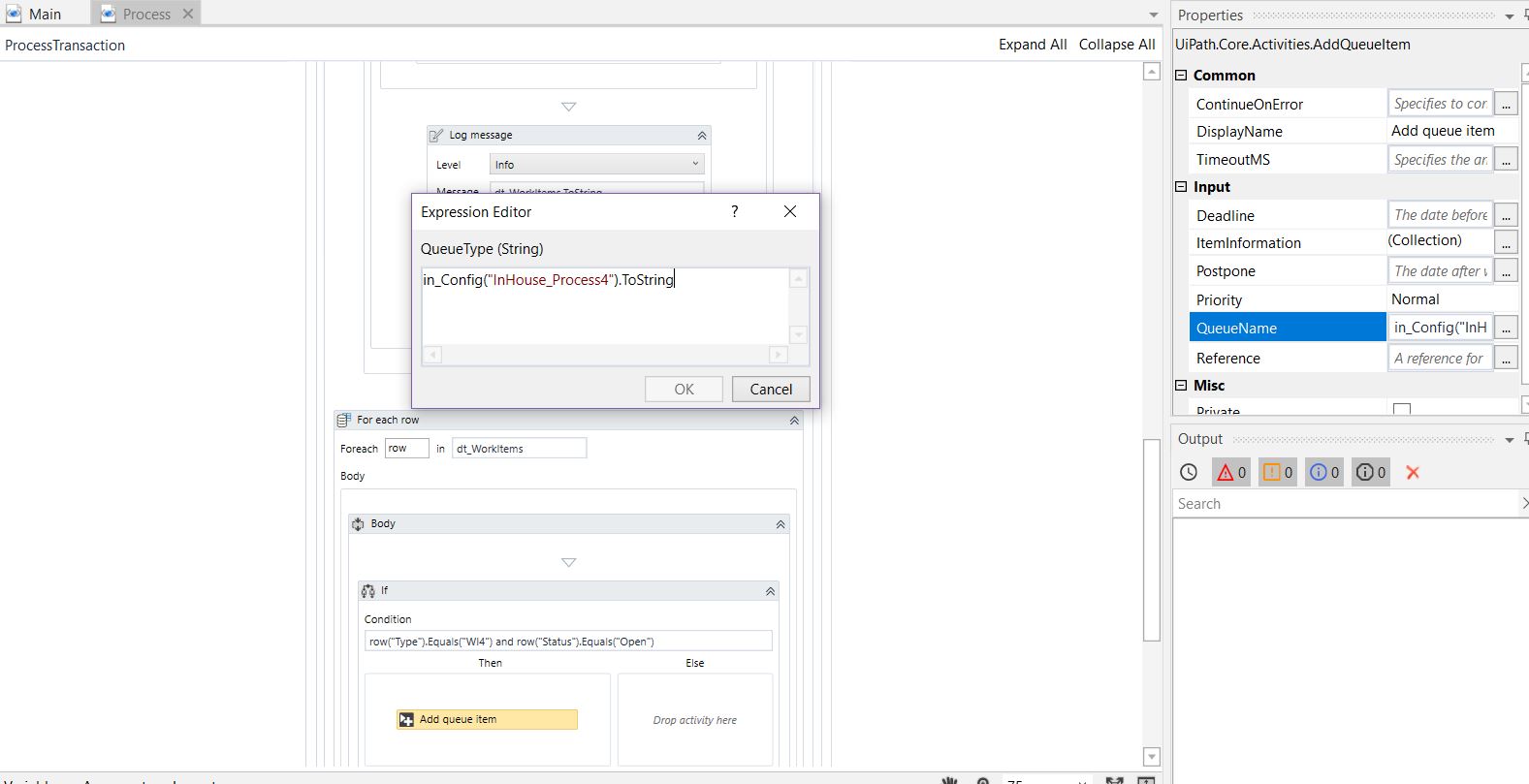
In your workflow i can see Queue name is pointing to ‘InHouse_Process4’ so please make sure the queue name against this in the config file is the queue you created in the orchestrator.
Try giving the QueueName in the studio as in_Config(“QueueName”).ToString as the name given for the queue in your config file is “QueueName” and the value (InHouse_Process4) is the actual queue name.
Since the RE-Framework reads the config file and saves all the Key-Value/ Name-Value pairs in the form of Dictionary, it might as well be searching for a key named ‘InHouse_Process4’ and not finding it.
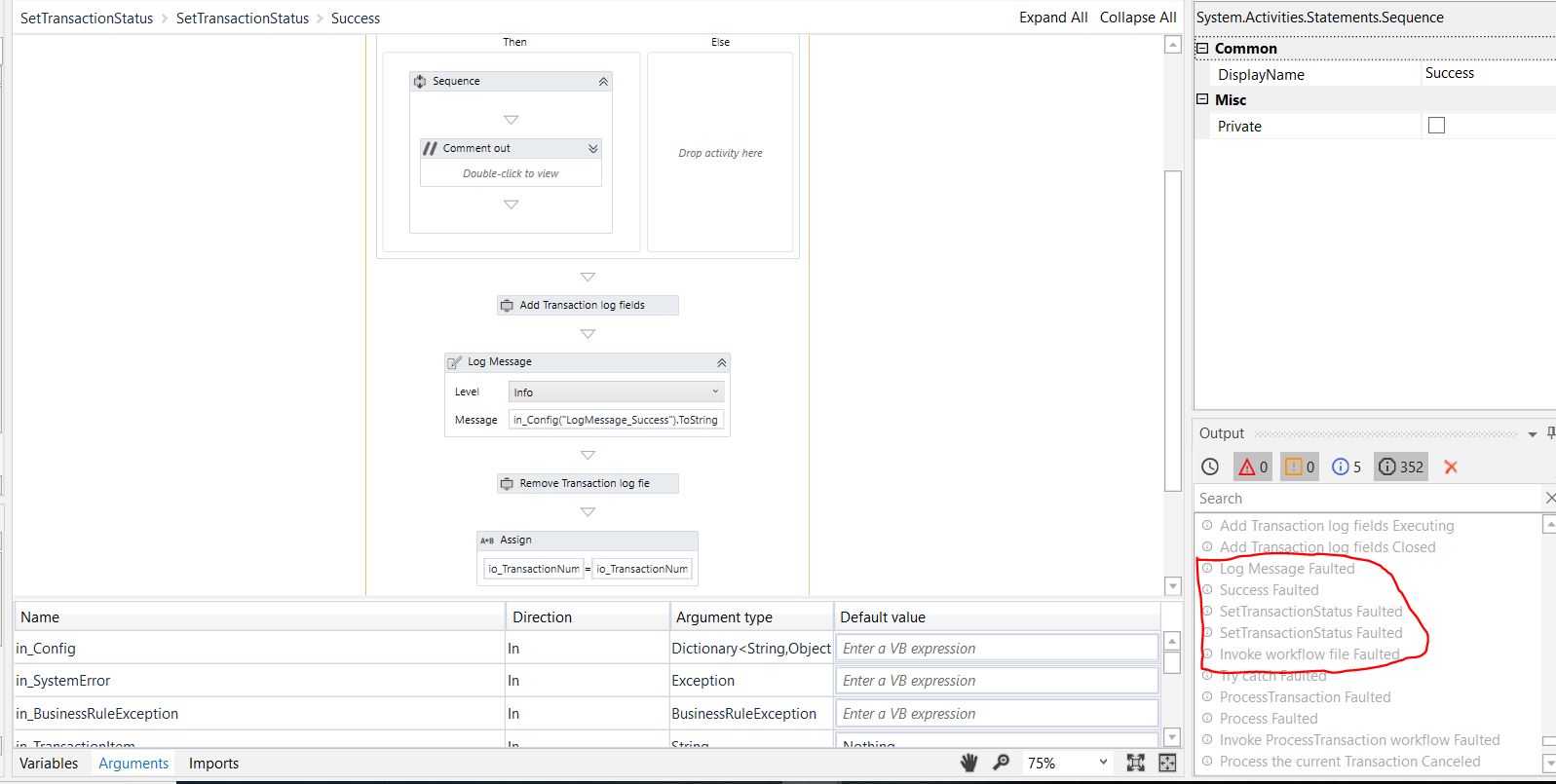
Thanks @Ashraya, I try it, but the problem remains, that is to say the message is “System exception. Retry: 0. Object reference not set to an instance of an object. at Source: Invoke workflow file: Log Message”
I don’t know there is 0 object reference while the scraping is ok.
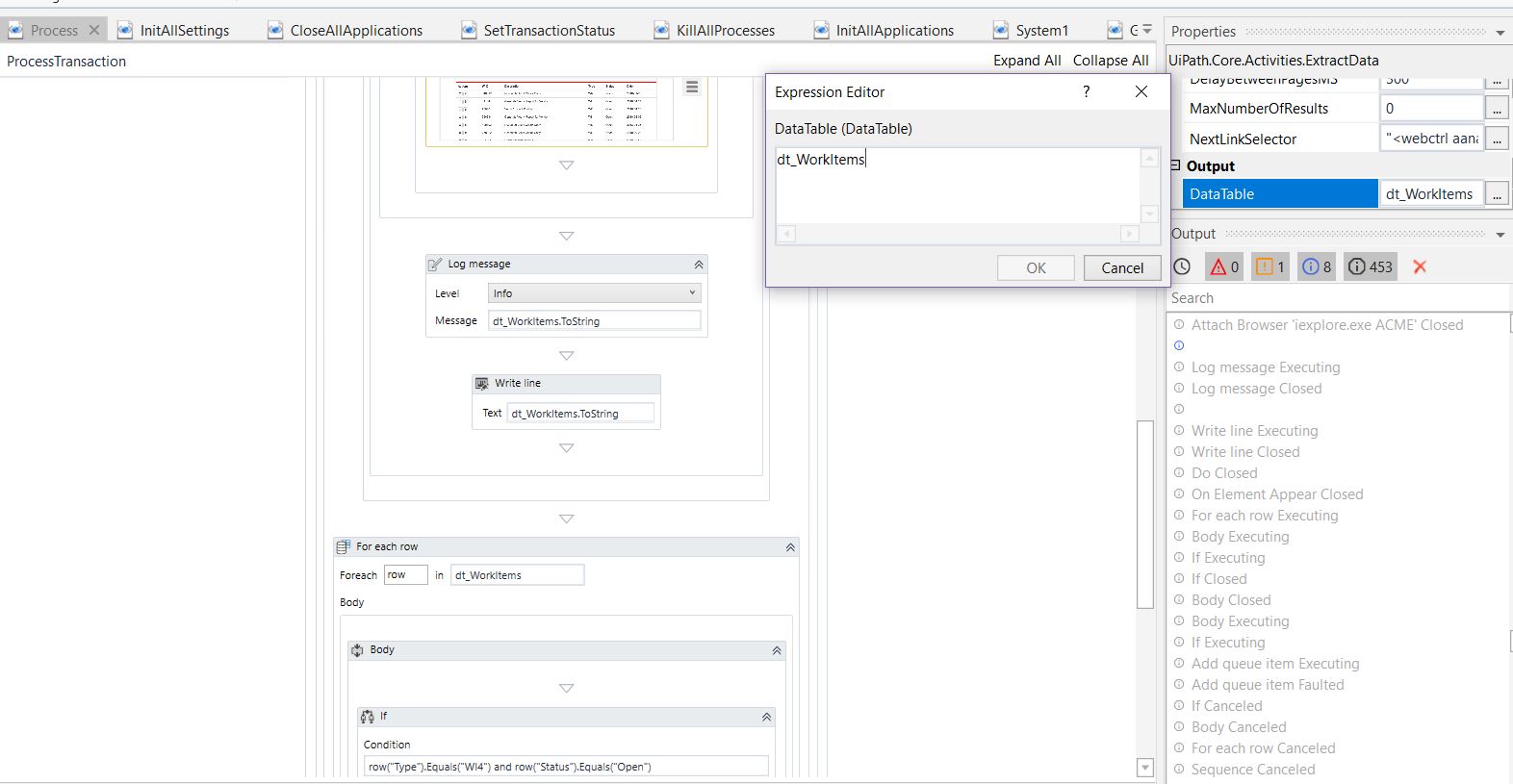
okay… if the error is ‘Object reference not set to an instance of an object’ then can you try printing the row item you are trying to add to queue before the ‘add queue item’ activity using ‘WriteLine’ and see if the WIID is coming, if not then the scrapping has issue and you trying to add null value hence the error.
Ok, I checked, the data scraping is good but then when I print "row(“WIID”).ToString in the condition, I have “441444” so Add queue item is faulted. But I don’t how I can correct this problem
It told me : Add queue item Faulted and then “System exception. Retry: 0. Object reference not set to an instance of an object. at Source: Invoke workflow file: Log Message” so is empty