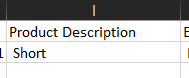
tengo un for each in file en donde busca el pdf en una carpeta, extraigo la informacion con extract document data, tengo mas field name y al final un tableItem(lo que necesito es: Part#, Description, Qty, Lot, Price ) adjunto imagen de tabla en pdf original.
luego tengo un excel aplication scope en donde veo el excel que se escribiran los datos.
tengo un assig
arrTableItem = ExtractionOutput.Data.TableItem.Value.Split(Environment.NewLine.ToCharArray(), StringSplitOptions.RemoveEmptyEntries)
luego voy escribiendo con write cell los valores que no estan en la tabla, como invoice, date, country.
despues de eso tengo un for each que recorre arrTableItem
y adentro escribo lo que esta en la tabla (item.ToString.Split(","c)(4))
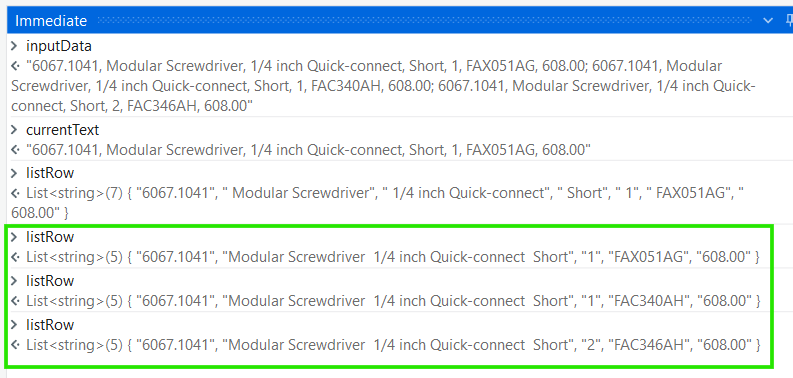
adjunto img de como me trae los datos de la tabla.
Try this:
To write the entire table in Excel, use a For Each loop with Write Cell to insert each row’s data from arrTableItem, splitting with Split(","c) for each column. For the product description, extract it using item.ToString.Split(","c)(2) (or the correct index based on your data structure).
To write all the data from the PDF, extract the data using Extract Data from PDF (or Read PDF Text), then loop through the extracted data (e.g., arrTableItem). Use Excel Application Scope and Write Cell inside a For Each loop to write the data (like Part#, Description, Qty, Lot, Price) into the Excel sheet.
Yes, you can use Extract Document Data to extract data from the PDF. Store the output in ExtractionOutput, then loop through ExtractionOutput.Data.TableItem.Value to write the data (e.g., Part#, Description, Qty, Lot, Price) to Excel using Excel Application Scope and Write Cell.
Por favor, marca como solución si tu problema se resolvió.
As you can see, The Description is perfectly extracted. It will work for any description (even if there is more than 2 commas in description) provided that the last 3 columns are Qty, Lot and Price respectively.
Apologies for the delay,
I hope this solves the issue, Do mark it as a solution.
Happy Automation
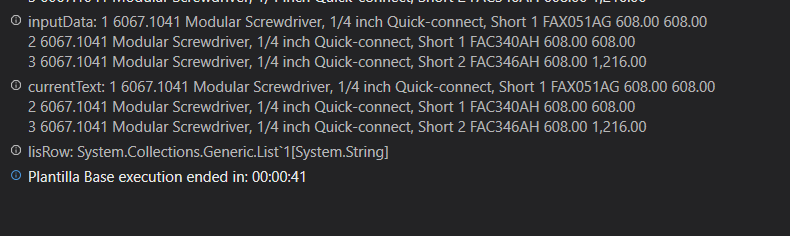
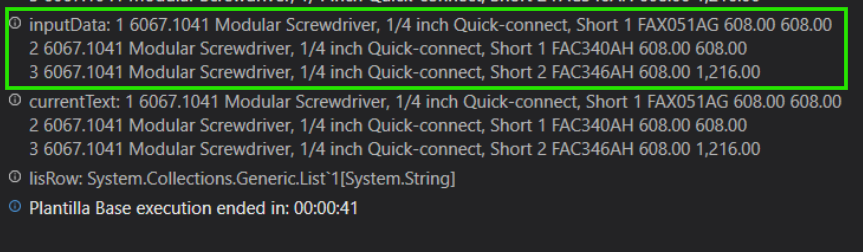
viene en ese formato, ya que lo extraigo con extract document data.
para poder ver la informacion de la tabla uso ExtractionOutput.Data.TableItem.Value
lo cual me da
apartir de esa informacion tengo que extraer los datos y escribirlos en un excel, como son tres datos, los tres debo escribirlos
Note: If the Regular expression fails in step 1 or 2, take the input value of ExtractionOutput.Data.TableItem.Value, and put it in Regex 101 website regex101: build, test, and debug regex.
Place the regular expression and test: