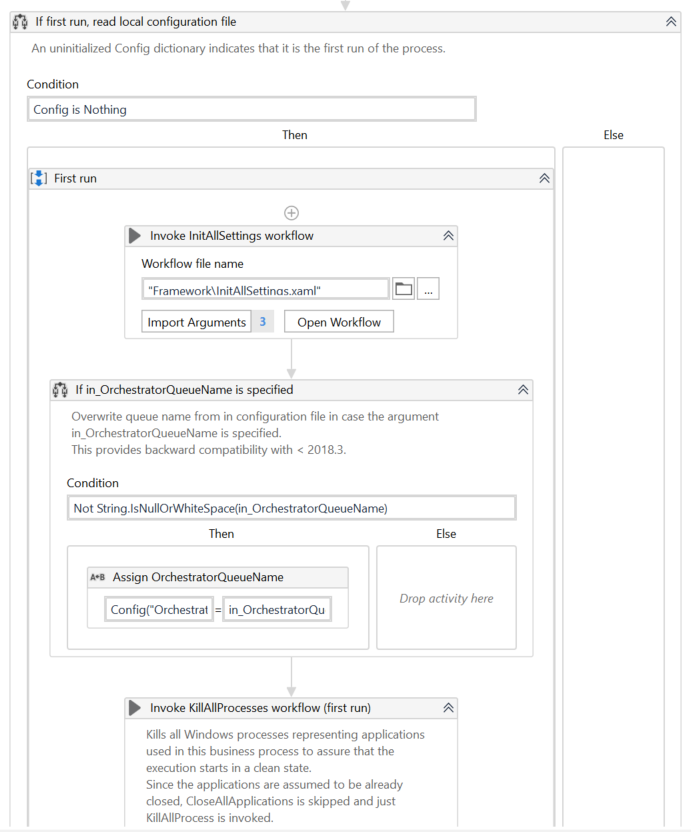
First to convert RE framework to work with mails…we have to make sue the tranasactionitem
Is changed to mailmesaages and transactiondata to be changed to list of mailmessages from datatable
Use the get outlook mail message activity in initialization state under if first run condition… and assign output to io_transactiondata( here you can add filters as needed)
“@SQL=”“urn:schemas:httpmail:textdescription”" like ‘%UiPath IT Automation%’"
This will filter on mail body to contain UiPath IT Automation keyword … please check below link for more filters
in the get transaction data xaml remove get queues and add a if condition… with in_transactionitem <= io_transactiondata.Count
On the then side use transactionitem = io_transactiondata(in_tramsactionitem) and on else side assign nothing to transactionitem
now in process xaml you can use aave attachments and save it as needed and then can read the data
To achieve the requirement without using the Orchestrator Queue, you can use the REFramework in conjunction with the Get SMTP Mail Message and Write Line activities.
Firstly, use the Get SMTP Mail Message activity to search for emails with a particular keyword and have attachments.
Then, process the emails to grab the attachments using the Write Line activity.
Next, save the attachments in a particular folder at a designated location.
Finally, use the Get Attachment activity to get the link to the file location and save it in a spreadsheet as part of the runtime audit report.
Once these steps are completed, the process will be finished without using the Orchestrator Queue.
The other steps I know how to create. I just need to know which ones I need to tweak so that instead of getting items to process from the Orchestrator queue, it’ll make use of those “qualified” emails.
What all changes and where all it hs to be done is mentioned already…once you start changing the transaction item you might see some errors…but once you change all it should be good…