Hi all,
I am not able to clear the text field even after checking the empty field to true.


What changes i need to do. Please guide me on this.
@lakshmi.mp
Did you try it with simulate
First Check its selector is valid.
2nd mark click before Typing as yes
Hi @lakshmi.mp
Could you please try the ‘Simulate Type’ option as True once, as it has an automatic empty field feature available?
Best Regards.
Hi @lakshmi.mp
Click on Click Before typing option
@lakshmi.mp post updated with possiblities
@lakshmi.mp
If its not work then Try Set Text Activity.
If you face same issue then use Send Hot Key to Clean it by clicking on that field.
Send Hot keys : Ctrl+A then Backspace
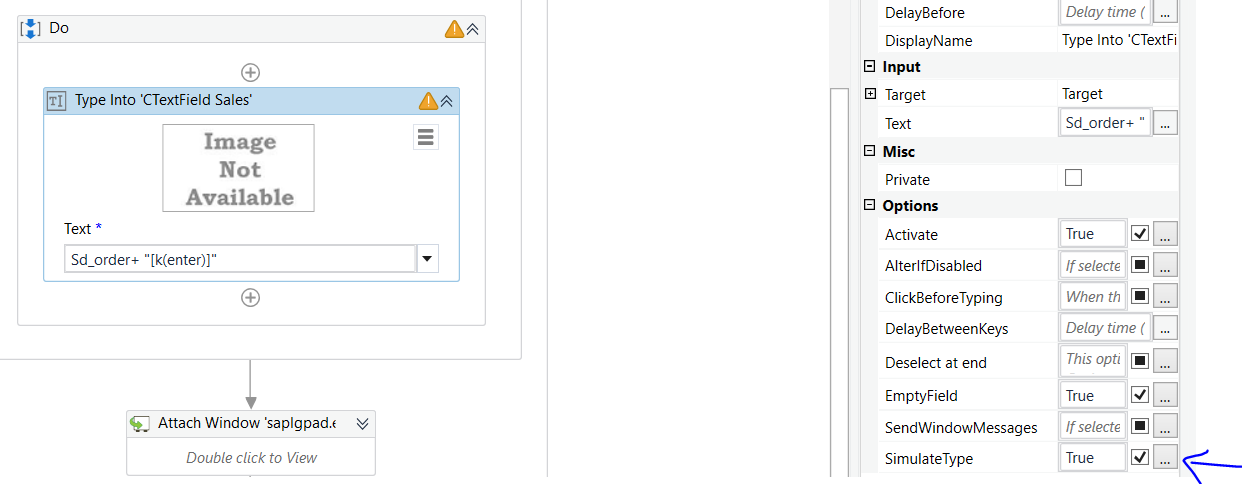

Hi @raja.arslankhan , how to use send hotkey and set text to clear
Hi @lakshmi.mp
While using Simulate Type, you cannot send the hotkey directly with the text. Just send the text & use the send hotkey activity after the action.
Hope this helps,
Best Regards.
@lakshmi.mp In simulate key property Enter is not working you need to remove it first from type into
You can use the flow like this:

For Type Into - Set the Simulate Type as True.
For Send Hotkey - Set the Delay Before to 5000, so that it will work without any overlapping.
Hope this helps,
Best Regards.
@lakshmi.mp
Before Type into activity put one click activity and pass same selector as type into.
place send hot key activity /keyboard shortcuts and pass same selector as type into.
and select keys as cltrl+A
put one one send hot key activity/keyboard shortcuts and select key as backspace.
little bit extra work but its option.
