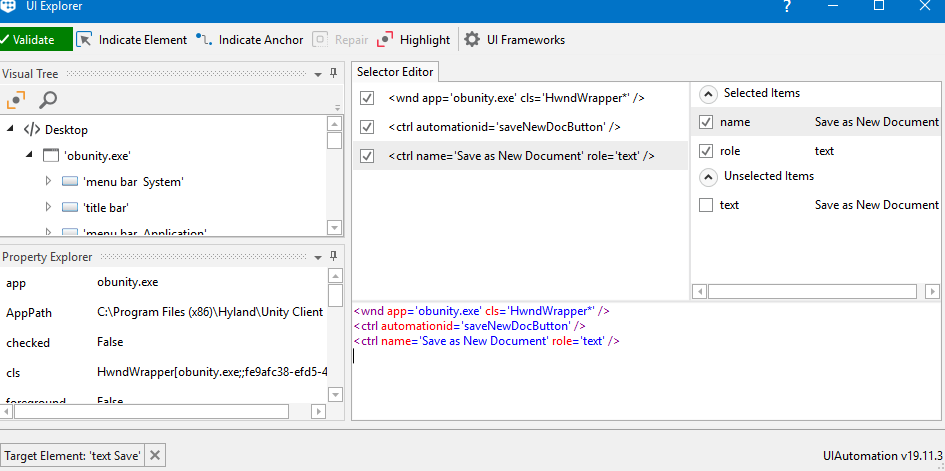
Click works fine for almost all cases and selector is validating.
But for few cases same button is not validating selector.
Already tried , delay, retry , click image , click text.
Not working, but Selector is same for that button.
Can anyone suggest some good solution on this .
Note : Hotkeys are working, but we are trying to find different solution where keyboard is not needed.
Is there anything else that could be different in those cases? For example, a different layout of the page, the visibility of the button, a little delay in the loading of the screen, etc…? When it doesn’t work, do you get an errror message? If not done, can you set “Continue on error” to False to check whether there’s an error message?
Can you try to create a new Click activity (just temporarily, for the sake of troubleshooting) and configure it so that it clicks on the button on the cases that are failing? This will allow to check whether for some reason UiPath suggests a different selector for those specific cases, and if so we can investigate further on how to fix the situation.