I am doing automation where I am using the Excel application Scope, when I run the bot, it opens a pop-up and because of that bot throws an error. I searched and found that I could use the ON ELEMENT APPEAR activity to close the Pop-up.
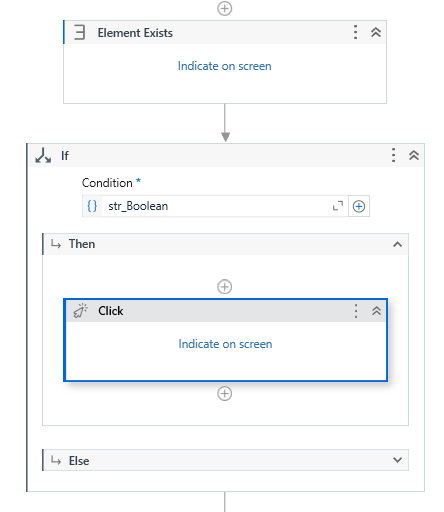
Use Element Exists activity and indicate the Close in the pop up message. Store the output in a avariable which of datatype System.Boolean. After that use If condition and pass that boolean variable and in the Then section you can give Click activity.
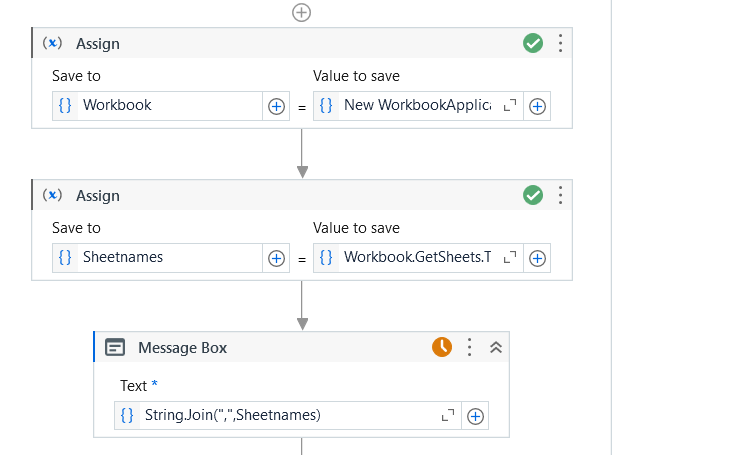
actually my automation demanded that the sheet name will change everytime the client sends the mail.for that i was using excel application scope and now i dont know how it works with read range workbook activity.
If you want to use Read Range Workbook then use the below code in Invoke Code:
Dim app As Microsoft.Office.Interop.Excel.Application
Dim wb As Microsoft.Office.Interop.Excel.Workbook
Dim firstSheet As Microsoft.Office.Interop.Excel.Worksheet

app = New Microsoft.Office.Interop.Excel.Application()
app.Visible = False
app.AskToUpdateLinks = False
wb = app.Workbooks.Open(ExcelFilePath, False, False)

If wb.Sheets.Count > 0 Then
    firstSheet = CType(wb.Sheets(1), Microsoft.Office.Interop.Excel.Worksheet)
    sheetName = firstSheet.Name
Else
    ' Handle the case where there are no sheets in the workbook
    ' You can set a default value or raise an error as needed.
    sheetName = "No Sheets Found"
End If

wb.Close()
app.Quit()
ExcelFilePath is In Argument and pass the excel file Path
sheetName is out Argument and Value side create a variable SheetName.
After that Use Read Range Workbook, pass the excel file path, Sheet name pass the variable SheetName.