In RE Frameworks open the Process Transaction state in that Open the Invoke Set Transaction status invoked workflow. In that workflow open the Success sequence you find the Set transaction status activity in the above of the activity you can use excel activities to update the excel file for success update.
For failed in the same Set Transaction status invoked workflow open the system exception sequence in that sequence in the above of the set transaction activity you can use the excel activities to update failure.
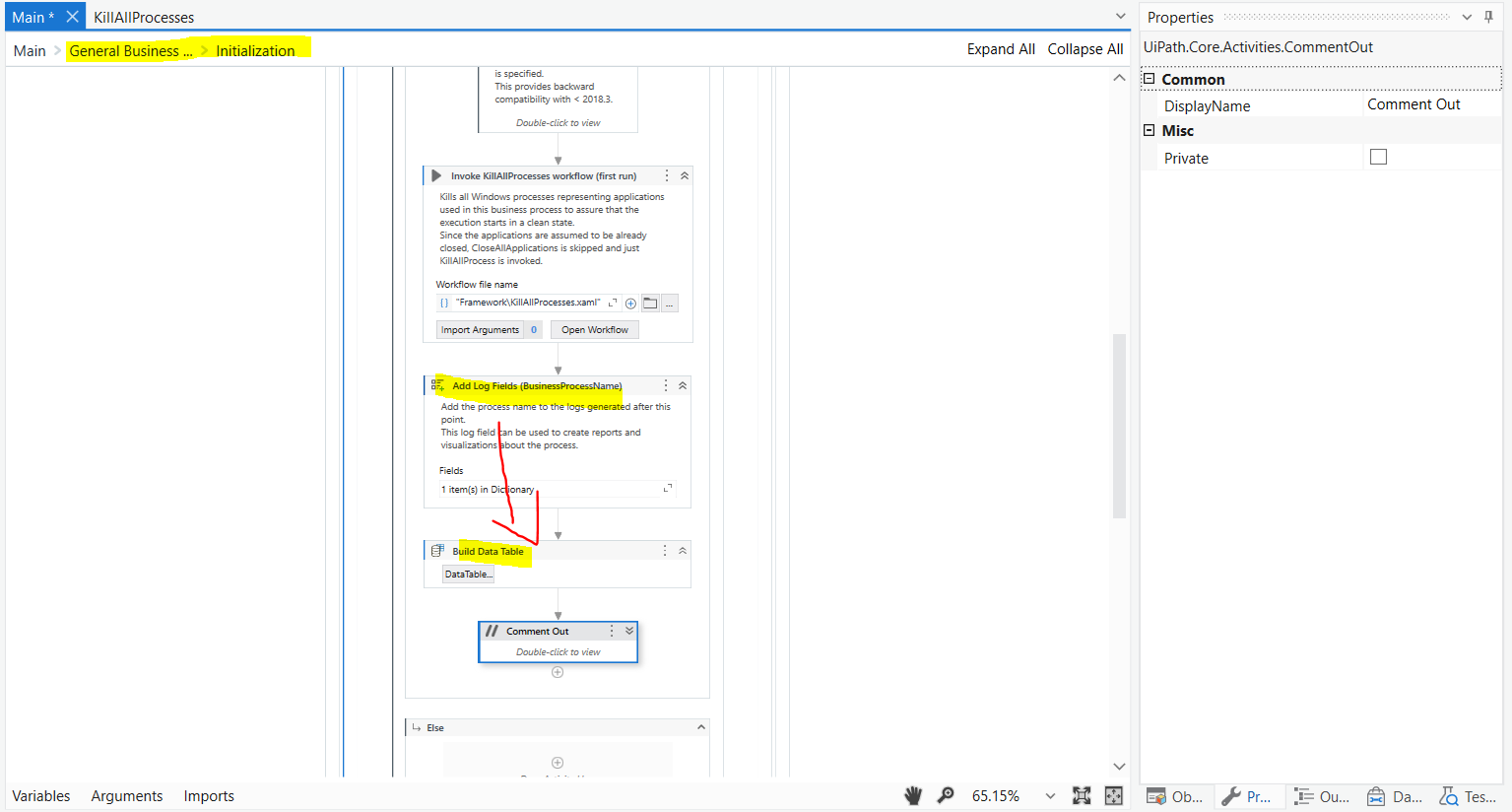
In Initialization state add Build Data table activity
In above image Success, Business Exception, System Exception add Add Data Row activity
In End Process add Write Range Workbook activity
→ First create a variable with data table datatype in Main.xaml.
→ Open the initialisation state and you can find a first run sequence in that sequence drag and drop build datatable activity create a argument here with datatable datatype. Pass this argument to the variable in the main.xaml.
→ I already update where to add the add data row activity at first in this post.
→ create an datatable datatype argument in that xaml and pass it to the datatable variable in the Main.xaml
@T_Y_Raju
In init you can build data table and select rows otherwise will call in every iteration and it will take memory which is not good thing.
Its a simple build data table in init state and give back to main…then receive in variable and give that variable to process state and use this in set transaction.
It is logically tough but its a right approach.