Hello!
I was handed a project from a co-worker to improve as I saw fit, it’s been going well so far untill now that I keep getting an error message that I can’t seem to resolve. Looking around for solutions I’ve come up short. If any kind souls have suggestions for how to resolve it I’d be incredibly thankful.
This is the message I’m getting when running or debugging the program:
Main: Object reference not set to an instance of an object.
and when I Continue with the next step of debugging I get this:
System.NullReferenceException: Object reference not set to an instance of an object. at lambda_method(Closure , ActivityContext )
at Microsoft.VisualBasic.Activities.VisualBasicValue1.Execute(CodeActivityContext context) at System.Activities.CodeActivity1.InternalExecuteInResolutionContext(CodeActivityContext context)
at System.Activities.Runtime.ActivityExecutor.ExecuteInResolutionContext[T](ActivityInstance parentInstance, Activity1 expressionActivity) at System.Activities.Variable1.PopulateDefault(ActivityExecutor executor, ActivityInstance parentInstance, Location location)
at System.Activities.ActivityInstance.ResolveVariable(Variable variable, ActivityExecutor executor)
at System.Activities.ActivityInstance.ResolveVariables(ActivityExecutor executor)
at System.Activities.Runtime.ActivityExecutor.ExecuteActivityWorkItem.ExecuteBody(ActivityExecutor executor, BookmarkManager bookmarkManager, Location resultLocation)
from the screenshot we cannot directly derive the point of failure
Can you also check the Arguments, Variables and Defaults especially when the error comes on start.
We assume that this file is not invoked from another XAML
Understandable!
I run the XAML directly for testing, it seems to me that the point of failure is before any actual code is invoked but there are no suggestions from UiPath except from bad naming conventions.
I’ve checked variables and their defaults multiple times and I dont THINK I’m doing anything bad there.
Is there any code or pictures I can supply that would futher pinpoint the issue?
Thanks.
I’ve started to separate the code further and it appears there’s a initialization issue somewhere in my init sequence so it is getting narrowed down slowly.
I will update the post if I’m able to resolve it!
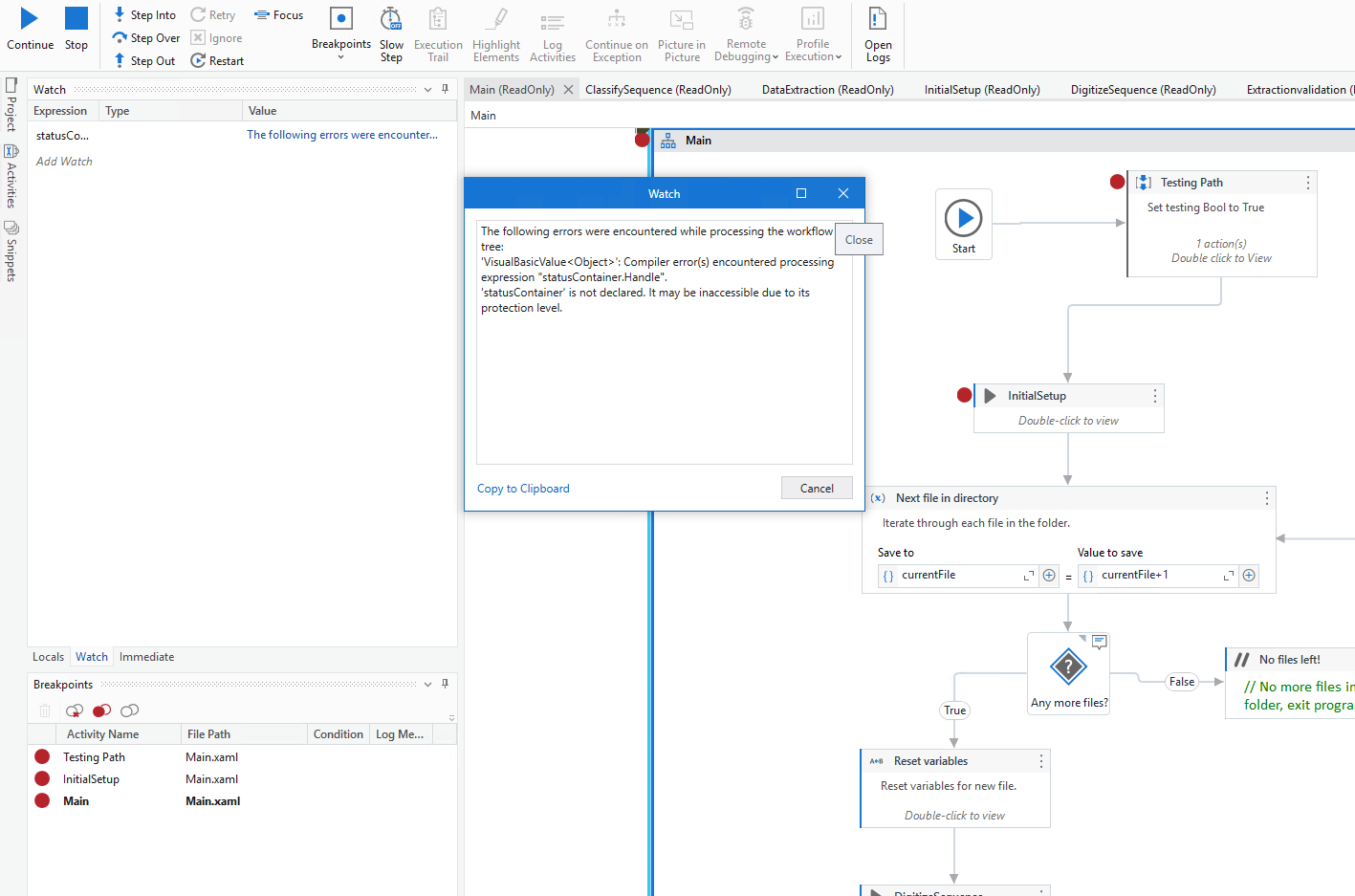
Not sure if this helps in any way, but this is where it stops for me.
I’d very much appreciate if you could have a look, the only thing I can think of is that I’m doing some kind of rookie mistake or flat out missing something.
Could it have something to do with my config and token variables?
Look at the variables (for Main) and arguments. This is often caused by referencing one variable in another variable’s default, which can’t work since the variables don’t exist yet.
It looks like while you’re passing the variables or arguments inside the InitialSetup, one of the variable is going null, most probably it would be some config(“sometext”).toString
If a referenced key doesn’t exist in a dictionary, you get a “key not found” exception not “object reference.” If Config itself hasn’t been initialized than you get “object reference” exception.
I had considered this being a problem in UiPath since I don’t have any education or prior knowledge about VB.NET.
I had hoped that it would work since I’m used to calling functions as funtion parameters in other coding languages.
But it sounds from @postwick that this would give another type of error message and that in at least this case, it is not what’s causing the problem for me
Can you check the values that are being passed in as In Argument in the workflow using debug, breakpoint and immediate/Locals Panel from the extreme left bar on your screen.
Your original screenshot showed the exception happening from Main as soon as you started it. Now you’re showing it happening when it gets to InitialSetup. This would indicate that one of the arguments you’re passing to InitialSetup has not been initialized. It’s likely one you’re trying to populate before you get to InitalSetup but it’s not populating like you think it is.
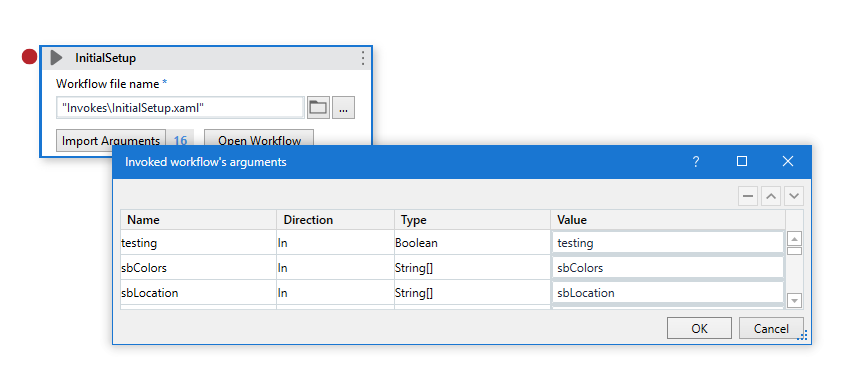
The Import Arguments indicator is orange, which means arguments have changed in InitialSetup.xaml but you didn’t update them in the Invoke Workflow activity. Click the Import Arguments button and make sure they’re all correct.
In my original post I did not have any invokes what so ever, and so to try and narrow down the issue I made invokes of them to try and see where the problem of the initialization was.
I did also forget that I had indeed changed the direction of my config var to out instead of in when I created the invoke.
I’m really not sure why this is happening but when I try to open the Args it goes -1 and looks like it has not been altered anymore…?
That’s what it’s supposed to do. When you click Import Arguments it reads the arguments from the referenced XAML file and updates the Invoke Workflow activity. Notice the number of arguments changed from orange 17 to normal 16. The “object reference” exception indicates one of the arguments’ “Value” variable hasn’t been initialized when it’s running, usually indicating something hasn’t been populated so the variable is “Nothing”
You can troubleshoot by putting a breakpoint on the Invoke Workflow activity, running in Debug mode, and when it pauses on the breakpoint look in the panel on the left and review the value of all of those variables you’re passing in.