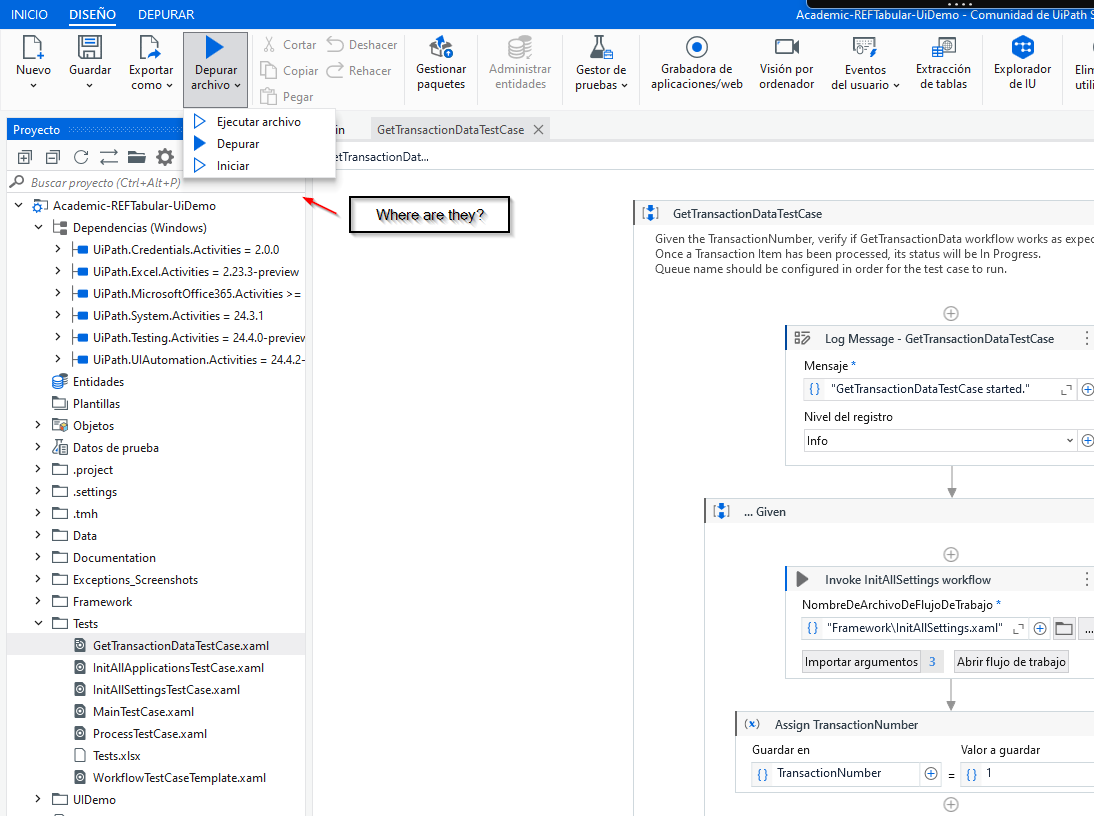
Hello, I am trying to run a data driven test, as indicated in the academy tutorial, but the following button does not appear
Here I pasted a screen cut of how it appears in the video.

And here of how it appears in my Studio
Hello, I am trying to run a data driven test, as indicated in the academy tutorial, but the following button does not appear
Here I pasted a screen cut of how it appears in the video.
And here of how it appears in my Studio
Hi,
These options appear when you run a sequence from the Test folder.
You could check the version you have installed
Did you select excel as test data set?
If yes then they would be visible ideally
Also I hope your orchestrator is 22.4 +
Cheers
Hello, welcome back. in the initial screenshot I show that I am standing on a Test Case and even then the function does not appear. Below I paste the version that it is.

Hello @Matias_Clemente.Arg ,
thx for reaching out.
It seems the academy training is a little outdated here.
The option mentioned is no longer available in the menu, due to the fact that we have introduced besides static test data from e.g. Excel, the possiblity to link test data from dynamic sources such as Data Service.
So alternatively you should now be able to see your Test Case and all its data variations on the right side within the Test Explorer panel. Here you can either run the entire TC with all variations, or pick specific ones.
thanks… thank you. Now I found it.
This topic was automatically closed 3 days after the last reply. New replies are no longer allowed.