Reprocess failed transaction

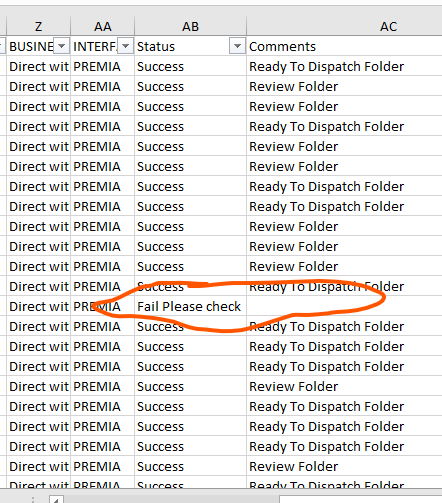
Hello guys i have a process which is giving remarks like below.

Here marked one is failed one and usually business owner remove the remarks and rerun the process .

So instead of business owner intervention can i process the failed one after the process completion on the same run.

So on the moment of error for that transaction data can rpa can rerun the same data 2 times and jump to the next transaction.

Hi @Gokul_Murali

Set the “MaxRetryNumber” in Config.xlsx to 1 or greater

1 Like

Does that try the failed one only

Yes,

image

If this solves your issue, Do mark it as a solution.
Happy Automation :star_struck:

1 Like

How you are doing this process by using Reframe work or any other workflow

1 Like

Hey @Gokul_Murali under your config excel file

increase the number of retry so if any system exception come it will retry it. so there are two type of retry 1 is for system exception transaction item and other one is for process like if you are running your process and any system exception come.if the value is 0 then on a first system exception the process goes stop .but if you increase the number then it will try whichever number you are given in that inside the config file.
cheers

I have changed the MaxRetryNumber to “2” but

In the set transaction status(system exception) i have given a code like below.

So if it is giving any system exception it will write “fail” for that transaction so how can i redo it.

So it should retry 2 time and again if it fail it should write fail

Hi @Gokul_Murali,

Are you using queues? If yes, you just need to enable retry with number of retries in the queue and not will automatically retry txt if it fails.

The parameters shown in config files are only required if you are not using queues and still want to retry txt if it fails.

Also please note that txt will be retried only in case system exception occurs not in case of business exception.

Regards
Sonali

Hey @Gokul_Murali so basically that set transaction block is that for catching the exception and you are using write cell to write the Transaction status of each item on the excel so you can trace all the transaction item.yes that’s it absolutely correct. no need to change anything just when you create the queue in orchestrator increase the number of retry count as per your requirment.
cheers