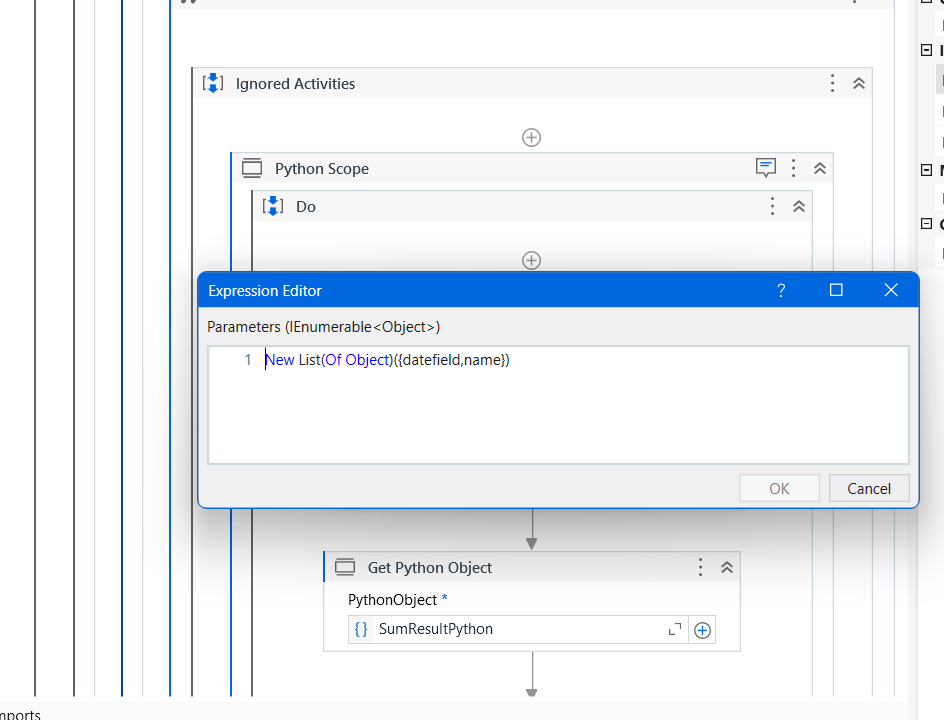
Hello UiPath Community,
I hope this message finds you well. I am currently facing an issue while trying to invoke a Python method inside UiPath for the conversion of date fields, and I was hoping to get some guidance or insights from the community.
Problem Description: I have a workflow where I need to convert date fields using a Python method. However, when I try to invoke the Python method within UiPath, I encounter errors, and the conversion is not successful. The date format is crucial for further processing, and resolving this issue is essential for the overall success of the automation.

Error Message: I am receiving an error message that says Error Invoking Python method. I’ve double-checked my Python script, and it works correctly when executed outside UiPath. It seems like there might be a compatibility or configuration issue when trying to invoke this Python script within the UiPath workflow.
What I’ve Tried So Far:
- Checked the Python script independently to ensure it works as expected.
- Verified the input parameters being passed to the Python script from UiPath.
- Explored potential issues with the Python environment or dependencies.
would appreciate any guidance or suggestions from the community regarding this issue. If anyone has successfully invoked Python methods for date field conversion within UiPath or has insights into potential pitfalls, please share your experiences.
Your assistance is highly valued, and I believe that together, we can troubleshoot and resolve this issue. Thank you in advance for your time and support.
Best regards,
Divyanshu