I am not able to create input variable property while building a new agent, I dont see the add property feature, kindly suggest what can be done

Hey @Mahalakshmi
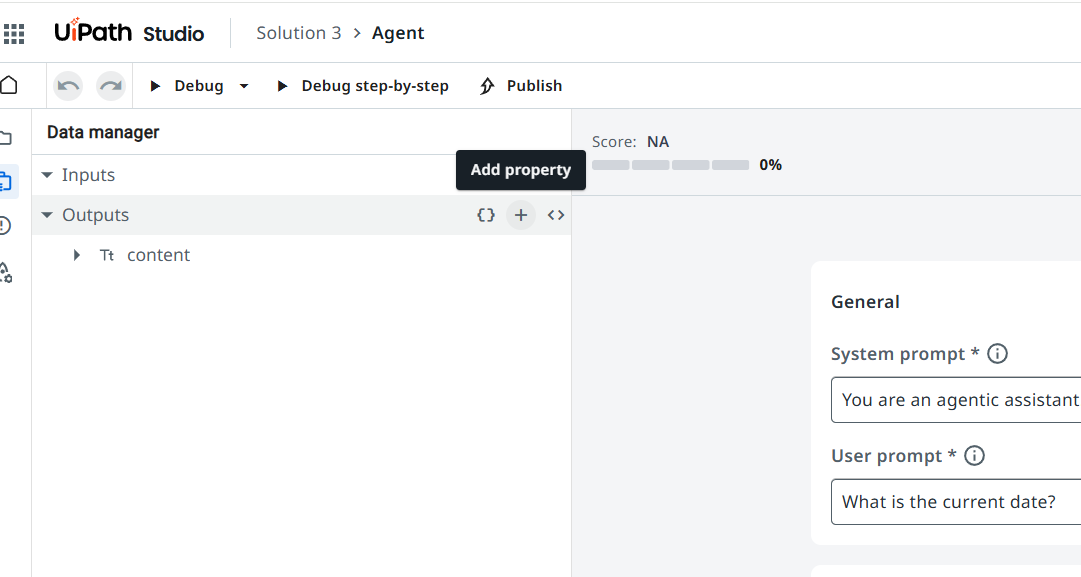
It’s not a bug, it’s just a slightly hidden part of the UI. In Studio Web you first need to open the Data manager panel on the left, then hover your mouse over the Inputs section – a small “+” (Add property) button appears next to the section name, and that’s what you use to create a new input field

1 Like
This topic was automatically closed 3 days after the last reply. New replies are no longer allowed.