Input Dialog Box not getting displayed

Hello, this topic was raised by someone else in 2022, but I didn’t see if it was resolved. I am new to UiPath and going through the developer training modules.

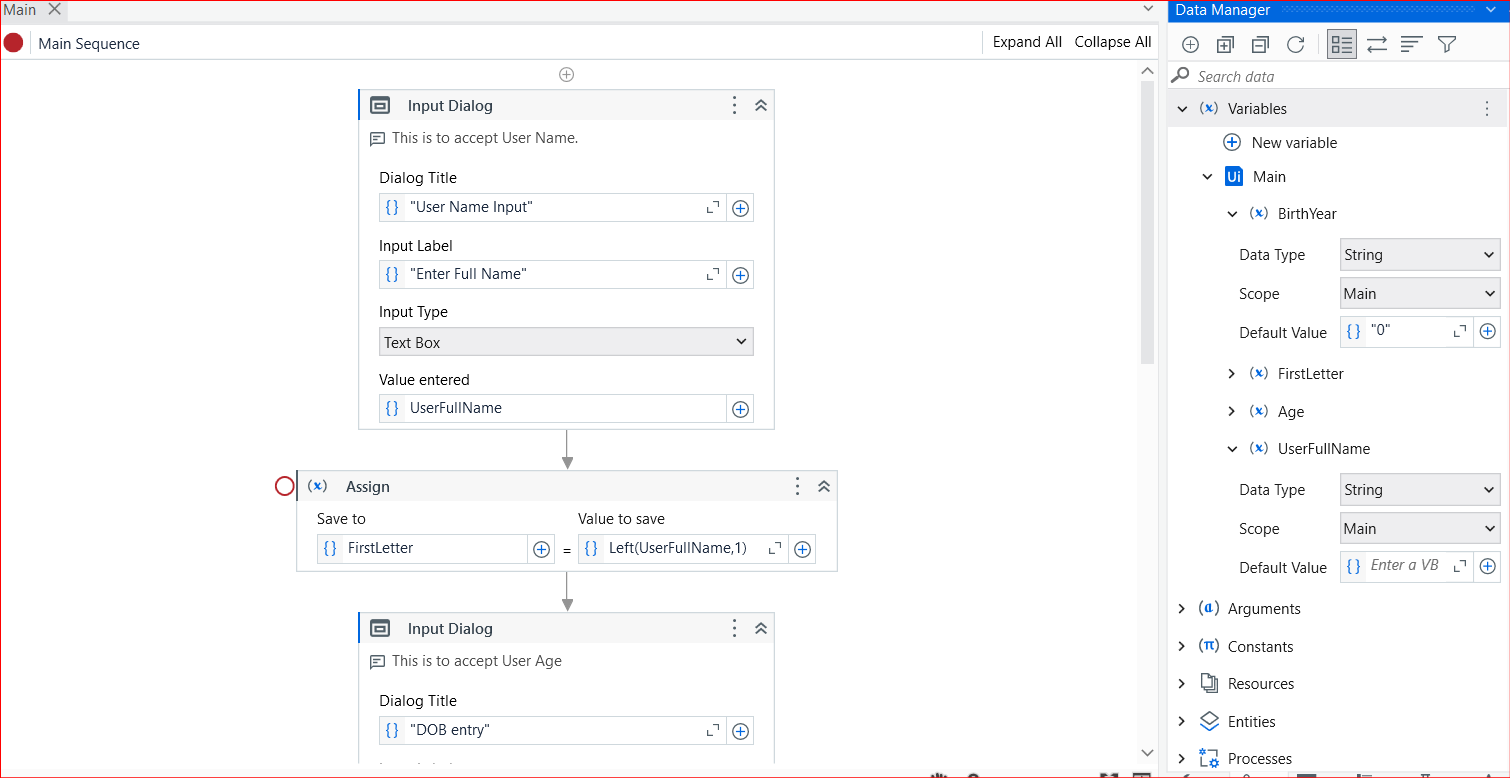
I have created a Input Dialog box asking for UserName as input. No compilation errors. When I run the process, **I don’t see a Dialog box displayed where I can enter the name.

I did install the latest packages available:

Can someone point out what needs to be done?

BTW: I tried copying (downloading) one of the working examples provided on this forum, but that has the same effect.

@cbchaganti,

Please share the code to replicate the issue

Thank you for your prompt response. Not sure how to share the code. Try this and let me know if this is what you are asking.

Main.xaml (8.7 KB)

@cbchaganti,

Zip the project and share that zip please

Hello @cbchaganti,

PFA test this flow and let me know if it is working or not.

testing.zip (2.7 KB)

Here goes
Creating Variable Seqeunce.zip (50.7 KB)

@cbchaganti,

It’s working fine on my machine.

The screenshot shows a UiPath Studio interface where a workflow is being designed, with a "Compiling activities..." popup window in front. (Captioned by AI)

I would suggest to use Alt+Tab to check the Input dialogue appeared or not.

Sagar Singh,

I opened the testing zip and opened the “Main” in Studio.

  1. It looked exactly as the one I sent earlier. Am I seeing it correctly?
  2. Anyways, when I run the process - it does the same thing as it was doing before. No Box appears.

Another thing I noticed, if it helps isolate the problem, when I run there is a Green triangle that appears in the icon tray for a brief moment and vanishes. Before I could click on that it disappears.

Thanks for your help

Thanks for the confirmation. Yeah I tried the alt tab thing. nothing seen. Like I replied to Sagar few minutes ago, I see a Green triangle in the icon tray, but vanishes immediately. Looks like some settings is preventing it to wait for my input

Also, which version of Studio are you running? Mine is

@cbchaganti,

I’m using the same version as you.

hmm… OK so what else could be a problem? Does Studio also has anything like enabling pop-ups? (i don’t think it has but I could be wrong)

@cbchaganti,

Nope no explicit settings to enable the pop-up.

Few suggestions if not tried already:

Try restarting the machine
Try reinstalling the Studio

Hello @cbchaganti,

I’m using the different version. I think you reinstall the UiPath Studio.

Hello @cbchaganti,

I opened your code, but it wasn’t working on my end. So, I deleted the same activities and added them again, after which it started working. For this reason, I am sending you my workflow for testing purposes.

Thanks

@cbchaganti
Try restarting UiPath Studio and attempt the action again. If the issue persists, you can also try deleting the activity and then re-adding it, as such bugs can occasionally occur in certain environments.

What happens when you run the process…? will stay running or stop intermittently? If it stops what you see in the output panel …see you use debug run and enable execution trail and highlight elements. This can help you to find the issue. give a try.
Regards,
Balram

@cbchaganti,

Revisiting this thread to check if you found any solution or not. Yesterday an user reported similar issue and he/she was able get it working by disabling anti-virus on the system.

Could you please try this approach and check if similar is happening with you or not.

Hello @cbchaganti, @ashokkarale,

I’m facing exactly the same issue as you, dialog box fails to appear.
I’m also using Studio 2025.0.157 Community License, User-mode installation.

I have tried the following 2 activities, and in both cases, no popup message window appears, then the process execution ends without any error.

UiPath.Core.Activities.InputDialog
UiPath.Core.Activities.MessageBox

In case of InputDialog, it expects an input by the user, which gets substituted into a variable, but after waiting for 7 or 8 seconds, it gives up.

As there is no error with UiPath, could this be an issue at Windows level?
My laptop is running 64-bit Windows 11 Pro.

Temporarily disabling Norton Anti-virus didn’t help.

If you find a solution please share with me.

There is a problem in UiPath.system package 25 version onwards as I faced same issue and after downgrading it to 24.10.7 version Input dialog has started working again. seems a bug has been introduced in version 25 onwards
1 Like