How to set argument for invoke workflow

Dear Experts

I have invoked a workflow in my process
The variable I use in the original workflow is mail_CC_OC & mail_senTo_OC

However, when I run the process, it pop up error that there is no recipient & CC in the invoked workflow. Which means the argument in it is not available

May I know how to pass variable from original workflow to invoked one?

Pls try show me in a workflow, I am quite confuse of this part

Thank you in advance

image
image

Hi @yangyq10 , Please check if mail_CC_OC & mail_senTo_OC are set to in argument child workflow and add message box enter both variable to see if their any values in that string variable.

@yangyq10

I believe you are already doing it

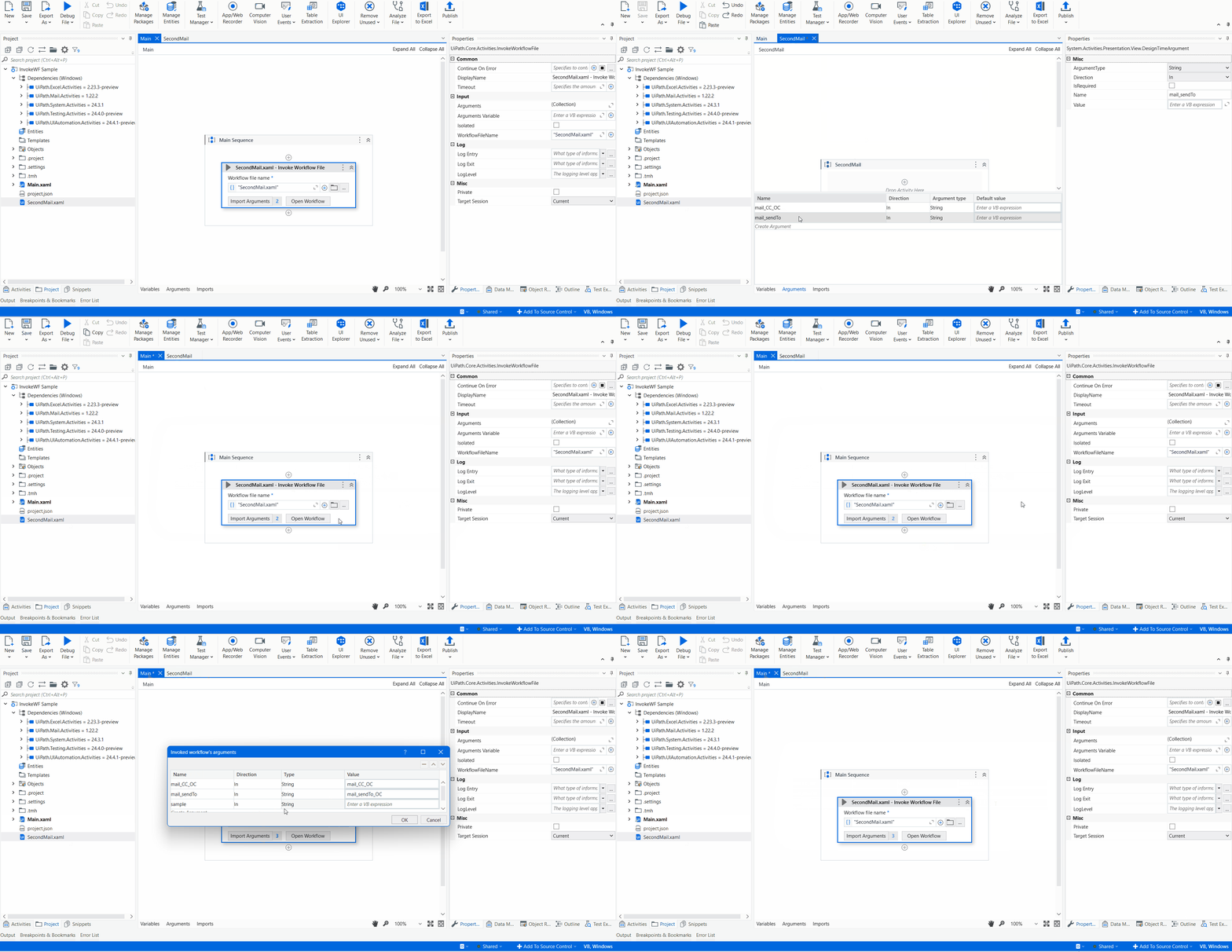
  1. click on import arguments
  2. beside each argument link or wrote the corresponding variable and click ok
  3. else direction is in if you want to pass the argument into the workflow

cheers

@Anil_G
I don’t know why I add new one and click ok and close and open again, the new argument disappear…


@yangyq10

arguments are to be created in the workflow and then click import and only link

dont create arguments in the import arguments panel

as per screenshot there must be 4 arguments but i see only two when you import there must be something missing

cheers

@yangyq10,

Change or Create arguments in your 2nd Trigger Email workflow. And then pass the correct value from Invoke Workflow.

Thanks,
Ashok :slight_smile:

@ashokkarale Can you help upload a xaml file for me to understand, I try and try nothing work…

@yangyq10,

Here is ample code:
InvokeWF Sample.zip (3.8 KB)

Invoke WF

Thanks,
Ashok :slight_smile:

@ashokkarale Thank you very much. Its crystal clear and fix my problem :laughing:

1 Like

This topic was automatically closed 3 days after the last reply. New replies are no longer allowed.