Hi there
how to use go back activity
thanks
you need to find us in uipath.link https://academy.uipath.com
Good luck 
Hi @indra
I want to have a Go Back stage in UiPath level 3, assignment 2, “Get Hash Code”, but I have trouble creating an argument type with browser that accepts the SHA URL…
Hope you can help

Dont create a browser variable. Add the goback in the do of the attachbrowser or openbrowser at it should work.
@nadim.warsi Okay. Should it not be any variable/argument in the Go Back activity then?
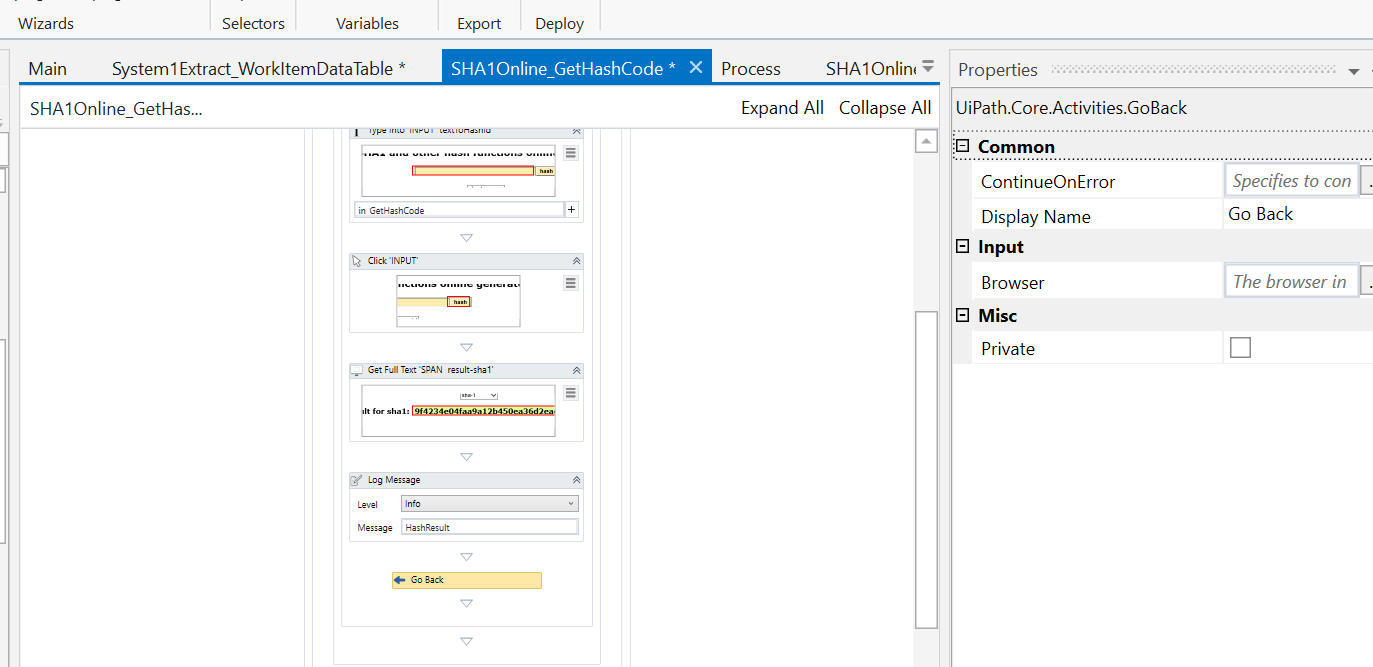
No, its not required
great, thank you! so now it looks fine as it is?
it works, thank you so much @nadim.warsi
yes, looks perfect
[Please close this thread marking the reply as a solution to your issue]
sure! where do I do that?
Im sorry, you are not the creator of this thread  please ignore
Haha good!
I am sorry I bother you again @nadim.warsi but I have another question.
In the Init workflow with (InitAllSettings - KillAllProcesses - System1Login - NavigateWorkItems - ExtractDataTable - Close) I have an issue regarding the last step - Assign.
I get this error…
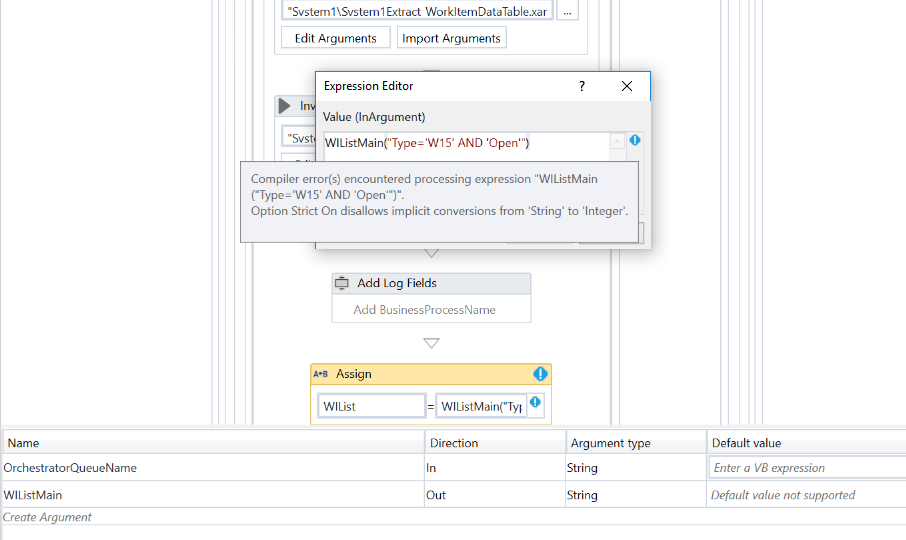
you expression is incorrect
if your WIListMain is extracted datatable then it should be:
WIListMain.Select(“Type=‘WI5’ And Status=‘Open’”)
In your flow i see WIListMain is String type, i think it should be of datattable type

you WIList should be a Array of Datarow and not Datatable
Change that and you should be good.
Thank you so, so much @nadim.warsi
Happy to help @Sine
Its WI5 not W15. I have Done the same mistake.