When I pass a variable into the “Write CSV” activity for the “write to what file” input, it takes the absolute path I gave it and appends it to the project folder’s relative path. Obviously this does not work. I’ve spent the past hour trying to get around this and searched here heavily but only found recommendations for using relative path. Relative path would violate business requirements, it must be absolute (set as an asset) with a dynamic file name. Currently I’m using a local drive for testing but eventually this will have to point to a network drive. Screenshot of the nonsense below (ignore the needless ToString on the variable, that was just a test and gave same result):

Hi @GWilliams
try to use.
filePath = Path.Combine(“C:\NetworkDrive\Folder”, dynamicFileName + “.csv”)
keep in mind
that we do not ommit the : at the begin:

C:\....
and for a string variable we dont need to append toString as it is already a string
As @ppr mentioned fixed that file path. If still facing issue, try upgrading the system package to latest possible version. There is no option to enforce relative path or absolute path.
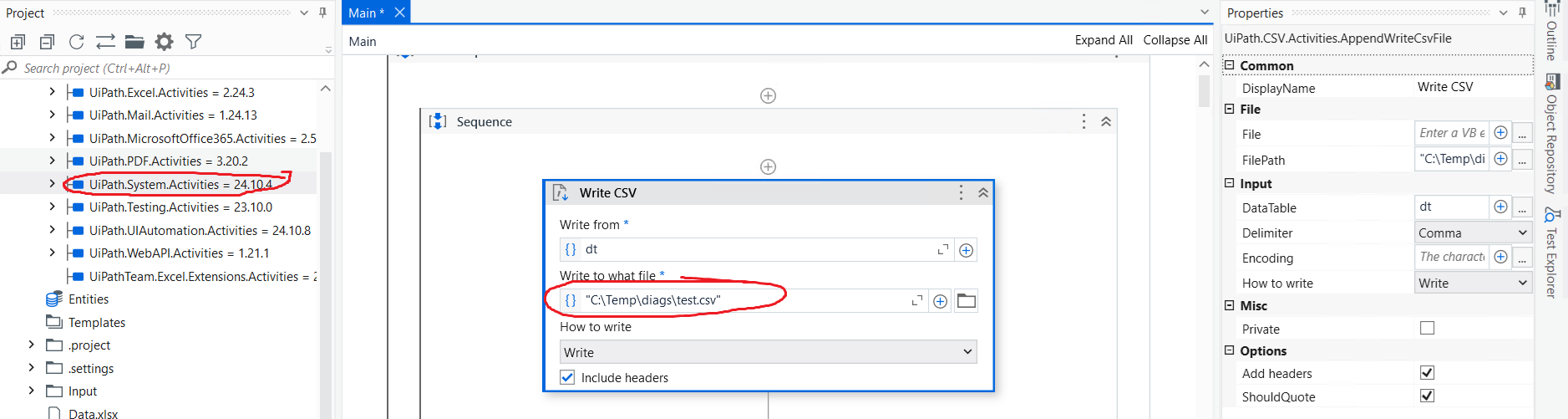
Sigh, missing colon, how annoying. Thanks for spotting that, it is working now.