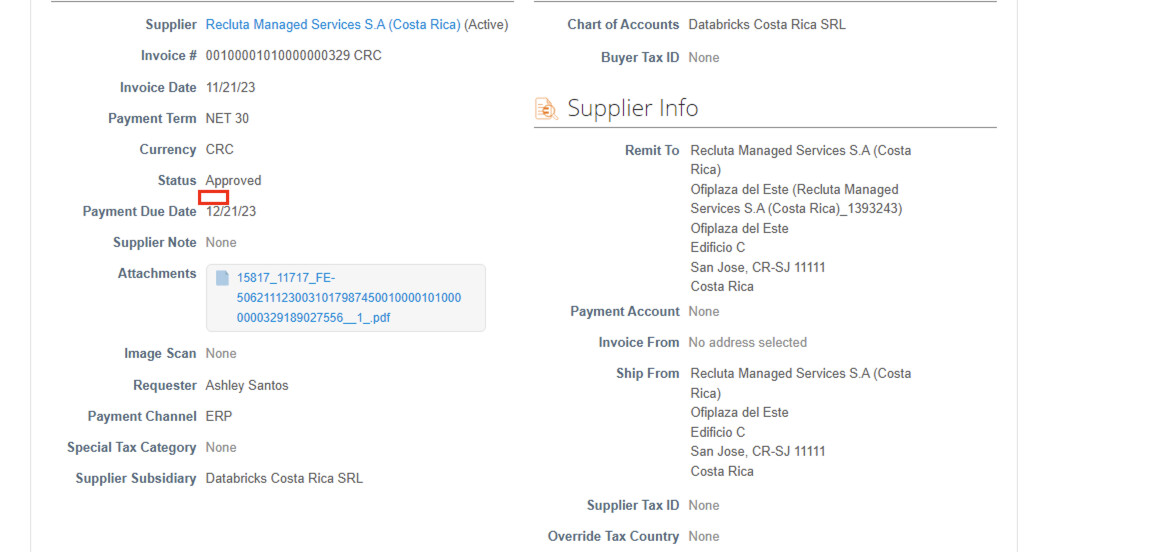
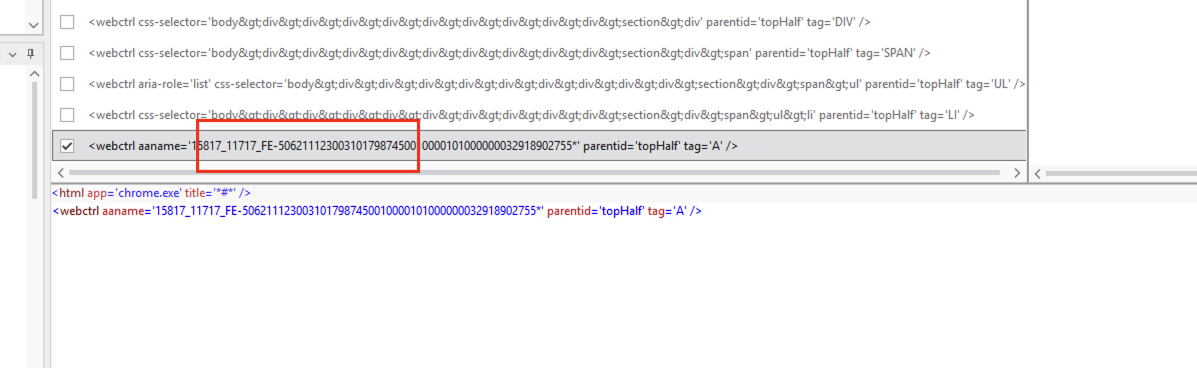
My selector without attachment name but the problem is it picks other None written somewhere rather than attachment None. For example it picks the Supplier Note None
First try to use the Get text activity and indicate the value beside attachment as target and indicate the attachment element as anchor and create a variable in the save to field to save the value.
If Get text not works then Use the Get Attribute activity and indicate the value beside the Attachment. Select the aaname attribute from the dropdown in attribute field and create a variable in the Save to field to save the value.
I have done that. That doesnot solve my problem. In run time , I have some pages with attachment name and some as None. The problem is of I do Get text and capture the attachment name and None, in run time its picking some other ‘None’ rather than attchment ‘none’. Also the Attachment label changes its position.
At run time i need to check whether attachment contains None or name of attchment. If there is name of attchment no problem, but if its None, its picking some other field value 'none
For example here attachment has Name , but if I keep aaname=None, its highlighting other None.
Use only Get Text activity but change some modifications in it and try.
Indicate the target to value element beside of attachment and indicate the anchor to attachment element. When indicating in selector option window select the Target under fuzzy selector there is dropdown select the Ignore Text option and validate
Basically you have 2 times the same page, but with a different structure, if you have an attachment or not. So in that case consider 2 separate selectors, one for each.
Your problem with multiple ‘non’ values in the page can be easily solved with anchors.
So having those 2 selectors, use a pick / pick branch activity set, using 2 branches.
In each branch use a check app state or find element to validate the existence of either of your selectors.
Is is ‘none’, it 'll follow the none-branch, if there’s an attachment the other and you can follow up with whatever logic you need.