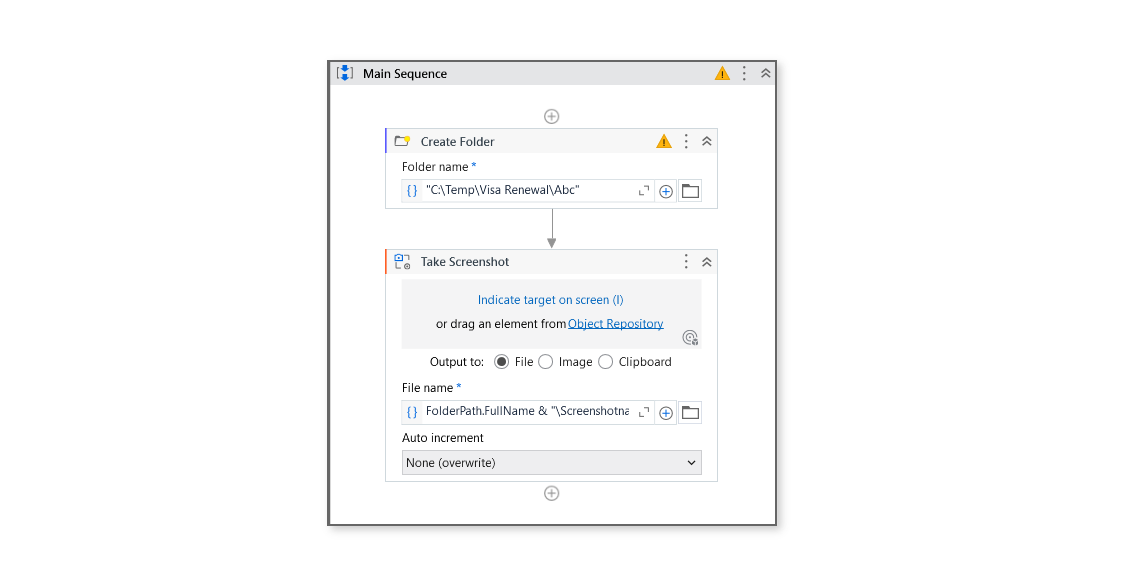
How to save screenshot if folder is not created already? I am passing dynamic folder path in file name property.
Just use a Create Folder activity before it
create the folder using the dynamic path with create folder activity. then take the screenshot, and save the image using save image activity and set the file name property to the full path including your dynamic folder and file name.
Happy Automation