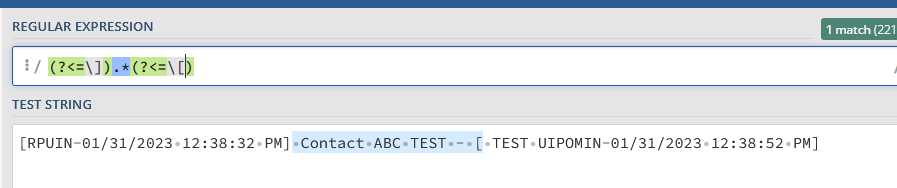
I have the following string:
I only want to have the part outside the brackets:
I’m not able to remove the brackets…
Thank you for the help
ppr
March 8, 2023, 7:39pm
2
@madhabhazra0
we can do with regex and later trim the result:
This CheatSheet introduces the basic use of regex functions. With further examples also special cases are presented.
postwick:
(?<=])(.*?)(?=[)
Can you please send me the UiPath syntax with Regex?
ppr
March 8, 2023, 7:50pm
5
strPattern = (?<=\]).*(?<=\[)
Assign Activity
You can also refer to the linked CheatSheet
Thanks for your help !!
sDescription = “- [SADMIN-01/31/2023 12:38:32 PM] Contact ABC TEST - [ TEST SADMIN-01/31/2023 12:38:52 PM]”
Please find the attached syntax that worked for me.
Hi @madhabhazra0
Give a try with
System.Text.RegularExpressions.Regex.Match(strInput, "(?<=\]\s)(.*?)(?=\s-\s\[)").Value.Trim
Regards!
Thanks for the help!!
This solution is also worked.
Hi I have one Input String.
Example -
Output - John Smith and second and also and 4th