I am able to read an Excel file from my PC in the web studio?.
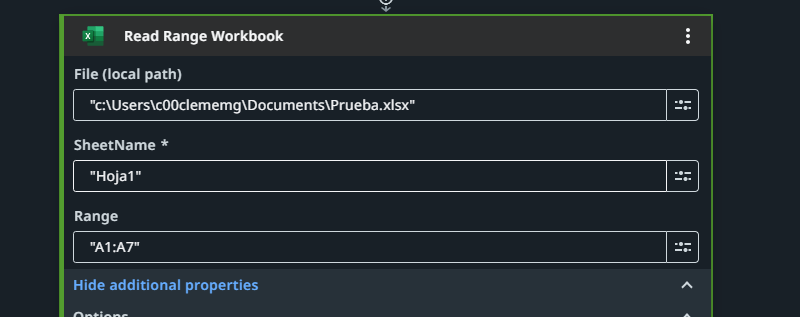
I am attempting to replicate a robot I have in UiPath Studio. However, it gives me an error when I try to read it.


Hey @Matias_Clemente.Arg if you want to read Excel file using UiPath Studio use Excel Application Scope Use Excel File then use Read Range Activity and in read range go to property panel where save their output .so all the data will be stored in a data table variable now to show the output Data table and after that use a log message that will display your input data.
follow the image steps
PS(Here Dt1 is read range variable and stroutput is output data table activity variable)


cheers
You can use the Read range workbook activity to read the excel stored in local. Create a variable in the output, the output variable is datatable datatype.
Hope it helps!!

Hello, thank you for your response. I have edited the original post to include more details.
Basically you wont be able to access the local drive storage (C:/D:). You need to connect to Microsoft 365 ( Microsoft OneDrive & SharePoint connector ) to access it via OneDrive.
If you still need to access using the excel file methos, then follow the below steps:
- Upload your excel file to the storage bucket
- Use download storage file activity
- Use the output of the download storage file activity as input for read range workbook
It is efficiently worked for me, thanks