ODBC Insert Query Fails with "Incorrect Parameter" Error in UiPath (Devart SQLite Driver)

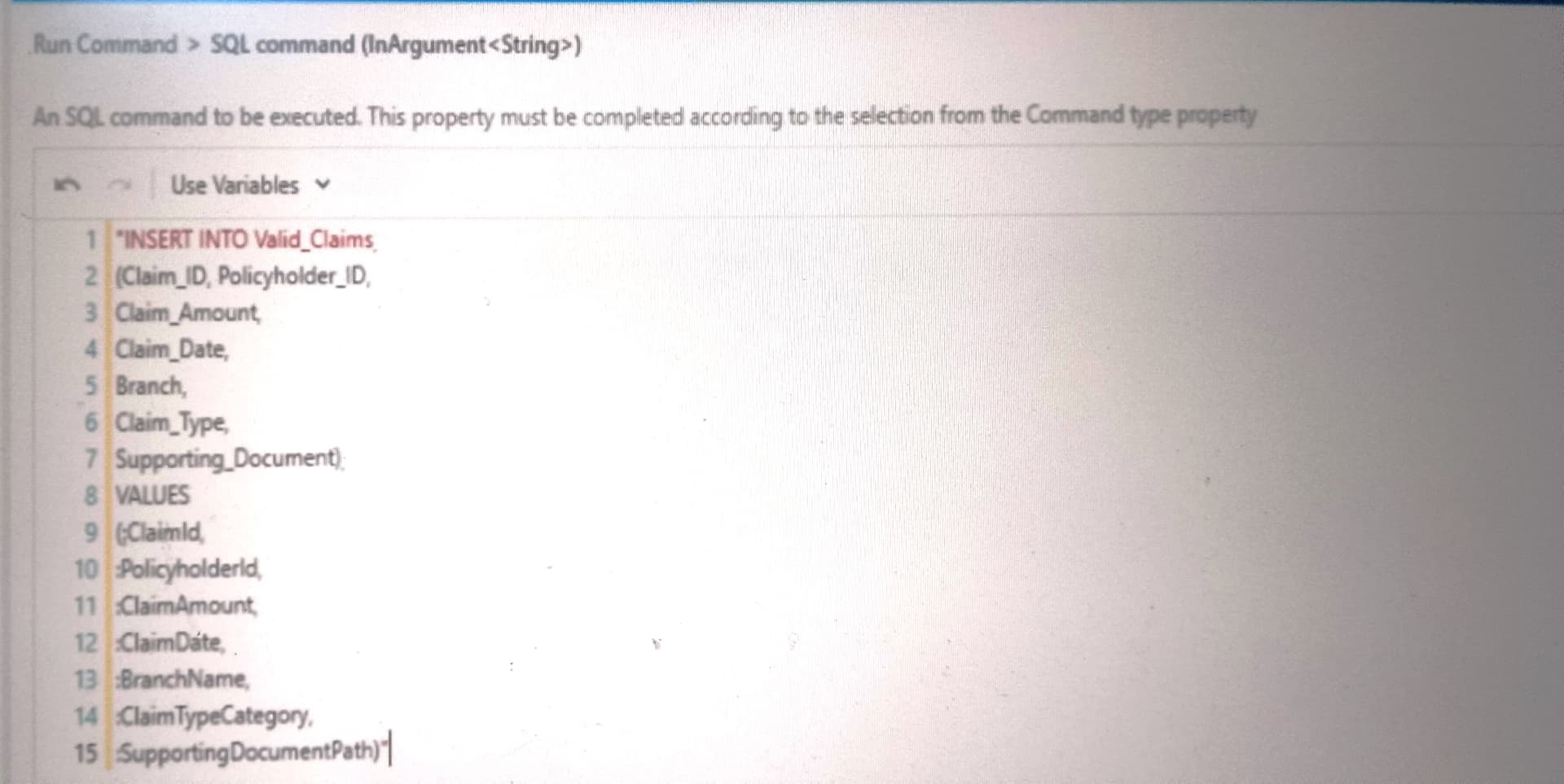
I’m implementing an automation project where UiPath inserts claims data into an SQLite database (claims.db) using the Devart ODBC SQLite driver. The database tables were successfully created using SQL scripts, and I can insert static values without issues. However, when I attempt to use parameters in the Run Command activity, I consistently get the following error:

Run Command: ERROR [HY000] [Devart][ODBC][SQLite]Incorrect parameter.


Hi @mwaimoris , welcome to the community!

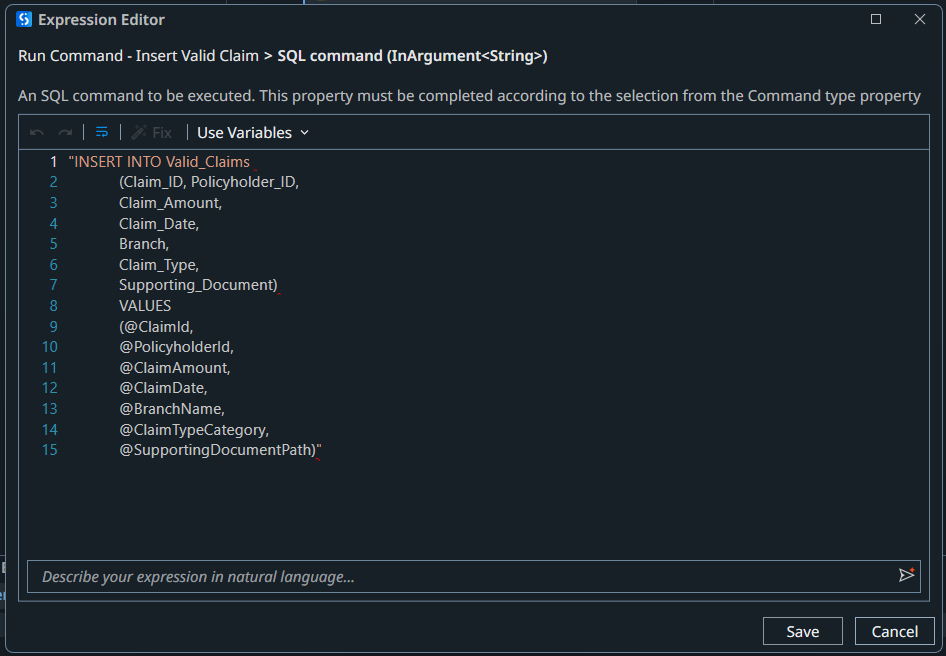
Your SQL command has some red squiggles, which could mean some formatting issue. Is the table name correct? What about table data types?

Can you show screenshot of the database and table, column structures?

Did you try running the INSERT query from another SQL client?

Hi @mwaimoris

This can mean any of the parameters used either doesn’t match its type or its name is spelled differently from how it was configured(check for any case sensitivity there)

Also check details of table

Hi @mwaimoris

Instead of passing it as parameters you can directly pass them as variables or arguments like this

"INSERT INTO Valid_Claims " &
"(Claim_ID, Policyholder_ID, Claim_Amount, Claim_Date, Branch, Claim_Type, Supporting_Document) " &
“VALUES (” &
“('” + in_ClaimId + “‘), " &
"(’” + in_PolicyholderId + “‘), " &
“(” + in_ClaimAmount.ToString() + "), " &
"(’” + in_ClaimDate + “‘), " &
"(’” + in_BranchName + “‘), " &
"(’” + in_ClaimTypeCategory + “‘), " &
"(’” + in_SupportingDocumentPath + “')” &
“)”

Hope this helps :slight_smile:

Hello,

@AJ_Ask your code might work but there issue security issue, data formatting issues.
Security issues like SQL injection Risks using concatenations
Data formatting issues like data, numbers and special characters can break the query

So, string concatenation methods are not recommended as its risky.
Instead use parameterize query using : syntax

@mwaimoris I would recommend you to use as mentioned below:

INSERT INTO Valid_Claims
(Claim_ID, Policyholder_ID,
Claim_Amount,
Claim_Date,
Branch,
Claim_Type,
Supporting_Document)
VALUES
(:ClaimId,
:PolicyholderId,
:ClaimAmount,
:ClaimDate,
:BranchName,
:ClaimTypeCategory,
:SupportingDocumentPath);

in Parameter pass the parameter name as:
:ClaimId
:PolicyHolderId and so on.


I hope this helps.

If your issue resolved, kindly mark this as a solution to close this case.

All the best

@mwaimoris

Welcome to Community!!

Try with below format

“INSERT INTO [Sheet1$]
([Role in Company], [First Name], [Last Name], [Company Name], [Address], [Email], [Phone Number])
VALUES (‘RPA’, ‘jack’, ‘bcd’, ‘abc’, ‘chennai’, ‘yk@co.in’, ‘1324’)”

And one more thing check your file access make sure it is not in read only mode and also try to place the file in your local path instead of onedrive or shared location

Happy Automation!!

Hi @sudster, thanks for the warm welcome and for taking the time to review this!

Just to clarify — the SQL command itself is valid and works perfectly when I insert static values directly into the query (e.g., 'Test' for each column). So I’ve confirmed that:

  • The table and column names are correct.
  • The schema matches the expected types.
  • No syntax issues in the raw SQL command.

The problem only arises when using named parameters with UiPath’s Run Command activity

Hi @ sonaliaggarwal47, yes - I agree, that was my initial suspicion too.

I’ve double-checked the parameter names, types, and even the case sensitivity against the table schema — everything aligns correctly.

At this point, I’m assuming the Devart ODBC driver for SQLite might be using a different format or syntax for handling named parameters internally, which could explain why they’re not binding correctly via UiPath’s Run Command activity.

1 Like

Thanks @Tapas_Kumar_Pattnaik, totally agree with your points on SQL injection and data formatting. Parameterized queries are the way to go, especially when working with user input.

I did try the :ParamName syntax with the Devart ODBC driver as you suggested, but unfortunately, I still get the same error:
[HY000] [Devart][ODBC][SQLite]Incorrect parameter.

So far, only static values in the SQL command work without issues. It’s starting to look like Devart might require a specific parameter binding format or syntax that UiPath’s Run Command activity doesn’t fully support out of the box. Still testing different formats to confirm. Will share an update if I crack it.

@mwaimoris , would you like to try using code instead?

Please refer this sample below; I haven’t tested this…so you will have to modify this to suit.

Please note, if you want to loop within the same process, using Using DBConn in the code will not work, as the connection will be closed.

Solved: Insert works using positional parameters with Devart ODBC :tada:

The Devart ODBC driver, when used with UiPath Database activities, requires positional (?) placeholders instead of named parameters like @ClaimAmount.

Named parameters may be silently ignored or mismatched, resulting in the "Incorrect parameter" error I kept hitting.

Once I switched to this format, it worked without changing anything in the Parameters pane:

INSERT INTO Valid_Claims
(Claim_ID, Policyholder_ID, Claim_Amount, Claim_Date, Branch, Claim_Type, Supporting_Document)
VALUES (?,?,?,?,?,?,?);

I kept the original parameter names in the UI (like @ClaimAmount, @ClaimDate, etc.), and it still mapped correctly behind the scenes.

Hope this saves someone else the hours I spent chasing the wrong issues. :sweat_smile:

3 Likes

This topic was automatically closed 3 days after the last reply. New replies are no longer allowed.