Need help with Excel Expression

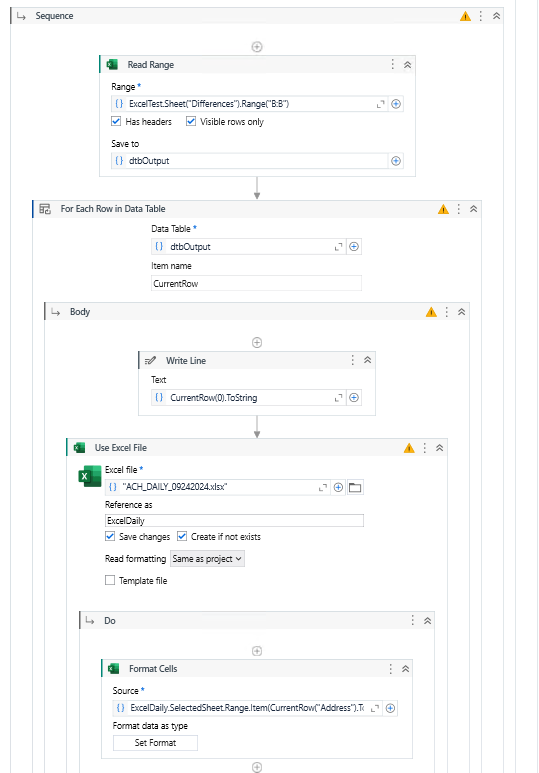
I have two excel files, one with Range of Cells as
The image shows a table titled "Differences" with columns labeled "Sheet" and "Range," listing various sheet names ("ACH_DAILY") and their corresponding cell ranges in a spreadsheet. (Captioned by AI)
and other excel which needs to take the cell value and highlight the corresponding cell.
So if Range has A101 got to other excel then highlight A101

I am at a point where I can output the Range column but stuck at how to pass the range one at a time to other Excel to be able to Write Cell - Highlight.

Main.xaml (12.7 KB)

Please assist. Thank You!

@tyagis

Excel.SelectedSheet.Range(currentRow("Address").ToString)

Cheers

Getting Format Cells: Column ‘Address’ does not belong to table B:B.
This is the output of Range

@tyagis

  1. First in datatable range should not be in first row or you need to write a condition skip else can use dt.AsEnumerable.skip(1).CopyTodatatable in for each
  2. Instead of "Address" use 0 without inverted quotes

Cheers

This topic was automatically closed 3 days after the last reply. New replies are no longer allowed.