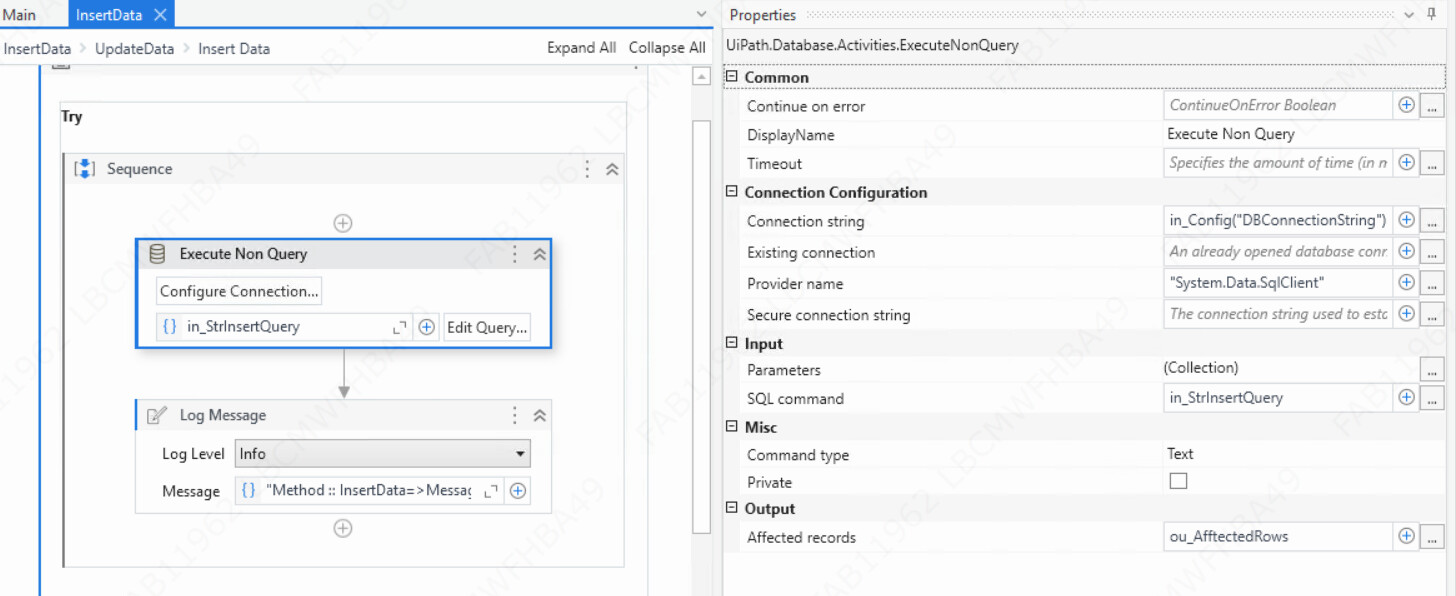
I need to load the input data to Database mssql, once it is added the initial status should mark as 0, while processing(in progress )the status should changes to 1, if the transaction is successful then status should update to 2, if any exceptions like business or system exceptions bot should mark the status as 3 along with the reason .
I need to do this using UiPath , give me the solution
Please can you give me the workflow based on the example of RPA challenge automation
Each workflow should have activities corresponding to their purpose. Example in Insert Data. Hope you are aware about the connection and the queries to be used.
Note that the insert data should happen from the Dispatcher process. Ideally Dispatcher and Performer should be 2 different process and RE is mainly for the performer.
Dispatcher - Process which add records to queue. When you add to queue - add to DB also as a next step with Initial Status as 0 using queue reference
Performer - Getting queue items and processing one after other
From the performer - Inside Process transaction State → Inside Process.Xaml
Invoke UpdateData.xaml and pass the query inside to update the transaction and make the Initial Status as 1 using queue reference
In case of Technical Error / Business exception, It will be in the catch block of Process. Note Process should be within try catch. Based on the type of excpetion - Before throwing error , Update the DB with status as 3 using queue reference and give comments as well invoking UpdateData xaml file
At the end of process without going to any catch block → Update the DB with status as 2 using queue reference and the same invoke code with different value in the query
the above will give a framework idea. You can improvise on top of this
Hope it helps. Happy Automation
Tip: Since you are saving values in DB, I would suggest to create column for each of the values you need and store maximum details in DB and minimal details in Queue. Using Queue reference and select data workflow - Get all values to datatable row and use throughout the execution