Step 2 : Once opened the each Base Part and capture below table and few text values ( Highlighted in red ) and repeat the same steps for each base parts and write into DT and excel
Attached the table : Eval_table.xlsx (11.1 KB)
Able to complete the Step 1 & step2 .. but not sure how to merge table values and get text values .
Expected output :
Merge the table captured from each Part and relevant captured text values like ( Program code ,site code , base part)
Note : Some Parts may not contain above table
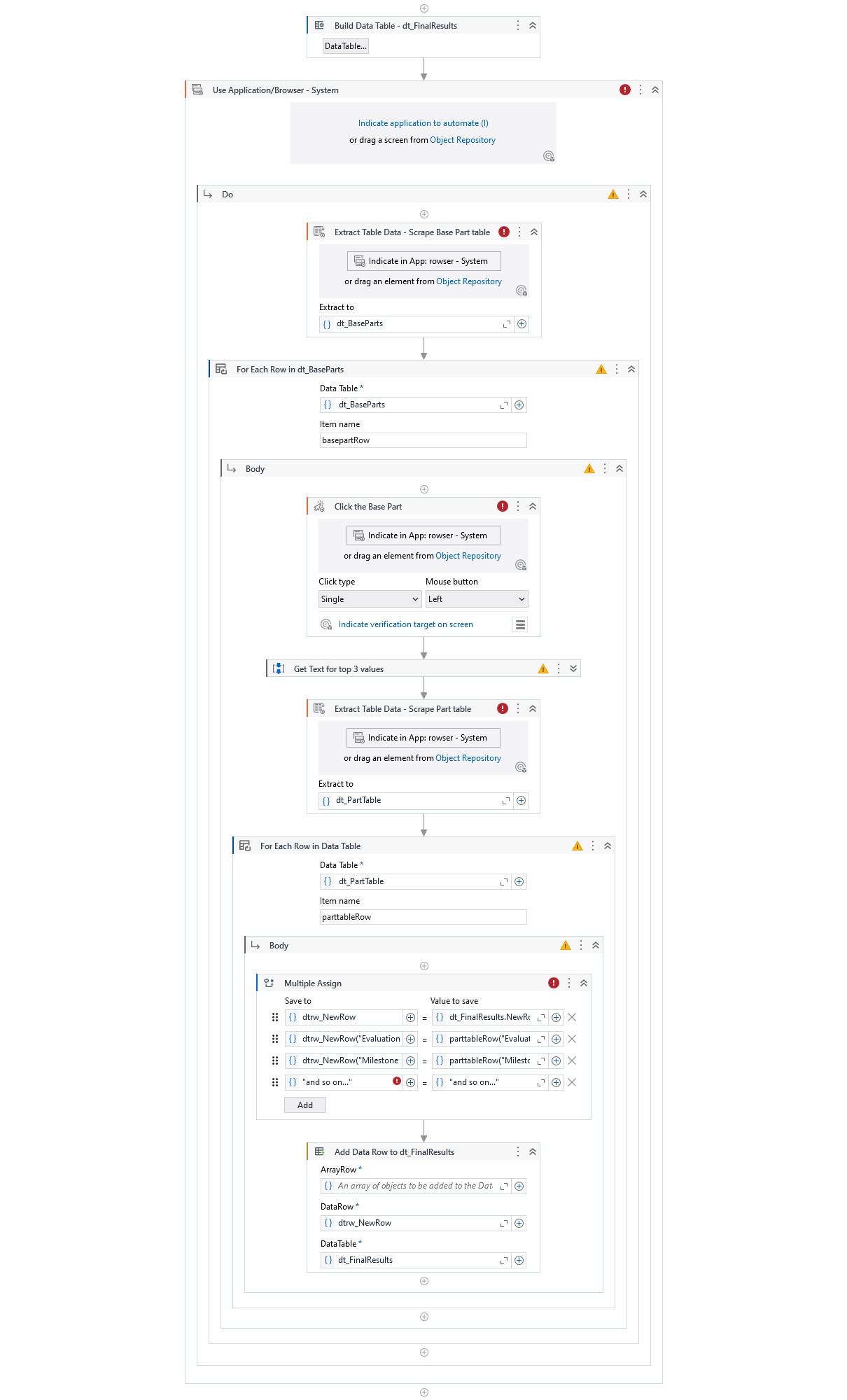
You could start off by building the final datatable for all your results, and then inject the rows with Add Data Row activity as you work your way through the parts.
In the For Each Row in Data Table activity looping the “lowest level” of values, your base parts subtable, you create a new DataRow and assign the values to this.
The top 3 values you should save as variables and scrape the bottom table.
Assign dtrw_NewRow = dt_FinalResults.NewRow()
// add all top values above
Assign dtrw_NewRow = str_ProgramCode
// add values from table
Assign dtrw_NewRow("Evaluation") = basepartRow("Evaluation")
Assign dtrw_NewRow("Milestone Range") = basepartRow("Milestone Range")
// And so on...
After assigning values to your row, you can use a Add Data Row activity to add it to dt_FinalResults.
I have tried to recreate a sequence showing this below. Simply ignore the red and yellow warnings, as I have not indicated any targets.