I have an issue while using Update Row for data table. The table columns are ClientName (string) and TotalInvoice (integer). When debugging the robot, I got an error said: Update Row Item: Table doesn’t have a primary key.
Here is the setting properties of Update row.
I tried to set “unique” in the data table for primary key related issues, however, I still got the same issue.
You can set a primary key for your DataTable before using the “Update Row” activity. yourDataTable.PrimaryKey = new DataColumn[] { yourDataTable.Columns["columnName"] }
This error typically appears when you are working with the “Update Row” activity within a DataTable that is part of a DataSet, and the DataTable does not have a primary key defined. So, the DataTable should have a primary key to uniquely identify rows for updating.
If you are working with a DataTable (not part of a DataSet) and still encounter this error, there might be another issue causing the problem. Check the properties you are using with the “Update Row” activity to ensure everything is correct.
The thing is this is a simple data table and only consists of those two columns. We can’t use ClientName (people’s name) as a primary key. Also, I don’t use iteration to go through the whole data table. What do you think?
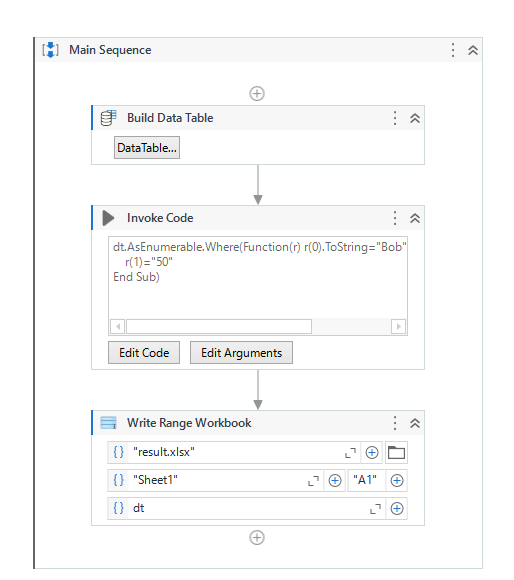
Basically, I’m avoiding using for each since every client only has one row. I also want to update column “TotalInvoice” for a particular client, if it is found. Invoke code will not return any result/output.
I see. I understand your point regarding invoke code settings.
However, it doesn’t answer my questions from your recommendation:
How can I update the “TotalInvoice” value from selection result based on particular “ClientName”? I don’t want to use iteration (for each) since every Client has only one row.