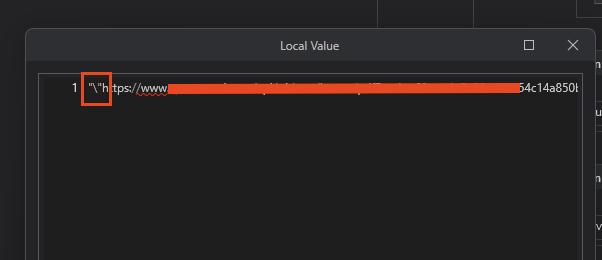
Hello. Does anyone know why the web inspector would show a plain string as the Response when I run a POST request and Studio adds extra characters to the string response? The HTTP Request activity in the “Response Content” adds an additional "\ to the beginning and the end of the string. How can I remove this so I can just get a string like what is shown in the web inspector? I’ve tried Regex but it returns empty “”. Thanks
It seems C# specification to express (escape) double quote character. So, backslash character is not contained in actual data. Can you try to output it directly using LogMessage or MessageBox etc?
Hi @Yoichi - The log message shows my output correctly as a string containing only the URL, but if I assign to a variable, it has the "\ at the beginning and at the end of the URL.
How did you check it? At Locals panel? if so, it’s displayed as C# style and backslash will be added just before double quote. (Or displayed as verbatim text)
Correction, I am wrong. The log message does show the URL with a single quote at the beginning and the end. I tried another log message with a basic string as the expression and the output does not show the quotes, so yeah, I need to be able to remove this “Double Quote” character that is inserting itself in my content response from the HTTP activity. I have no clue how to do this…
Correct, it shows the double quote character in the locals panel. I have not had this happen before where I can’t use a string response from an HTTP activity.
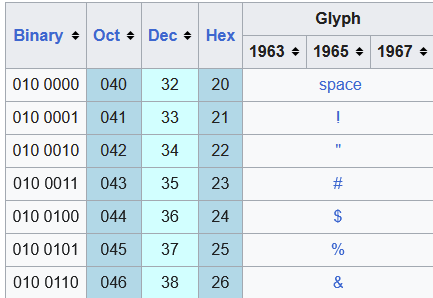
@Yoichi You are a lifesaver, that worked!! Does that mean Chr(34) is the same thing as a “Double Quote” character? Was that referenced in that webpage you sent me? How did you find that?
Yes. Chr method converts character code to actual character. And code number of double quote character is 34 (0x22 Hex)
Trim method removes specific characters at the begging or end of the string.
In this case, we can also use String.Replace method because URL string doesn’t have double quote character in itself.
How do you force “text/plain”? I couldn’t deserialize a json with this because the response wasn’t structured like a json. It was a string like in the web inspection screenshot above.
Set Accept Format to CUSTOM and under Headers collection, add “Accept” header with a “text/plain” value. Please note, if the server is not configured for plain text, then you won’t get a plain text response. Unfortunately, I am unable to find a server that responds with plain text.
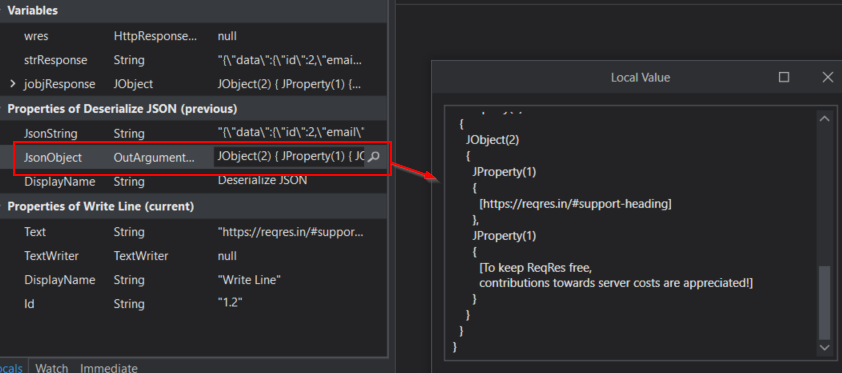
The screenshot in your first post- the Local Value format is normal. Maybe you are not parsing the response properly?
Assign response content from the http req activity to a string variable. Deserialize the string to a jobject.
Hi @sudster - I am not able to deserialize the response since it only returns as a string, not an object. I’ll probably just stick with strVar.Trim(Chr(34)) as suggested by Yoichi above. I’m pretty sure this will be a rare case anyways. I appreciate the suggestion, though!