This is my input data
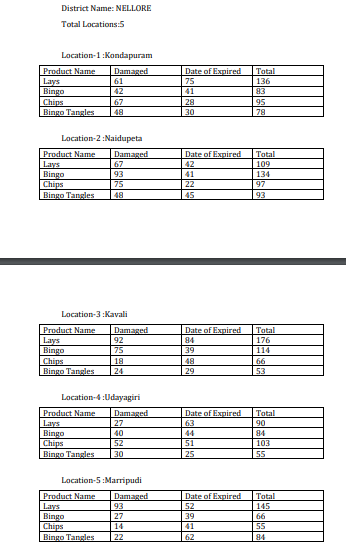
I want my input data to be written in the word file as shown in above format
How can I achieve this? How can I split data tables?
This is my input data
is it possible to split those data tables based on empty rows? If yes how?
I have tried using this… I have 6 data tables in a sheet and I want output from for each like
(1st DT
2nd DT
3rd DT and so on)

But I am getting output like
1st DT
1st DT,2nd DT
1st DT,2nd DT,3rd DT and so on…
I am attaching file can you please help me out with this
test.xaml (14.3 KB)
Input File
Andhra Pradesh.xlsx (25.7 KB)
After the 1st DT, you need to clear the 1st DT
After the 2nd DT, You need to clear the 2nd DT
So on.
Clear Data Table Activity
Regards
Gokul
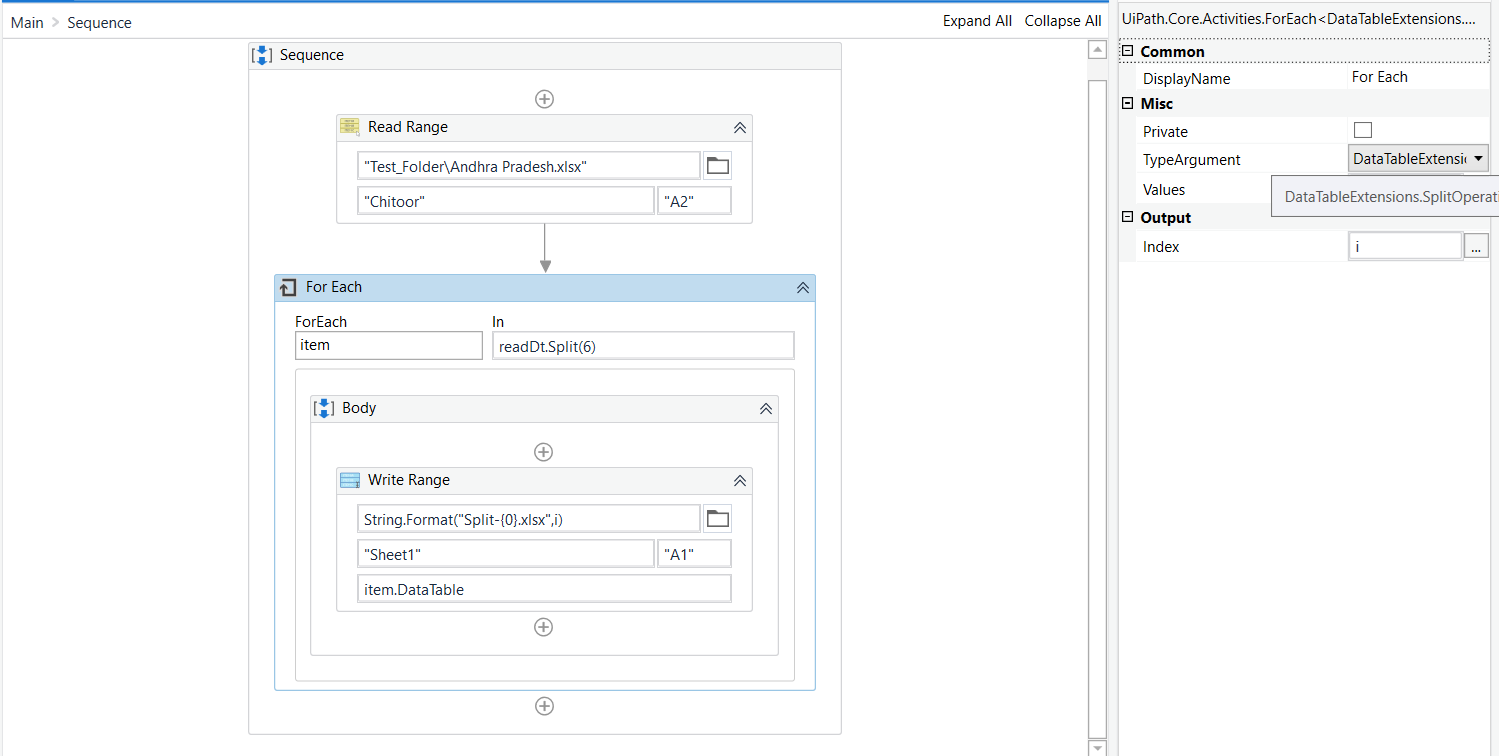
We can try with the below method ! for that you need to install the above package!
After installing the steps could be as follows as screenshot
For both read range and write range disable the add headers property!
For the type Argument check the below screenshot!

Regards
It is working…but I have no of sheets which does not contain same number of data table…how to achieve this
No you didn’t get my question…Each sheet does not contain same number of data tables…(In for each activity readDT.Split(6) you used 6 because that sheet contain 6 DT)
I think you have misunderstood the function actually it a row count not the data table count in the sheet!
As far i have seen in all the sheets the split based on 6 row will give the perfect result and each data table
Hope you got it!
Regards
Yeah…Got your point…Actually I want number of data tables available in each sheet…How can I achieve that?
@pravin_calvin Can you give me solution for above query also?
Actually while splitting the datatable we will come to know how many datatables in sheets it will process one by one in loop still need count me use the idx+1 will give the datables count!
Regards