@Nguyen_Van_Luong1 How to include a replace existing file let say i dont want to delete the output files to run the automation again or if i got same file with same name.
I understand this is simple, initially we can add “path exit” → this activity will return true/false boolean value, if true → remove folder then continue, else continue

You can check new source update
Rename.zip (475.2 KB)
Regards,

why cant use this? as it have replace existing tick box
Hi @superpunchypp ,
“Save Document as” is similar your action in word “Save as” will save current file with new file and new name, that’s right?
Make sure your new name doesn’t already exist, by making sure you check for it, with ‘path exist’
regards,
Hello @superpunchypp
Assign:
outputFolderPath = “C:\YourOutputFolderPath” // Replace with your desired output folder path
Assign:
OutputFileName = “Output_” + DateTime.Now.ToString(“yyyyMMdd_HHmmss”) + “.xlsx”
Assign:
fullOutputFilePath = Path.Combine(outputFolderPath, OutputFileName)
If (File.Exists(fullOutputFilePath))
Handle the case when the file already exists
You can rename the file, append a counter, or take other actions
OutputFileName = “Output_” + DateTime.Now.ToString(“yyyyMMdd_HHmmss”) + “_1.xlsx”
fullOutputFilePath = Path.Combine(outputFolderPath, OutputFileName)
Excel Application Scope (fullOutputFilePath)
Your logic to save or write data to the Excel file
Thanks & Cheers!!!
1 Like
could you show me in UiPath some example
Have you tried it again?
cheer
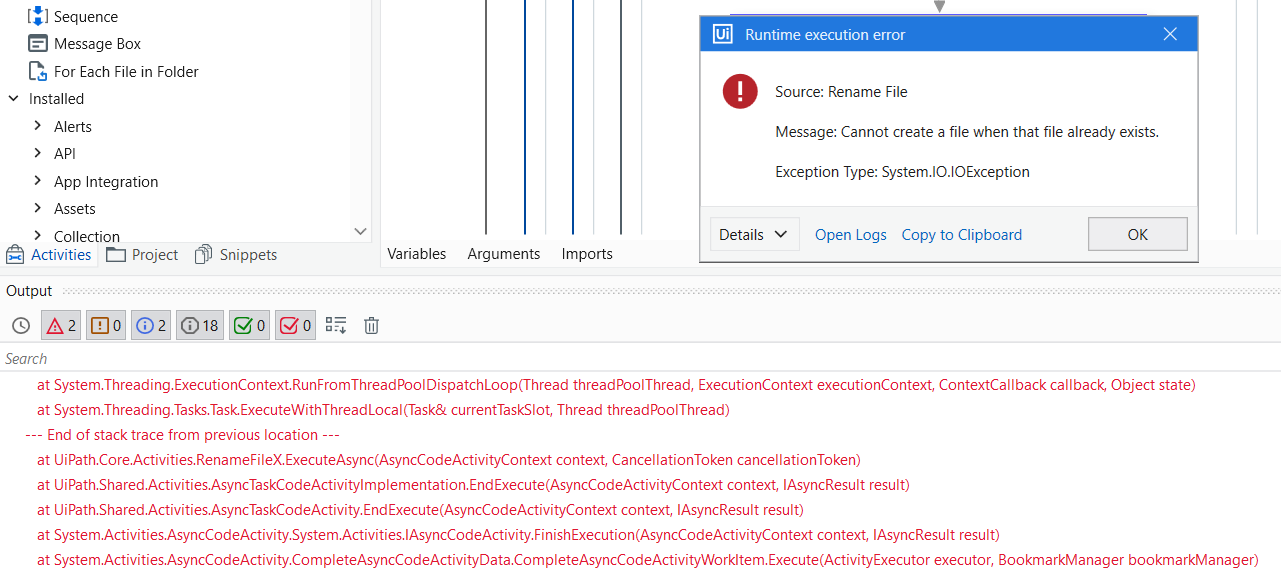
Hi i forgot to mention that the delete extra file functions did not work as i still got an error regarding the existing file
you need create new name for new file save as
cheer
but the other one i mention is the error because E.g. A1 and B1 has same Name John, so the docx name would be same so i only want keep one since there will be duplicate , how do i fix that
this case based on your requirement match with value and key in excel file, you can add if condition to skip with same name
keep old name or create new name,… it based on your requirements
could you put it into the rename UiPath process as im not sure where to or what to put
Cheers

where do i put under for this if statement, before and after which part in the process
in this step in my screenshot
before change to new name
could you screenshot which part in the process, thanks
This’s here

let try it first
if you can get correct result, please tell me, I will edit detail for you
cheer
what condition do i put in the if statement for this to happened?
condition based on your requirements, you want to ignore when the value is similar to the above value
alternatively you can check the excel file before getting the value, if the value is similar, keep the first value, the next value can change to any value you want
cheer
1 Like