How to change date format in our datatable?

i have datatable how to chage date format.

S.No Date of Registration
1 16-08-2024 18:43
2 16-08-2024 12:52
3 14-08-2024 22:50
4 13-08-2024 19:00
5 10-08-2024 15:33
6 10-08-2024 07:42
7 09-08-2024 21:43
i need this format
S.No Date of Registration
10 01/08/24 00:14
11 31/07/24 13:29
13 28/07/24 20:15
14 28/07/24 15:02
15 27/07/24 17:14
16 26/07/24 14:11
17 22/07/24 11:58

Hi @domsmgtmeet22

Assign–>

CurrentRow("Date of Registration")=DateTime.ParseExact(CurrentRow("Date of Registration").ToString, "dd-MM-yyyy HH:mm", System.Globalization.CultureInfo.InvariantCulture).ToString("dd/MM/yy HH:mm")

Hope it helps!!


error

Hie @domsmgtmeet22 use read range activity and save as dt1
use for each row and using one assign activity and pass this codes
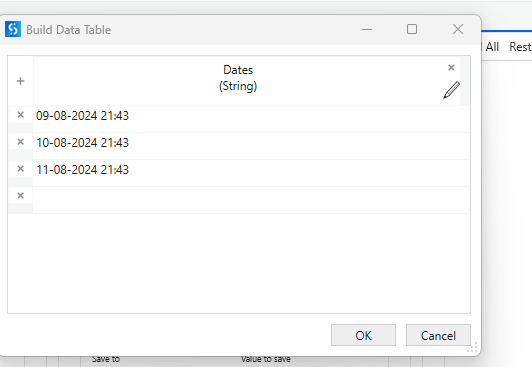
Your input date
A "Build Data Table" window displaying a column labeled "Dates (String)" with three entries dated 09-08-2024, 10-08-2024, and 11-08-2024, all at 21:43. (Captioned by AI)


Change Dates column name with your column name
and then you could use write cell aur write range to write the data back to the excel
your output result

cheers Happy Automation

@domsmgtmeet22

It is throwing the due to the format changes in the excel.
So, While reading the excel,In the read range workbook please enable the preserve format

If you stills persists the issue after this Please share the excel data snippet from the excel.