Hi team,
This is what I have:
-
Browse For File
- Output - SelectedFile: “QuotePath”
-
Input Dialog
- Asks for the number of the last row. (I need it to easily discard the rest of the information I don’t need).
-
Excel Application Scope
- WorkbookPath: “QuotePath”
- Output - Workbook: “QuoteWorkbook” (This variable is the type WorkbookApplication)
Activities:
A. Get Workbook Sheet (to know the name of the sheet)- Index: 0
- Sheet: “oldSheetName”
B. Read Range (reading to work in a clean file)
- Range: “A16:R” + lastRow
- SheetName: oldSheetName
- Output - DataTable: quote
-
Add Data Column
- Column Name: “DescriptionFormula”
- Data Table: quote
- TypeArgument: String (not sure about this)
- MaxLength: -1
-
Read Text File
- File Name: “Formula.txt” (I created this file in the project’s folder with the formula to use)
- Output to: descriptionFormula
-
For Each Row in Data Table
- Data Table: quote
Activities:
A. Assign- Set Value: descriptionFormula
- To Variable: CurrentRow(“DescriptionFormula”)
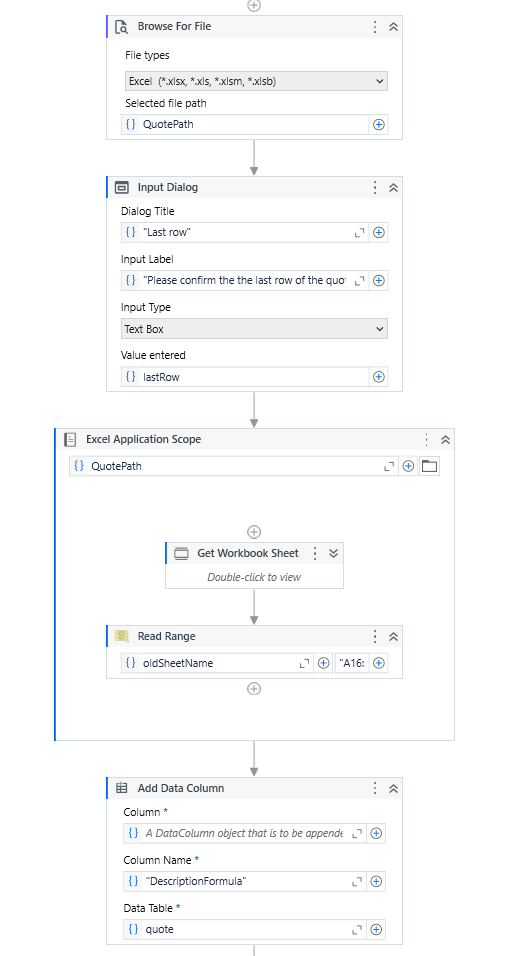

So, the workflow is ok. The problem is that in the Excel file, all I can see is the formula itself. I have to open the Excel file manually and double-click + Enter to see the result.
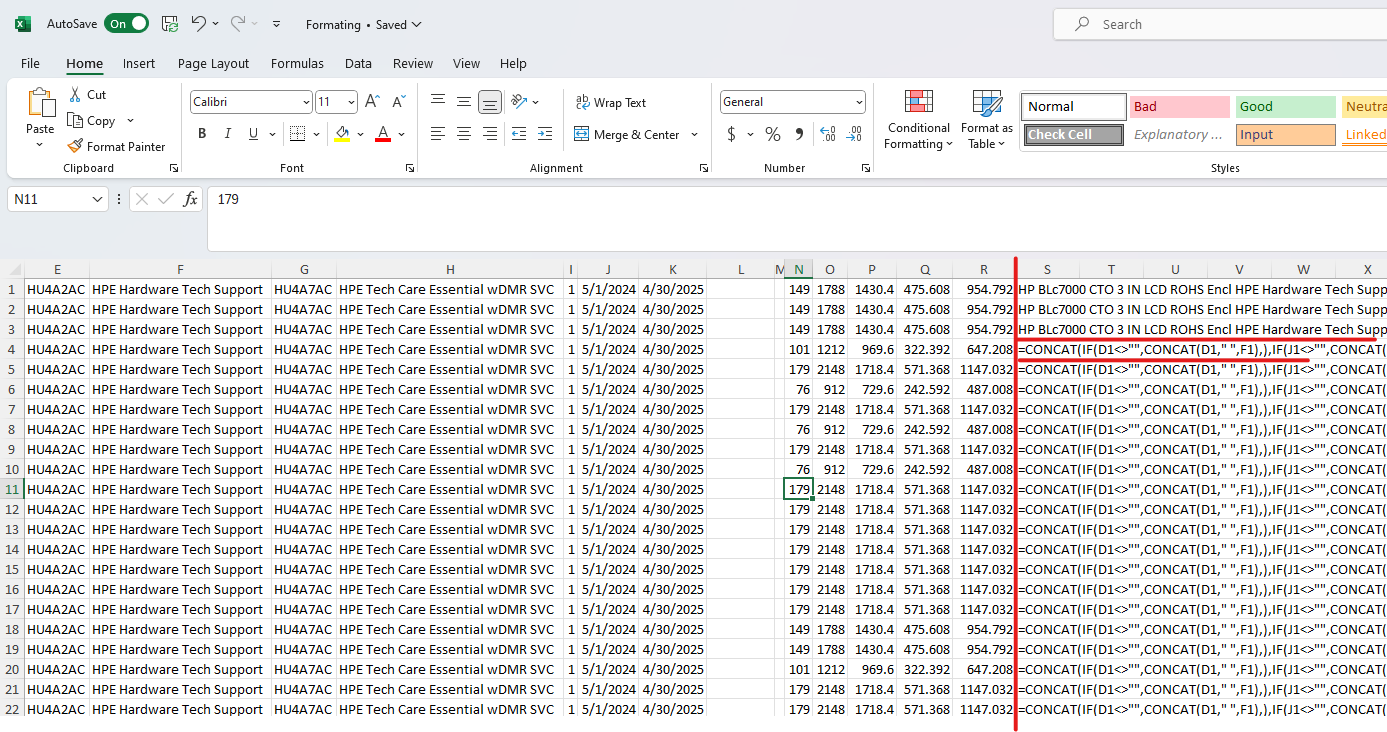
Does anybody know how to work around it?