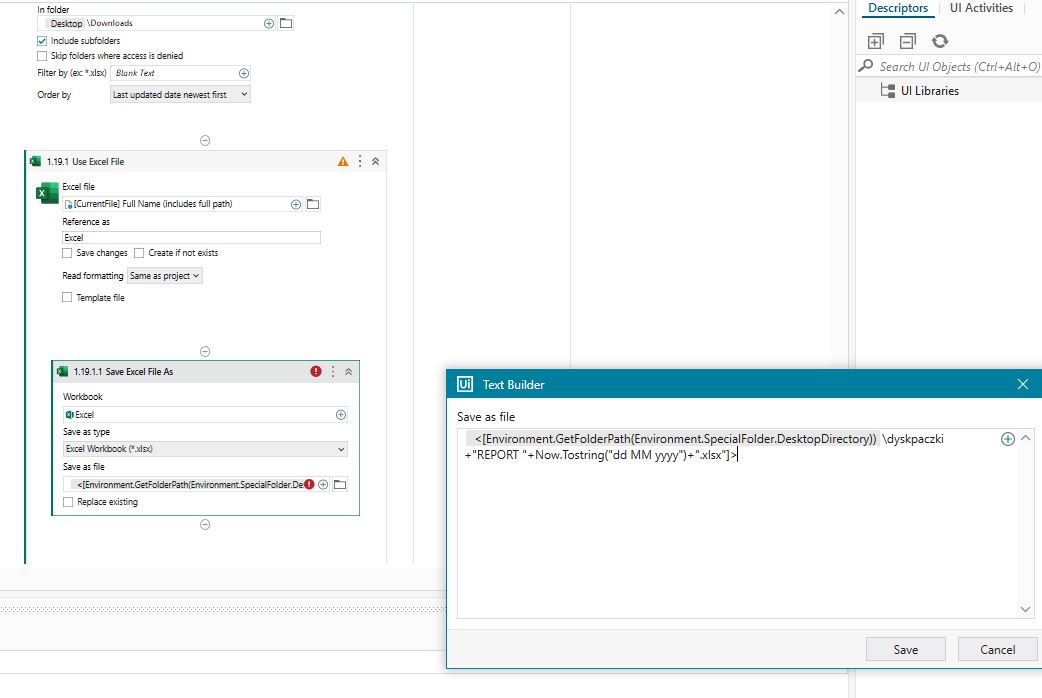
Hi I could not find answer to this.
So, I download an excel file, the automation opens it makes some changes and then I would like it to save the file in a different folder with specific name, the name format need to be: someword and then current date for example: REPORT 21 02 2023 .
The problem is I don’t know how to make it to use todays date, any tips?
Hi @marcin.chowaniec
Use like this
Filepath+"REPORT "+Now.Tostring("dd MM yyyy")+".extension"
Regards
Sudharsan
Hello @marcin.chowaniec
Try This
"D:\Filepath\REPORT"+Datetime.Now.Tostring("dd MM yyyy")+".xlsx"
Note: “.xlsx” was an extension of the excel file. you can change it according to your format. Or else file may corrupted
Hi, should I do this in advanced editor? or as a text? I’m using studio X it is my first automation should it look like this?
Great I think you marked the wrong post as solution @marcin.chowaniec