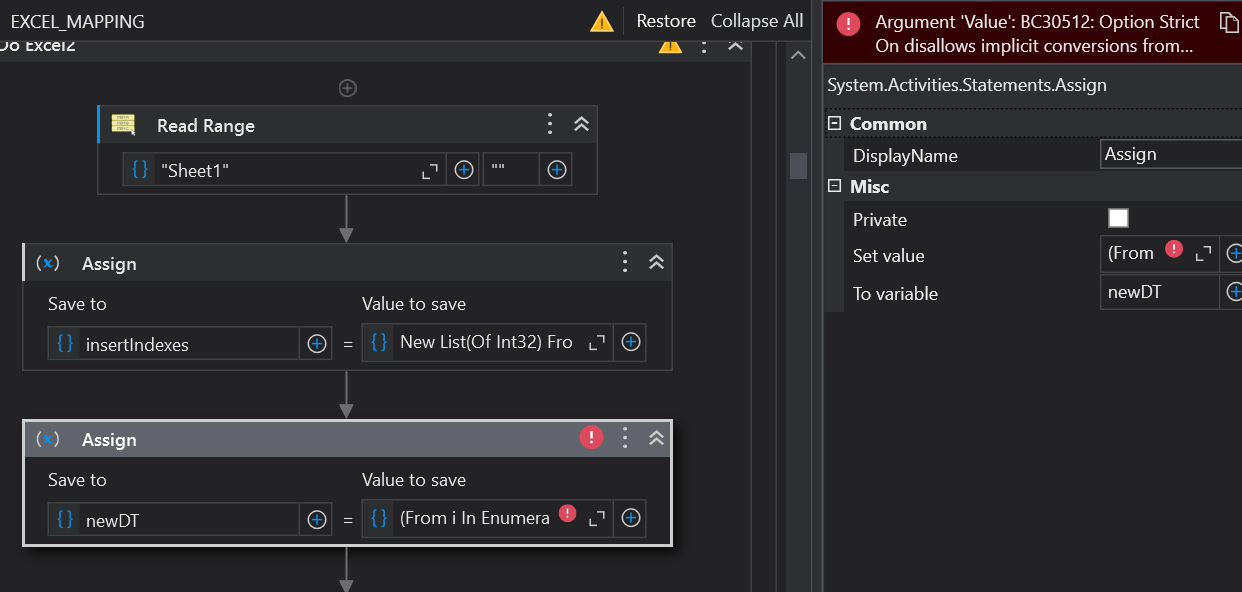
Hey everyone, im having an issue while trying to add multiple indexes to the data table. i want to add new role into row 102, 64 and 51, but i only manage to add new row in row 51 of dt_table. how do i fix it?
insertIndexes = New List(Of Int32) From {102, 64, 51}.OrderByDescending(Function(x) x).ToList()
dt_output = (From i In Enumerable.Range(0, dt_input.Rows.Count + insertIndexes.Count)
Let isInsert = insertIndexes.Contains(i)
Let offset = insertIndexes.Where(Function(x) x < i).Count()
Let row = If(isInsert, dt_input.Clone().NewRow(), dt_input.Rows(i - offset))
Select row).CopyToDataTable()
This creates a sequence of numbers from 0 up to the new total number of rows we’ll have after inserting. so it inserts dt_input rows one by one and when it finds the index it adds a new row
yes, i tried to assign this value “(From i In Enumerable.Range(0, dt_input.Rows.Count + insertIndexes.Count)” to dt_output, where its data type is datatable. Yet it give me this error:
error: Argument ‘Value’: BC30512: Option Strict On disallows implicit conversions from ‘IEnumerable(Of Integer)’ to ‘DataTable’. The selected value is incompatible with the property type.
You just have copied half the code use the full code
(From i In Enumerable.Range(0, dt_input.Rows.Count + insertIndexes.Count)
Let isInsert = insertIndexes.Contains(i)
Let offset = insertIndexes.Where(Function(x) x < i).Count()
Let row = If(isInsert, dt_input.Clone().NewRow(), dt_input.Rows(i - offset))
Select row).CopyToDataTable()


 !
!