Hi All, i am using reframework, in the init i have for each loop and at the bottom I added a bulk add items where i added the data from the excel. Wherenever i run that file. It keeps adding duplicate. The reason for the for each is so it doesn’t re-read same information twice.
Is there any way to have this stop duplicating.

If i use reference can i have the items be worked on again in the queues. Is there any way how to add reference unique to my code.
Hi @Sira
But Bulk Add Queue Items doesn’t have the option of Reference. You need to use Add queue Items by looping the datatable using Ofr Each row in DataTable and add reference.
Regards
Any way to stop duplicating without reference?
Using unique reference in queue is the way to stop duplication
Else dont use bulk add queue and for eqch item
Use get queue items and check if the item you are trying to add is alreqdy present in the queue or not…if present do not add else add it
Cheers
How can I add a unique reference and for item information add data
In bulk aueue items…each column is taken as a separate item and for reference…add a column with name as reference and add the data which is unique in the row like id number,phone number
Cheers
1 Like
There no way to keep my code for each and use bulk /if statement
Can you please elaborate?
If you are using for each and if bulk queue item is not needed…if not you need it
Cheers
How do you normally stop replication of queues information each time you run in the init?
Hi @Sira
If you want to stop the replication of Queues, instead of adding the queues in Init All Application.xaml. Try to place that sequence in First Run.
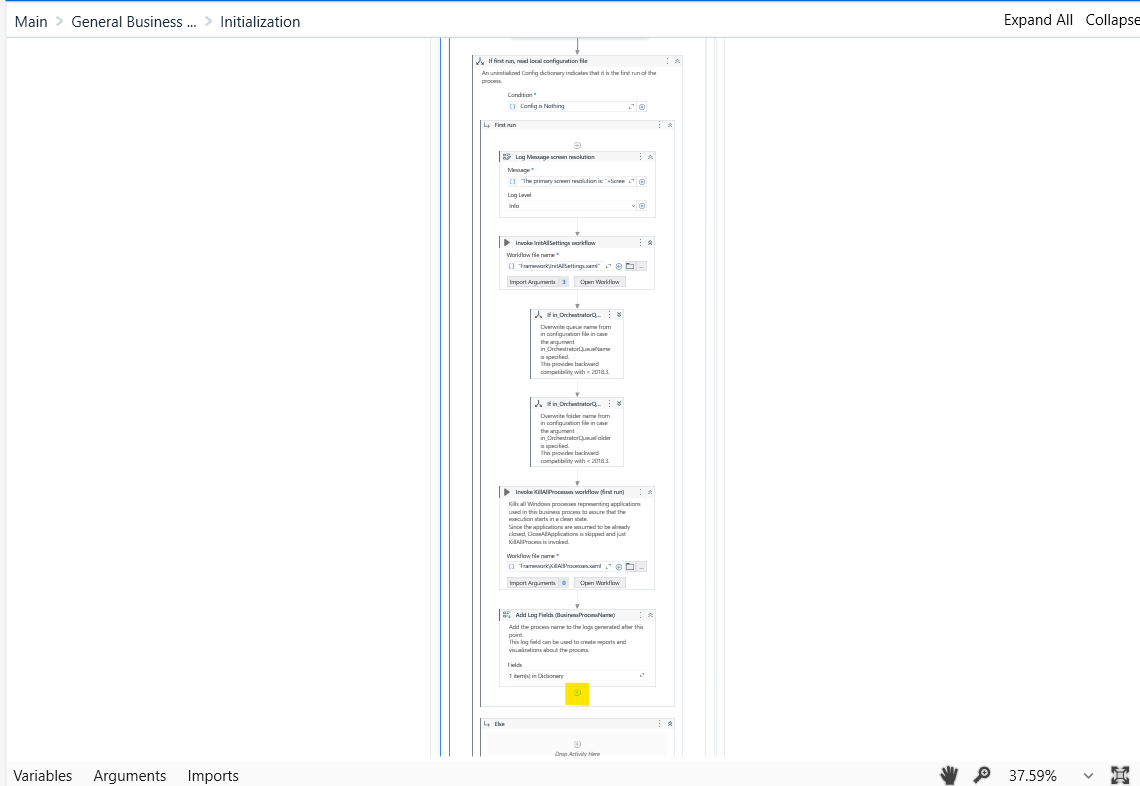
This will stop from replication of queues again and again.
Regards
1 Like
We use unique reference in the normal case
If not use the logic of checking if a similar item is present and ignore adding
And if you are asking if you can add queue items only once per run then in init under if first run add it
Cheers
Okay so replace my sequence in that first try you just screenshot me?
Right but bulk add queue dont have that option. So i cant use reference right
What option is not there you are saying?
It does add items only if unique reference is present if you add that constraint
Cheers
When your using add bulk what activity can i use to do reference? I only see that option for add queue item.
In the datatable you give ,just add a column with name Reference…and add whatever data is unique in that column
Cheers
Im using build data table
1 Like
This topic was automatically closed 3 days after the last reply. New replies are no longer allowed.