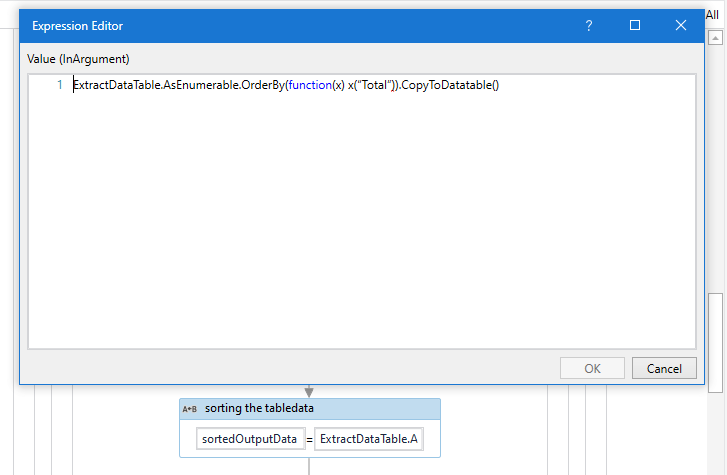
Hi Team,
I’m Extracting the table from webpage and I should sort that table in ascending order.
Then the result should be store in excel sheet.
But Extracted Table has commas between digits and tried to change and came but sorting is not getting properly.
Kindly, advise the solution for my issue.
sharing my code and document for the reference.Main.xaml (18.1 KB)
Vaccination_Chart_India_31-10-2021.xlsx (9.4 KB)
that colum for digit, you need to process that
remove the “,” and convert that to Int and then apply sort for that Column
Removing “,” can be done using linq too.
dtExtractedData = dtExtractedData.AsEnumerable().Where(Function(a) a.Field(of string)(strColumnNameForDigit).ToString.Replace(“,”,"”).ToString).CopyToDatatable
Thanks Rahul for reply.
Here in assign activity i should use your solution? here only right u said?
Hi Rahul, I’m not getting which you have mentioned I tried your solution by replacing in my code and near strColumnNameForDigit I given strTotalForDigit getting error like not declared.
Could please let me know how to use that you mentioned the solution.
Hey mate
You are right
just extract the datatable, then use assign activity. On the left put the datatable Name and on the right put the expression and mention the same datatable, mention column name which is there.