Hi Team,
i need todays date to this format 06–May 10, 2024 , basically the start date and End Date of the week.
Hi Team,
i need todays date to this format 06–May 10, 2024 , basically the start date and End Date of the week.
You can use the below datetime expression to get the required output,
- Assign -> Output = DateTime.Today.AddDays(DayOfWeek.Monday - DateTime.Today.DayOfWeek).ToString("dd-MMMM")+" "+DateTime.Today.AddDays(DayOfWeek.Friday - DateTime.Today.DayOfWeek).ToString("dd, yyyy")
Output is the String Datatype.
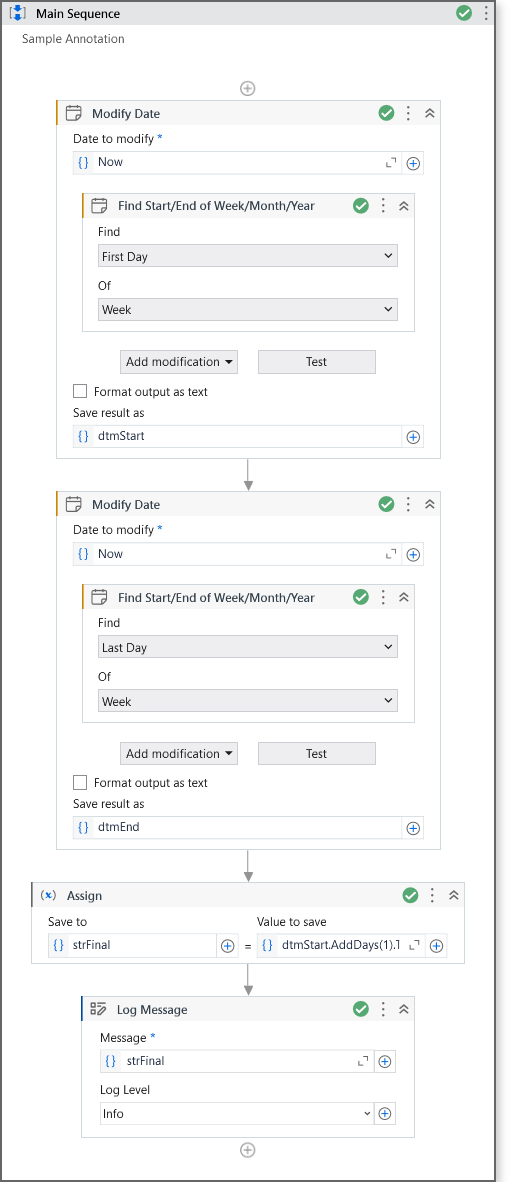
Check the below workflow for better understanding,
Hope it helps!!
Assign activity -> todayDate = DateTime.Today

Assign activity -> startDate = todayDate.AddDays(-(todayDate.DayOfWeek - DayOfWeek.Monday))

Assign activity -> endDate = startDate.AddDays(4)

Write Line -> "Start Date: "+startDate.ToString("dd-MMM , yyyy")+vbCrLf+"End Date: "+ endDate.ToString("dd-MMM , yyyy")
Output:

OR
Assign activity -> todayDate = DateTime.Today

Assign activity -> startDate = todayDate.AddDays(-(todayDate.DayOfWeek - DayOfWeek.Monday))

Assign activity -> endDate = startDate.AddDays(4)

Write Line ->startDate.ToString("dd–MMM")+" "+endDate.ToString("dd, yyyy")
Output:

Hope it helps @devasaiprasad_K !!
today = DateTime.Today
startDate = today.AddDays(-(today.DayOfWeek - DayOfWeek.Monday))
endDate = startDate.AddDays(6)
today, startDate, endDate are DateTime variables
StartDateformat = startDate.ToString(“dd-MMM, yyyy”)
EndDateformat= endDate.ToString(“dd-MMM, yyyy”)
StartDateformat, EndDateformat are string variables
Print the variables in log message to view the output