E.T.S
January 31, 2024, 4:45pm
1
Hello,
I have a data table - when I output the data table so I can see what it looks like, there are spaces after after full stops like this with every new row:
Is there a way I can get the bot to trim the start of every row so there are no spaces at the beginning?
vrdabberu
January 31, 2024, 4:51pm
2
Hi @E.T.S
Assign activity:
dataTableWithSpacesRemoved = yourDataTableVar.Clone()

dataTableWithSpacesRemoved = (From row In yourDataTableVar.AsEnumerable()
                             Let updatedName = row.Field(Of String)("Name").Replace(" ", "")
                             Select newRow = dataTableWithSpacesRemoved.Rows.Add(row.ItemArray)
                             ).CopyToDataTable()
Regards
E.T.S
January 31, 2024, 4:52pm
3
Hi,
Thanks for your reply!
Does this remove every space - as I would only like to trim the start of every row
Anil_G
January 31, 2024, 4:54pm
4
@E.T.S
Can you show the table
because you are sating start but there is a period.
cheers
mkankatala
January 31, 2024, 4:55pm
5
Hi @E.T.S
Try the below linq expression in assign activity -
dt = (From row In dt.AsEnumerable()
      Let newRow = row.ItemArray.Select(Function(item) If(TypeOf item Is String, DirectCast(item, String).Replace(" ", ""), item)).ToArray()
      Select dt.Rows.Add(newRow)).CopyToDataTable()
Hope it helps!!
vrdabberu
January 31, 2024, 4:55pm
6
Hi @E.T.S
dataTableWithTrimmedSpaces = (From row In yourDataTableVar.AsEnumerable()
                              Let updatedName = row.Field(Of String)("Name").TrimStart()
                              Select newRow = yourDataTableVar.NewRow().ItemArray.CopyToDataRow().SetField("Name", updatedName)
                             ).CopyToDataTable()
Regards
mkankatala
January 31, 2024, 5:14pm
8
Can you try check the Preserve format option in the Read range workbook activity. Then it will give the correct format of the data in the excel to datatable… @E.T.S
Anil_G
January 31, 2024, 5:18pm
9
@E.T.S
Can you show the excel…Need some clarity on the ask and what the issue is
cheers
E.T.S
January 31, 2024, 5:22pm
11
I am unable to provide the Excel unfortunately due to it sensitive information
Apologies I believed new rows were not being recognised but when checked they are
The issue I am having is spaces are being added to the beginning of my row - unsure how to trim the start of the row
So The first cell in the row will have space then text like this: " abc"
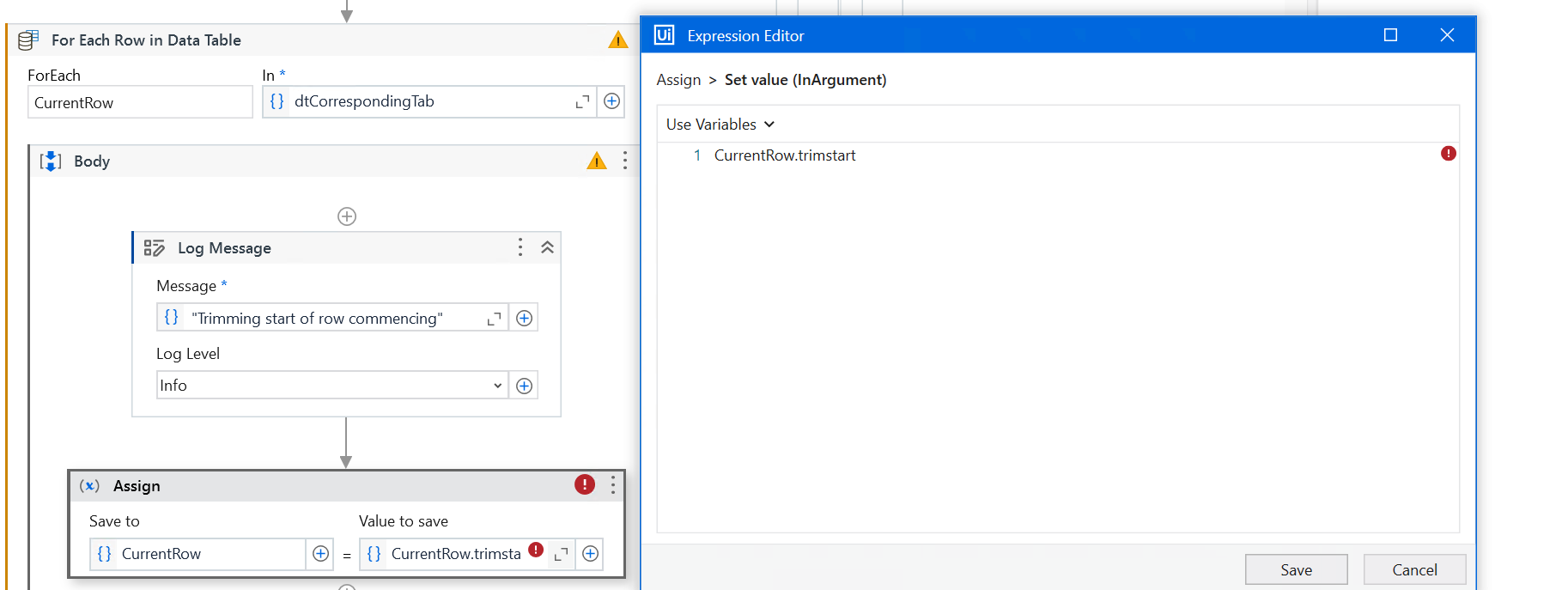
I am trying this:
E.T.S
January 31, 2024, 5:44pm
12
Please could you show me how to implement this
Hi @E.T.S ,
We would ask for a Sample or dummy data which would replicate the same formatting as that of the original data that you would have, In this way the methods suggested/applied to the Sample should also be applicable to the original one.
Anil_G
January 31, 2024, 6:02pm
14
@E.T.S
If only first column has those spaces and are to be trimmed…then you can use the below in invoke code with dt as in/out argument
dt.AsEnumerable.ToList.ForEach(sub(r) r(0)=r(0).ToString.Trim)
cheers