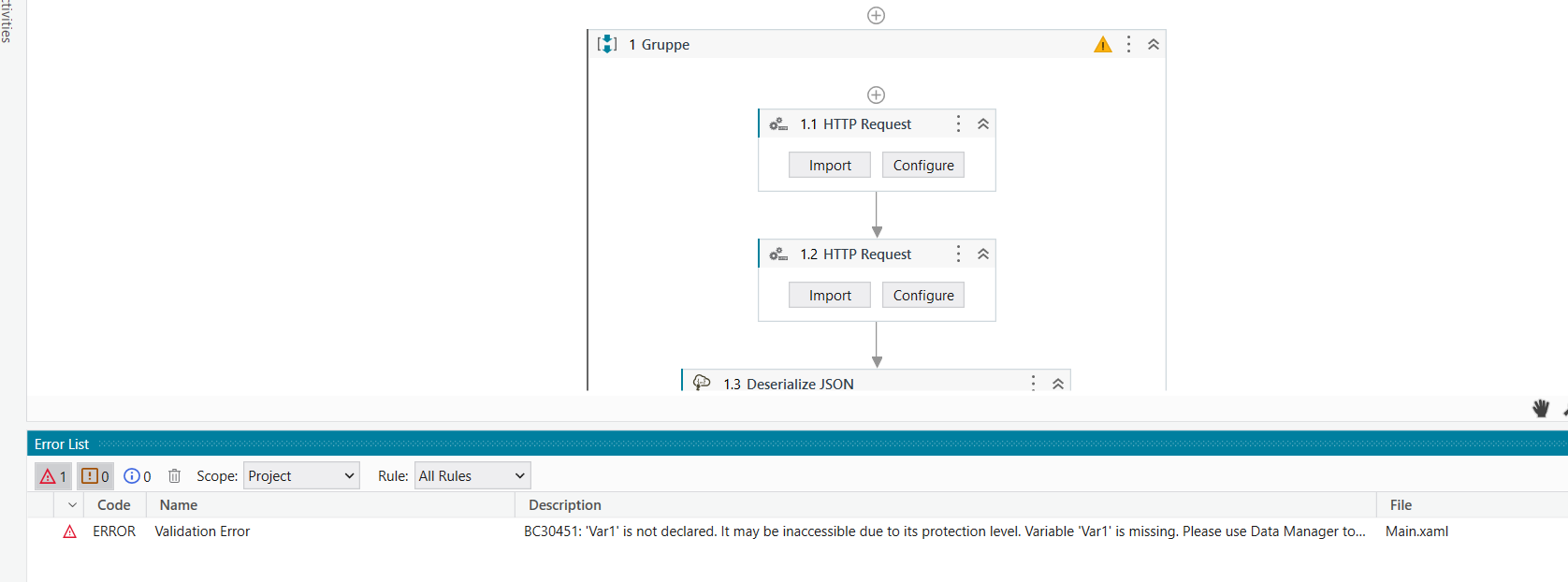
Hello all i´m challenging the following issue.
I want to do an automated form which includes the Phonenumber.
Im fetching the phone number from an API. I recieve the number with countrycode. My form has the country code already set as constant.
For example: +44 123456789
I need to input only 123456789 but my fetch is 44123456789. Is it possible to exclude the first 2 digits in a simple way?
Im Using Studio X with HTML request. Fetching from json works great but i have to solve this issue.
This is my first API implementation. I just started with UI Path 2 weeks ago. It makes really fun and im lerning a lot.
lrtetala
(Lakshman Reddy)
3
@Hugen_Dugen
If the input is 44123456789
then try
Var1.Substring(2,9)
or
you can try this also
Var1.Substring(2)
I hope you understand!!
Parvathy
(PS Parvathy)
4
Hi @Hugen_Dugen
Try using this Regex:
strinput= +44 123456789
Matches= System.Text.RegularExpressions.Regex.Matches(strinput,"(?<=\s)[\d]+")
Datatype of Matches is System.Collections.Generic.IEnumerable(System.Text.RegularExpression.Match)
Hope it helps!!
Thank u very muc. If i use this solution how can i etract it into my form?
Actually im using type info:
lrtetala
(Lakshman Reddy)
6
@Hugen_Dugen
Try this
JSONObjekt("activeActivations")(0)("phoneNumber").ToString.Split(" ")(1)+"."+JSONObjekt("activeActivations")(0)("phoneNumber").ToString.Split(" ")(1)
or
JSONObjekt("activeActivations")(0)("phoneNumber").ToString+"."+JSONObjekt("activeActivations")(0)("phoneNumber").ToString.Split(" ")(1)
sorry for my dumb questions. First of all thank u. But i have to use ur assign function as well or only the new Input for my json fetch?
Parvathy
(PS Parvathy)
8
@Hugen_Dugen
Try this:
System.Text.RegularExpressions.Regex.Match(JSONObjekt("activeActivations")(0)("phoneNumber").ToString, "(?<=\s)[\d]+").Value
Output DataType: System.String
Hope it helps!!
lrtetala
(Lakshman Reddy)
9
@Hugen_Dugen
You have to take an assign activity in that
Phone Number=JSONObjekt("activeActivations")(0)("phoneNumber").ToString.Split(" ")(1)
So the output of Phone Number is 123456789
Then you have to use this variable in your Form
Thanks but this looks a bit to tough for me. I looked into but wasnt lucky.
lrtetala
(Lakshman Reddy)
12
@Hugen_Dugen
Try this
After assign activity take Message Box activity to check whether the output is correct or not
Im trying actually. But getting errors. I have to put the assign funtion under the deserilize json?

lrtetala
(Lakshman Reddy)
14
@Hugen_Dugen
Just hover the error and show me that
show the full expression in assign activity
sorry… but how to  never used this function
lrtetala
(Lakshman Reddy)
18
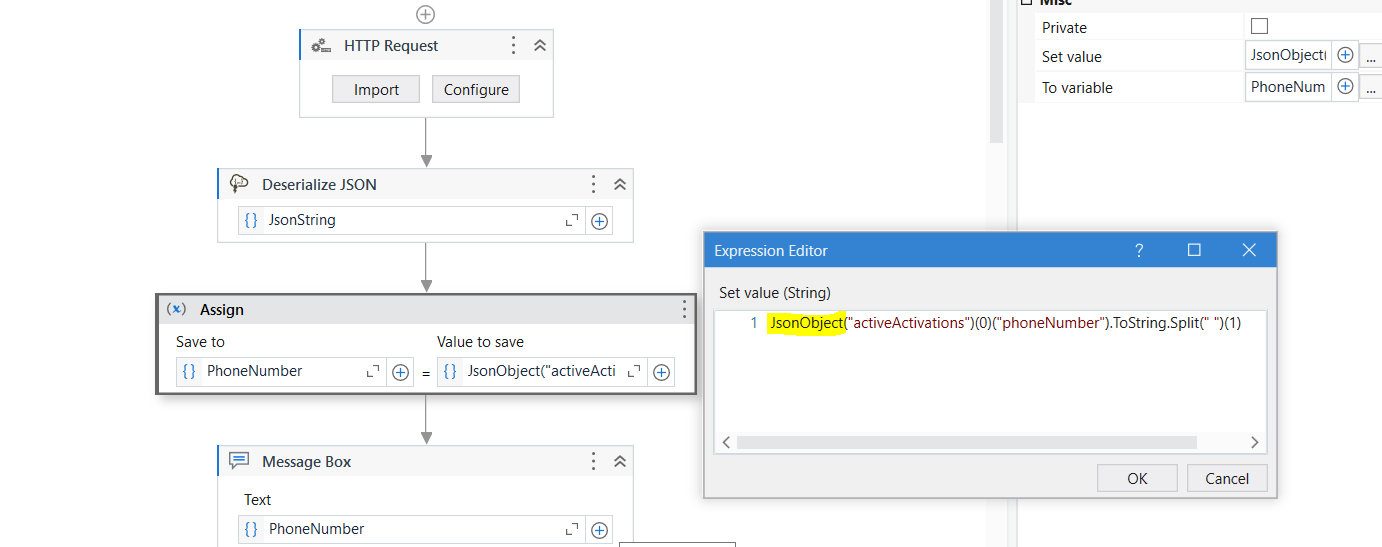
@Hugen_Dugen
Phone Number=JSONObjekt(“activeActivations”)(0)(“phoneNumber”).ToString.Split(" ")(1)
change the yellow marked
lrtetala
(Lakshman Reddy)
19
@Hugen_Dugen
Click on Create Variable
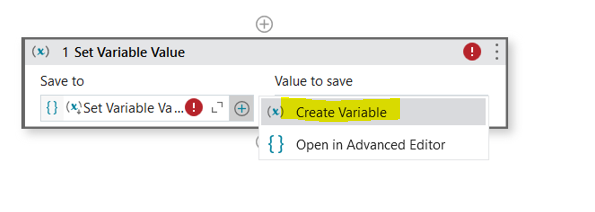
Then give Variable name and data type
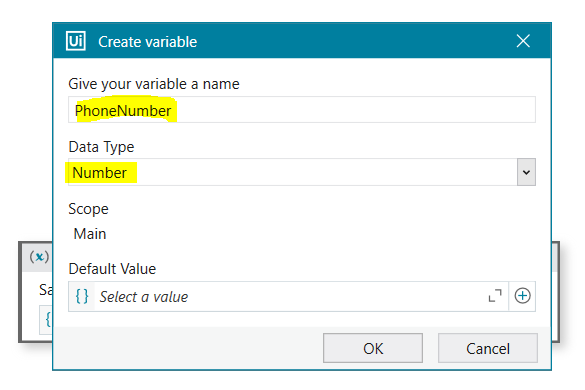
then click ok to create the variable
lrtetala
(Lakshman Reddy)
20
@Hugen_Dugen
In right side write this
JSONObjekt("activeActivations")(0)("phoneNumber").ToString.Split(" ")(1)