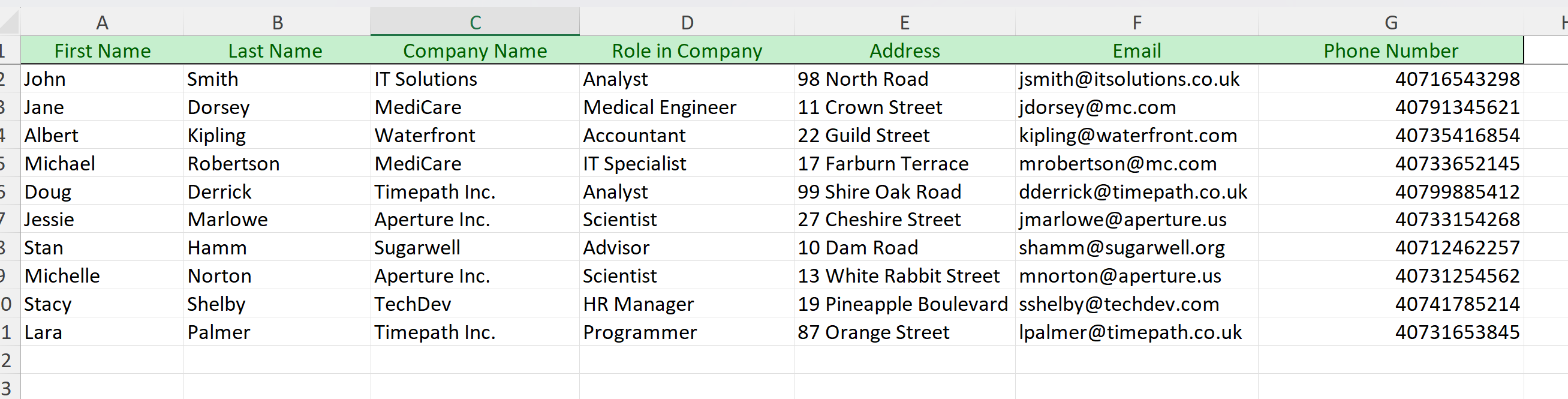
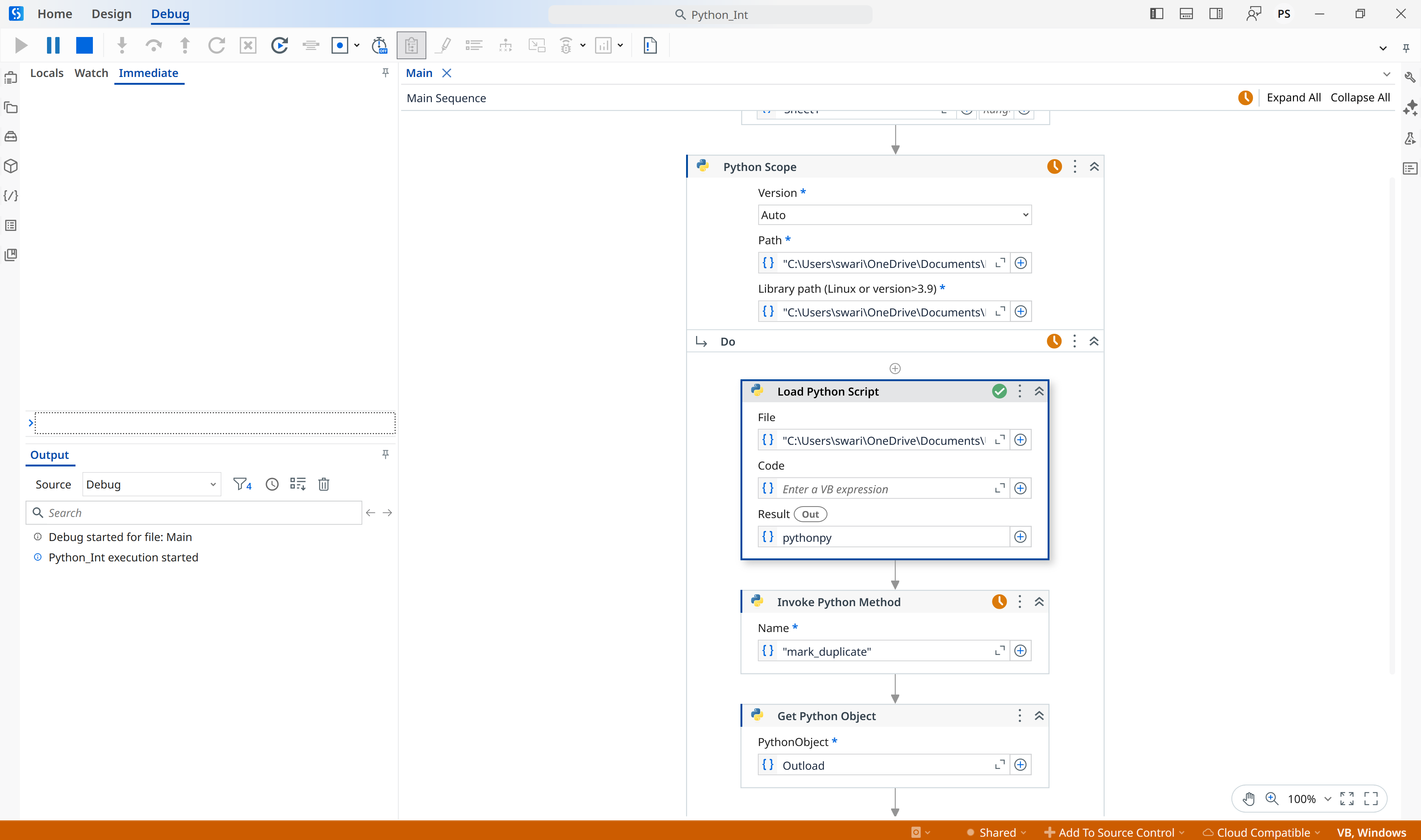
I am trying to do some datatable manipulation using python code, I checked the code and everything it is showing me no error but keeps in executing without any output, I checked the python code separately also but it looks good, Can someone help me I am attaching the code zip file and screenshot. Thanks in advance for helping
Input
Output
Python_Int.zip (119.9 KB)
Try to install these:
For UiPath.Python.Activities <1.9.0
For UiPath.Python.Activities >=1.9.0
or
Restart the machine
Retry to run the project.
Reference: Activities - About the Python activity package
I tried but still same isse
Try to adjust your Python code to:
import sys
import os

try:
    sys.path.append(os.path.dirname(os.path.realpath(__file__)))
    import pandas as pd
    import json
except Exception as e:
    #print(f"Error during imports: {e}")
    raise


class DataTable:
    def __init__(self, dataframe):
        self.columns = dataframe.columns.tolist()
        self.Rows = dataframe.itertuples(index=False, name=None)

# Load Excel file
#excel_path = r"C:\Users\admin_1\Desktop\Python_Int\Task.xlsx" # Replace with your actual file path
#df = pd.read_excel(excel_path)

# Create dt object
#dt = DataTable(df)

def mark_duplicate(excel_path, col_name):
    try:
        df = pd.read_excel(excel_path)
        dt = DataTable(df)

        if not hasattr(dt, 'columns') or not hasattr(dt, 'Rows'):
            raise ValueError("Input 'dt' must have 'columns' and 'Rows' attributes.")

        columns = list(dt.columns)
        data = [list(row) for row in dt.Rows]
        df = pd.DataFrame(data, columns=columns)

        if col_name not in df.columns:
            raise KeyError(f"Column '{col_name}' not found in data.")

        count = {}
        df["Status"] = ""

        for index, row in df.iterrows():
            val = str(row[col_name]).strip()
            if val in count:
                count[val] += 1
                df.at[index, "Status"] = "Duplicate"
            else:
                count[val] = 1
                df.at[index, "Status"] = "Find"

        # Convert to list of lists and serialize to JSON
        result = [df.columns.tolist()] + df.values.tolist()
        return json.dumps(result)

    except Exception as e:
        print(f"Error in mark_duplicate: {e}")
        return json.dumps({"error": str(e)})


# Now you can call your function
#result = mark_duplicate(dt, "Role in Company")  # Replace with actual column name

#print(result)
Make sure that the pandas and json packages are installed on your system under .\Python312\Lib\site-packages
Example:
pip install pandas
pip install json
Try to use in Invoke Python Method this InputParameters
New Object() {"C:\Users\admin_1\Desktop\Python_Int\Task.xlsx", "Role in Company"}
Try to lower the UiPath.Python.Activities to 1.10.0
Try run the Studio project in a machine that doesn’t have organization firewalls restrictions.
In my machine, the script execution is blocked when I am trying to run it from UiPath Studio.
Use this new version of the project.
Python_Int.zip (132.2 KB)
Adjust with your Python and xslx paths.
Results:
When you will have errors in your script execution, it will display a message in format of {"error": str(your_Exception)}.
Example: