Hello
I am new in UIPath
I want to split and save every digit from a number like : 456834
As a result I want :
var 1 = 4
var 2 = 5
var 3 = 6
var 4 = 8 etc
How can I do that please ?
Thanks
Hi,
How about to use Array, as the following?
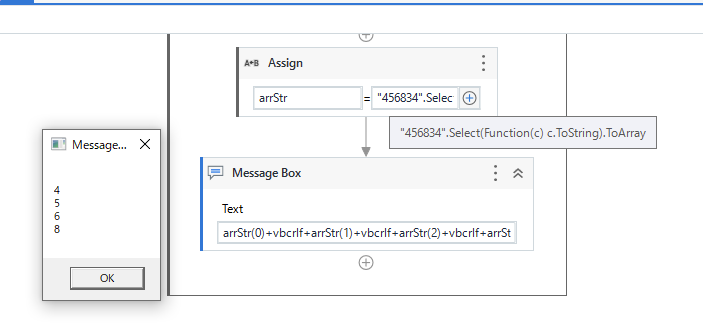
arrStr = "456834".Select(Function(c) c.ToString).ToArray
Then
arrStr(0) returns "4"
arrStr(1) returns "5"
:
:
Regards,
FYI, if your input is integer type and need to get result as integer, the following will work.
arrInt = 456834.ToString.Select(Function(c) CInt(c.ToString)).ToArray
Then
arrInt(0) returns 4
arrInt(1) returns 5
Regards,
I am getting the number from “Get text” as a string
How can I declerate well the variable arrStr ?
I can’t find a way to do it array
Thanks
Hi,
First, choose Array of T, next choose String, as the following.

Regards,
Hi @mironb
Create a variable as array of strings and then drag assign
Give the array variable(arratr) on left and say your get text output is in variable str then use the following
Arrstr = str.select(function(x) x.Tostring).ToArray
PS: If you are copy pasting please relace the inverted comma in the code again
Cheers

Hi @mironb
Please remove variable3 = and just type toArray.few options are not displayed but are available
cheers
Hello @mironb
Welcome to UiPath Community…!
You can do as below.
strVar is a string variable
strVar.ToCharArray() - converts string to characters
charArray is a string variable


Thanks
Hi,
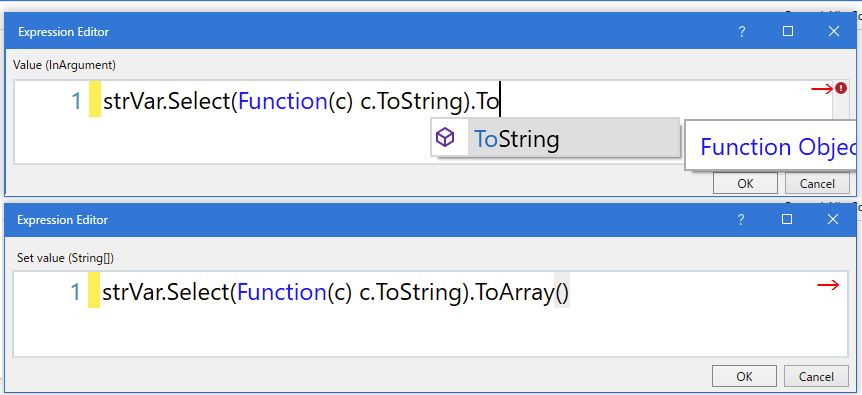
First, please remove variable3 =. variable3 should be set in left side of Assign activity
Then. as intellisense is not 100% accuracy, it’s no problem if the candidate is not shown, as the following, for example.

Regards,
OK I got this at the End
How I can use every single of them to put it as a different variable
how to write it correctly

Hi,
Usually, its good that we handle array as it is.
If you need to assign them to individual variable and the number is fixed length, the following will work.
var1 = result(0)
var2 = result(1)
var3 = result(2)
var4 = result(3)
var5 = result(4)
var6 = result(5)
Regards,


Hi,
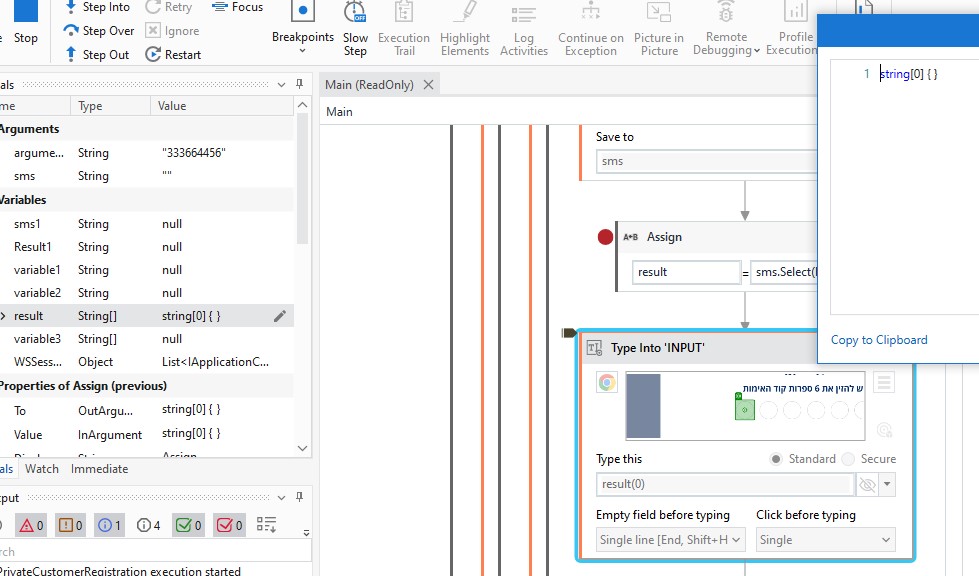
Your variable sms seems empty string. Can you check your logic to get it.
Regards,
But when I debug it without the “type into” it returns to “Result” the number well.
I am getting to sms variable an OTP number.


I solve it
I should put the result as argument because its another workflow (hope I called it well)
Thanks every one of you
you are amazing guys
1 Like
Why from time to time I got this error, sometime its run well and some time not :
Type Into ‘INPUT’: Index was outside the bounds of the array.
Why from time to time I got this error, sometime its run well and some time not :
Type Into ‘INPUT’: Index was outside the bounds of the array.
Hi,
As I mentioned, input string is empty. So please check your logic to get it.
If there is possibility timing matter, can you try to put Delay activity (2-3sec) just before GetText, for now?
Regards,
I tried but its not works well
Its 1 time successes and 4-5 doesn’t
How can I solve it correctly ?