Hello,
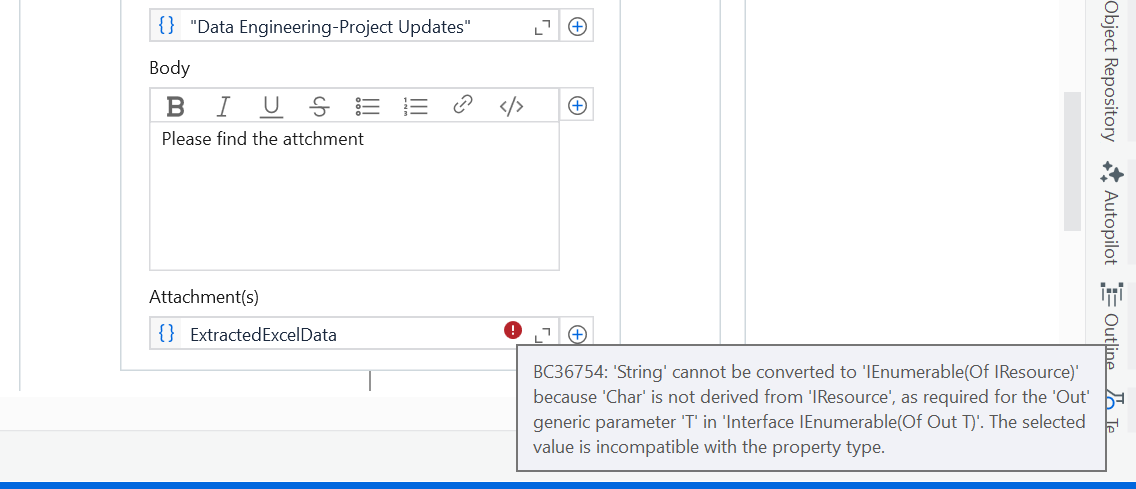
My task is to send an email with attachment to the outlook web. I have stored the attaachment as a variable. I have tried multiple activities. Attaching the screenshot below.
Someone pls help
Hi @shama93
→ Beside of attachment field there is + symbol click on it and Select File Paths
→ In the File Path Attachments field click on Extension and pass the String variable which contains the File Path in the Fields.
Check the below image for better understanding,
Hope it helps!!
Try your variable within braces. Like { filepath }
Can you confirm which activity you are using?
Kindly let me know if it solved your problem.
You can either click on plus and select the path of file
Or give like below…that should also work
{LocalResource.FromPath(ExtractedExcelData)}
Cheers