I couldn’t find ‘Read CSV’ activity in my UiStudio, even under available packages.

I’m Using UiPath Studio Community 2017.1.6309
I couldn’t find ‘Read CSV’ activity in my UiStudio, even under available packages.
I’m Using UiPath Studio Community 2017.1.6309
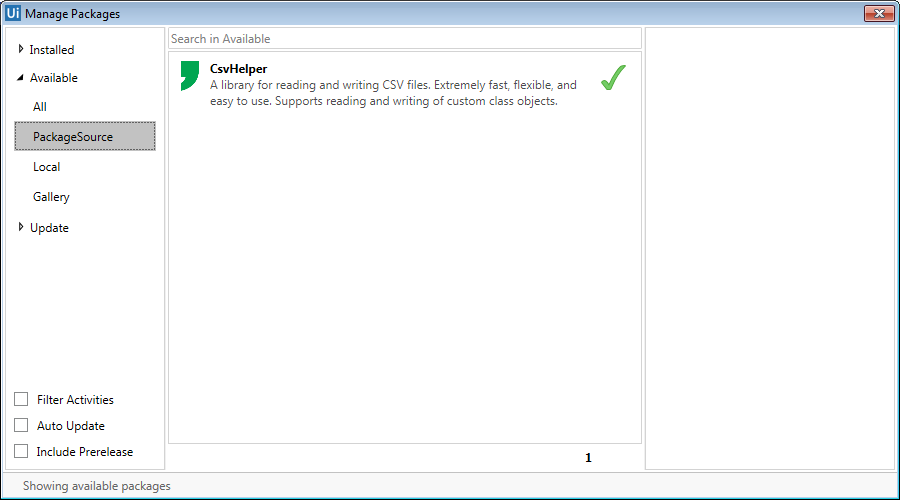
Try installing this package
CsvHelper.2.13.5.0.nupkg (353.2 KB)
Thanks. I tried adding the package by following the instruction here Get Help from UiPath Support Services | UiPath but it just display ‘No packages found’.
Uncheck “Filter Activities” check box located at the bottom left.
Any updates on this? I am facing the same challenge here as well.
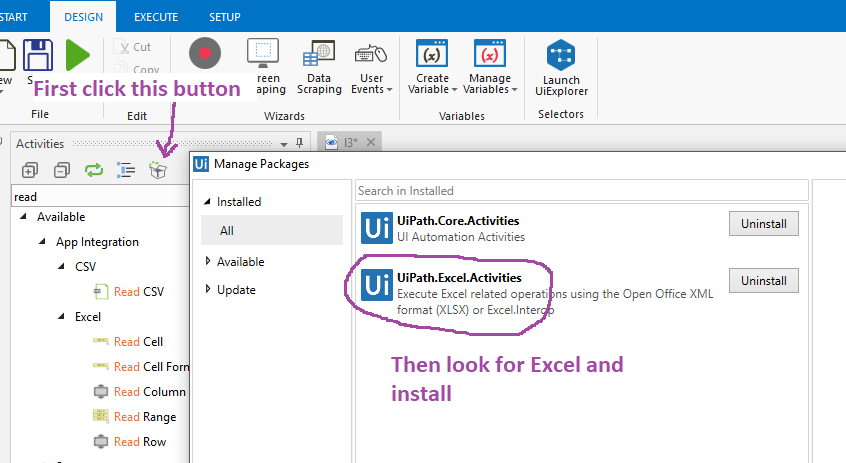
Can you try installing the Excel package and see if the Read CSV activity appears? I faced the same problem and installing the Excel package solved the issue.
Any new on this I am encountering the same problem
Sorry I missed sanghapriyab’s post. The suggestion to install the Excel package looks like has worked I can now see Read CSV
That’s very helpful
Thank you…
yes, that really works
thannk you

hi,
Please follow below tutorial,

Thanks,
Karthik.
This works for me also, thank you!
Thanks first I installed CSV Helper… but installing this Excel library solved the problem for me
You need to search,as when you scroll through All Available packages you may get interpretation that only mentioned packages are available as pagination is not much explanatory.