This course is designed so you can also learn from your fellow learners, particularly through the forum topics.
If you need help, post a question as a reply in the Forum discussion below. To increase your chances of being helped, be as descriptive as possible. Include in your comment:
A description of your issue: when is it happening, what activity you have trouble with.
A screenshot of your error.
You can also attach your automation project.
If you can help a fellow learner, don’t be afraid to reply and make a suggestion. Participating in the conversation helps solidify the knowledge you’ve acquired in this course.
Need Help: Status Check Using If Activity Not Working Properly
Hi everyone,
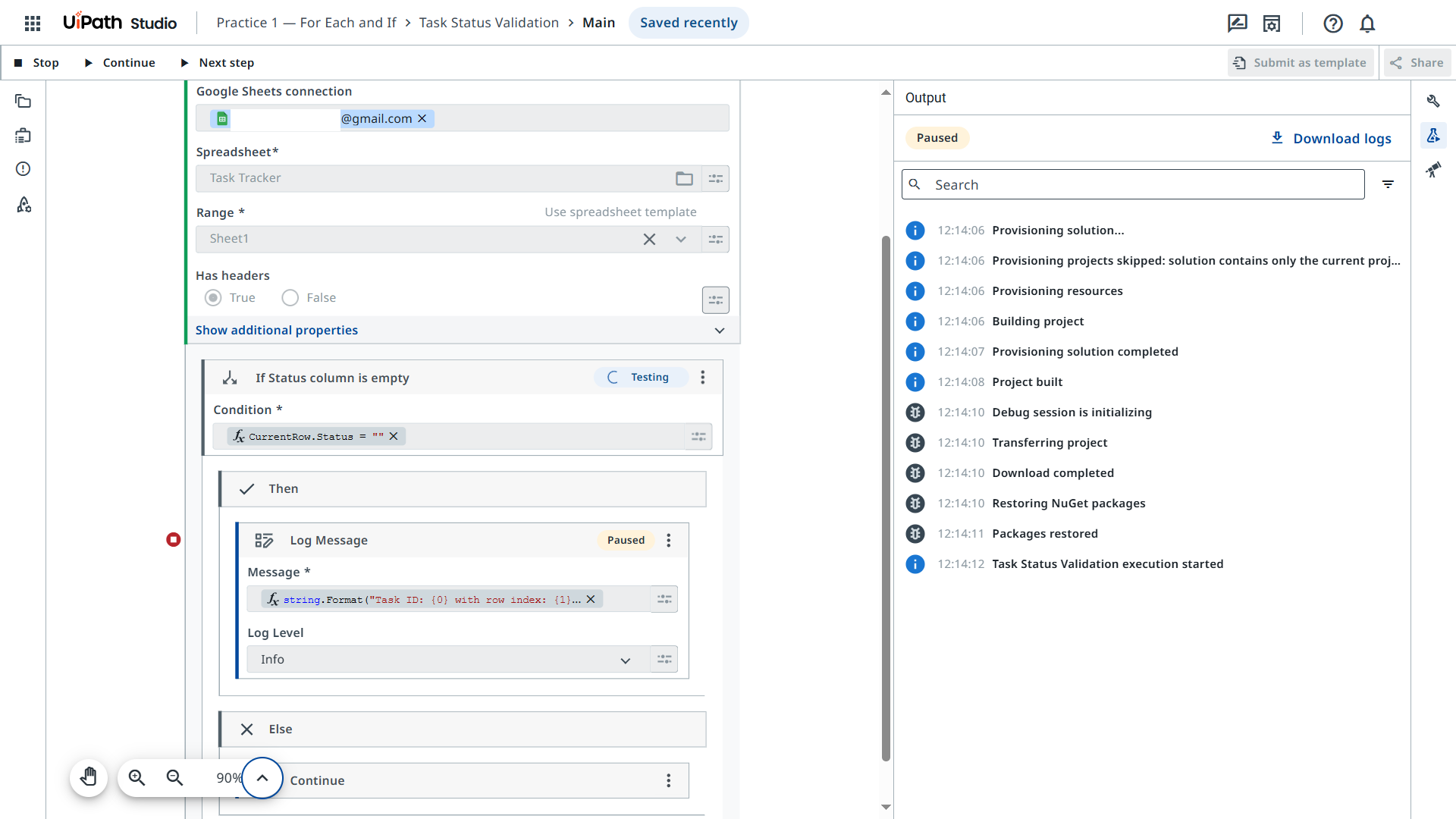
I’m working on Practice 1 — For Each and If in the Control Flow in Studio Web course. I’m trying to loop through rows in an Excel file and flag the ones where the Status column is blank.
I used the condition:
vb
CopyEdit
row("Status").ToString.Trim = ""
But it doesn’t seem to flag all the empty cells correctly. Some rows are being skipped even though the status is clearly blank.
First, I checked to make sure there is actually a Task ID on the row before proceeding:
If string.IsNullOrEmpty(CurrentRow.Task_ID) = false
then I checked the Status:
If string.IsNullOrEmpty(CurrentRow.Status) = true
If no status, log a message.
If no Task ID, then stop processing altogether.
also make sure for the action of the empty rows is default to skip so in case you edited the file and removed also the task id from some rows it will cause the issue for you.