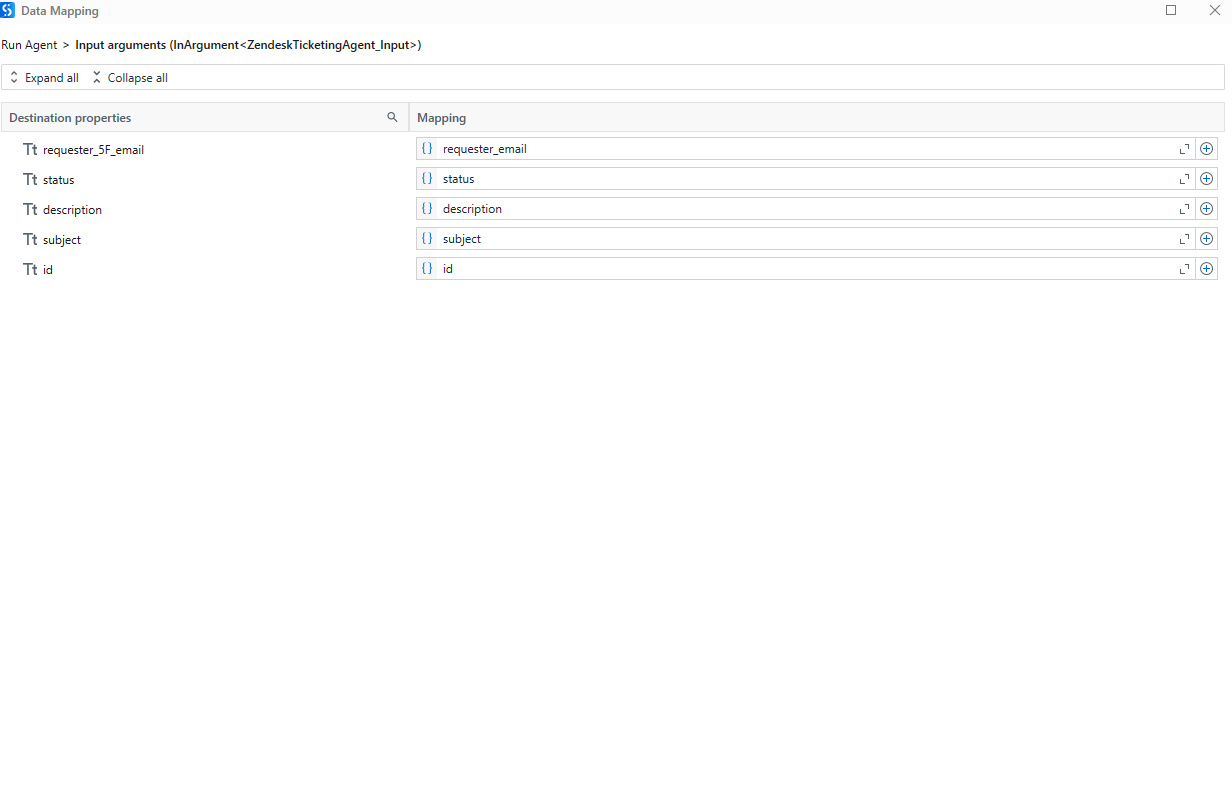
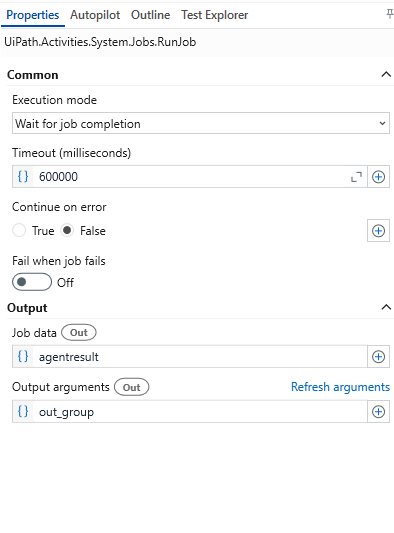
I am creating a process where I am invoking a bot and then passing its value 1 by 1 to the agent using a for loop. I am then invoking the agent by using the “Run agent” activity and passing the input parameters as shown in the screenshots. I am getting null as the output from the agent (out_group).
I have attached screenshots from the UiPath cloud studio as well where you can see my input and output arguments for the agent. Also, the agent is running fine on UiPath cloud studio but I am getting null when invoking it on UiPath studio app.
For the output mapping — after you run the agent, make sure you’re storing the result in a variable (like agentResult) in the Output → Result field of the Run Agent activity.
Then, just use an Assign like this:
finalGroup = agentResult("out_group").ToString
That should give you the value from the agent. Let me know if you need help setting this part up!
The likely issue is inside the agent process itself. Even though out_group is declared, it won’t return anything unless the agent explicitly assigns a value to it before finishing. Just having the argument isn’t enough—make sure you’re setting it with something like out_group = <your value> at the end of the agent workflow.
Also, as an alternative approach, you can remove the out_group from the Output Arguments section and instead use:
finalValue = agentresult("out_group").ToString
right after the agent runs. This sometimes avoids issues with argument bindings.
Let me know how it goes or if you want help reviewing the agent’s logic.
Hey @Parth_Sharma, can please check the bellow points:
The issue is with the activity you’re using.
You’re using the Run Job activity from UiPath.System.Activities, which is meant for standard processes, not for agents created using Agent Builder.
Use the correct activity.
Install and use the Run Agent activity from the UiPath.Agent.Builder package. This is specifically built to handle agents and return outputs like out_group properly.
Map the result correctly.
After using the correct Run Agent activity, assign a variable (like agentResult) to the Output > Result field. Then, extract the value using:
finalGroup = agentResult("out_group").ToString
Retest your process.
Once you switch to the right activity and set the output correctly, your agent’s output should come through as expected.
Can you open advanced wditor for arguments and use the below expression to pass your arguments Instead of using data mapping please..are you on a studio version less than 25?
New Email_Rewriter_Input() With {
    .feedback = "sample feedback",
    .originalEmail = "sample email content"
}
Also please turn on fail when job fails so that if there is any error it would throw as well