I have tried to extract datatable from Oracle EBS where it has data during initialization. But once I tested out the data extraction it keeps on displaying the error “No data could be extracted”. And also on the side note, how can I remove the data based on the number of rows dynamically in the table itself? Once the last row is removed then it should stop then perform the next action. I would like to seek assistance on how to resolve these issues. Thanks.

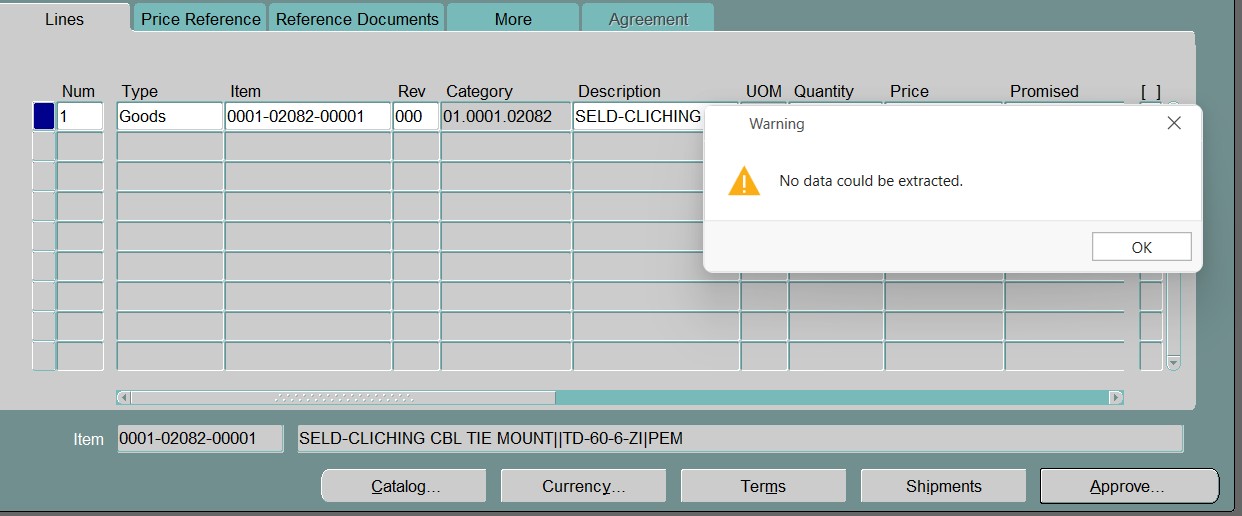
Table extraction might not work on this screen as per experience
You need to use selector manipulation and get text or get attributes to get each data and then add to datatable
You can use idx to get the data and check if it is non empty then add to datatable else the data has ended you can stop the loop..in few cases you can get something like row index as well which can be used instead of idx
Cheers


first print the value and check..use debug mode step into and see what value you are getting …and use highlight element in ribbon to see which data it is picking in loop
cheers
For the row deletion I have already got the solution, as I need to declare another Get Text activity to check for empty field which caused infinite loop previously. @Anil_G @sharazkm32 , do you guys have other ideas on how to extract the datatable in a more robust way in Oracle EBS. I have encountered this issue frequently as I am not sure is there any limitation from UiPath itself.
for java based applications there might be differences and thats the reason we need to go with get text
and generally in java based application that too for oracle ebs the idx refreshes once you scroll so one way we do is get all the data then scroll and reset the idx values when scrolling and start getting data again
cheers